Remove IAM User and Policy
⚠️ Note: Please log in with root user to remove IAM service and Policy.
Steps
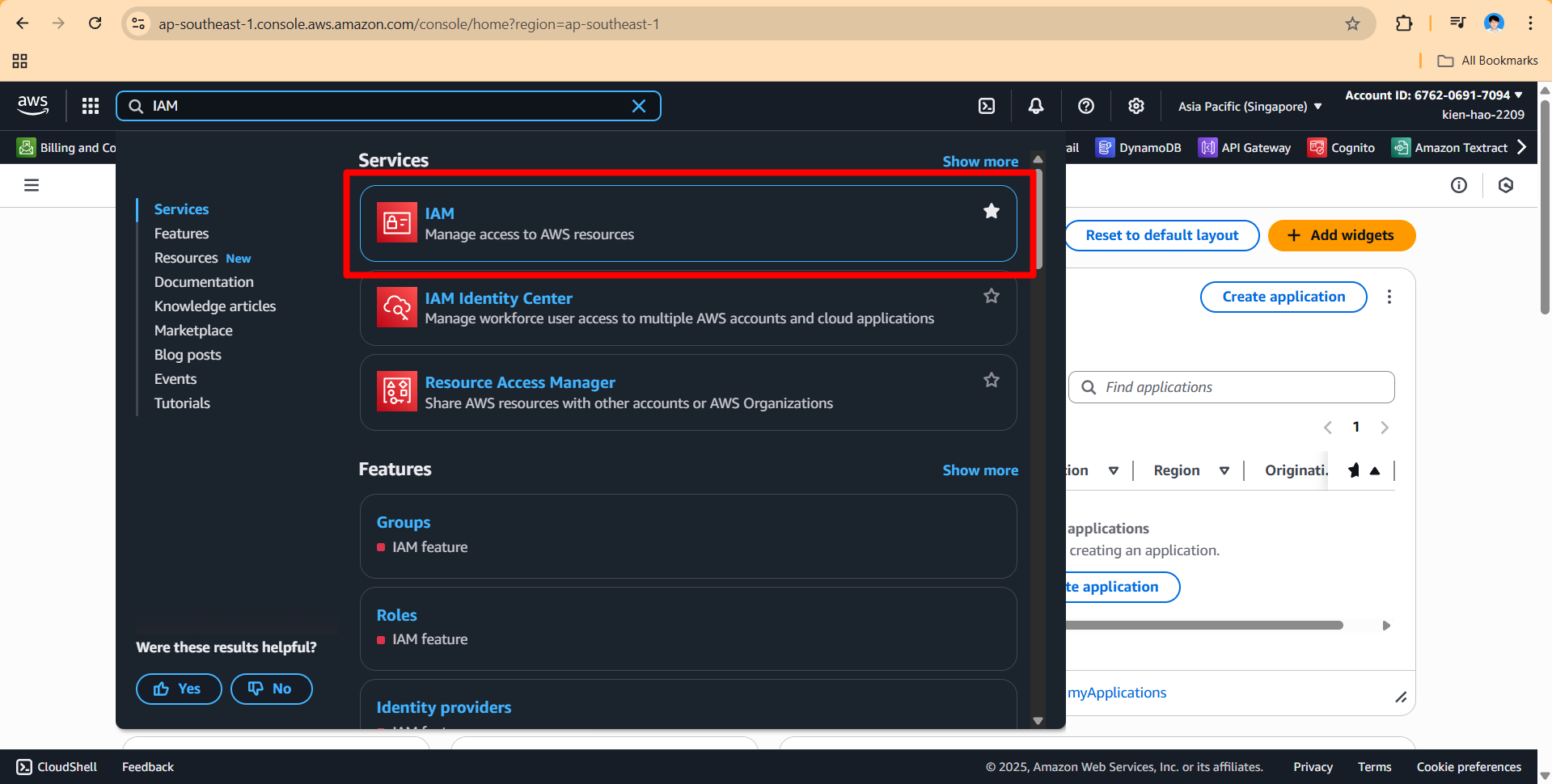
- Open AWS Management Console → Search for IAM service.
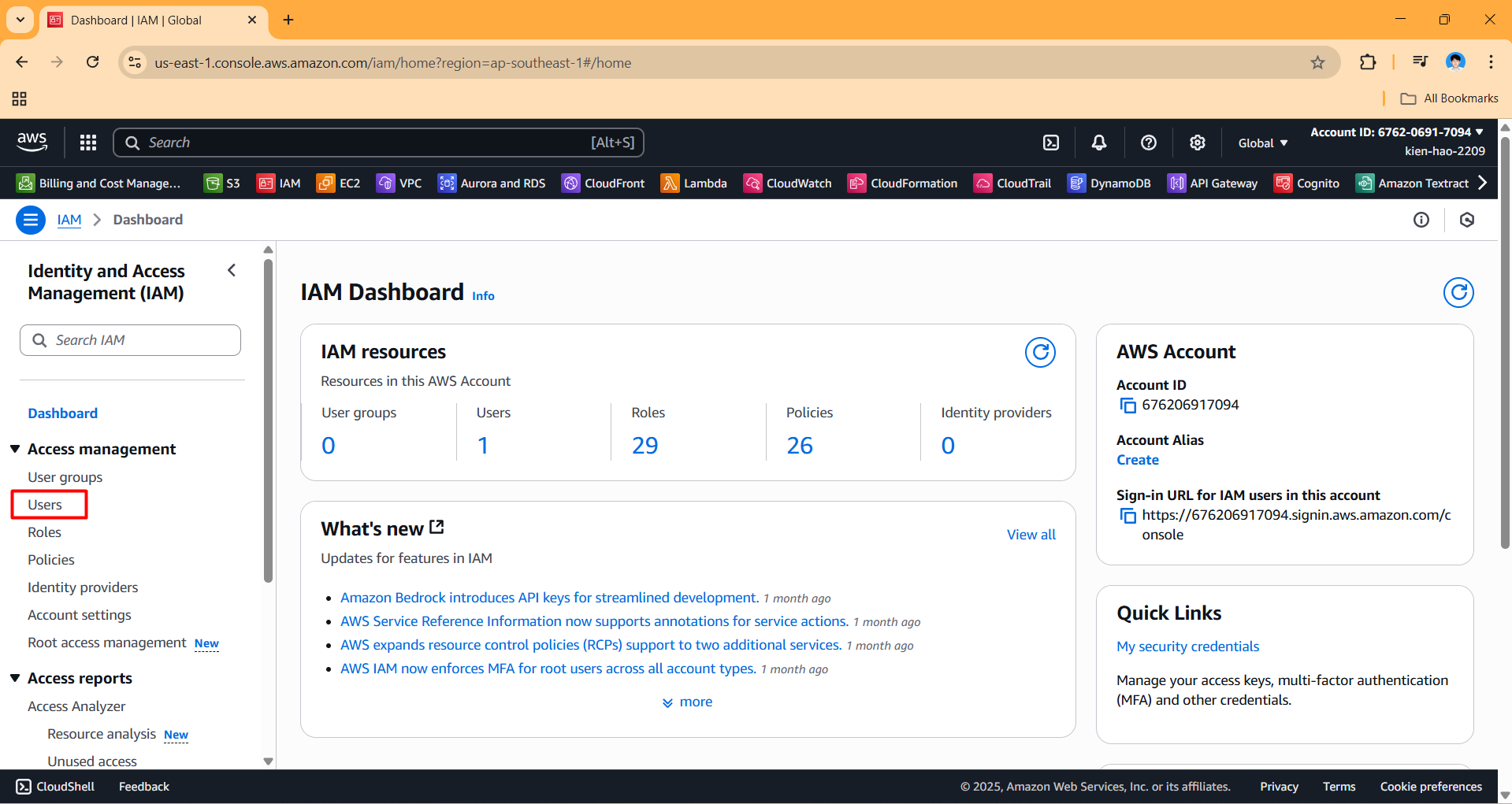
- In the left navigation bar, select Users.
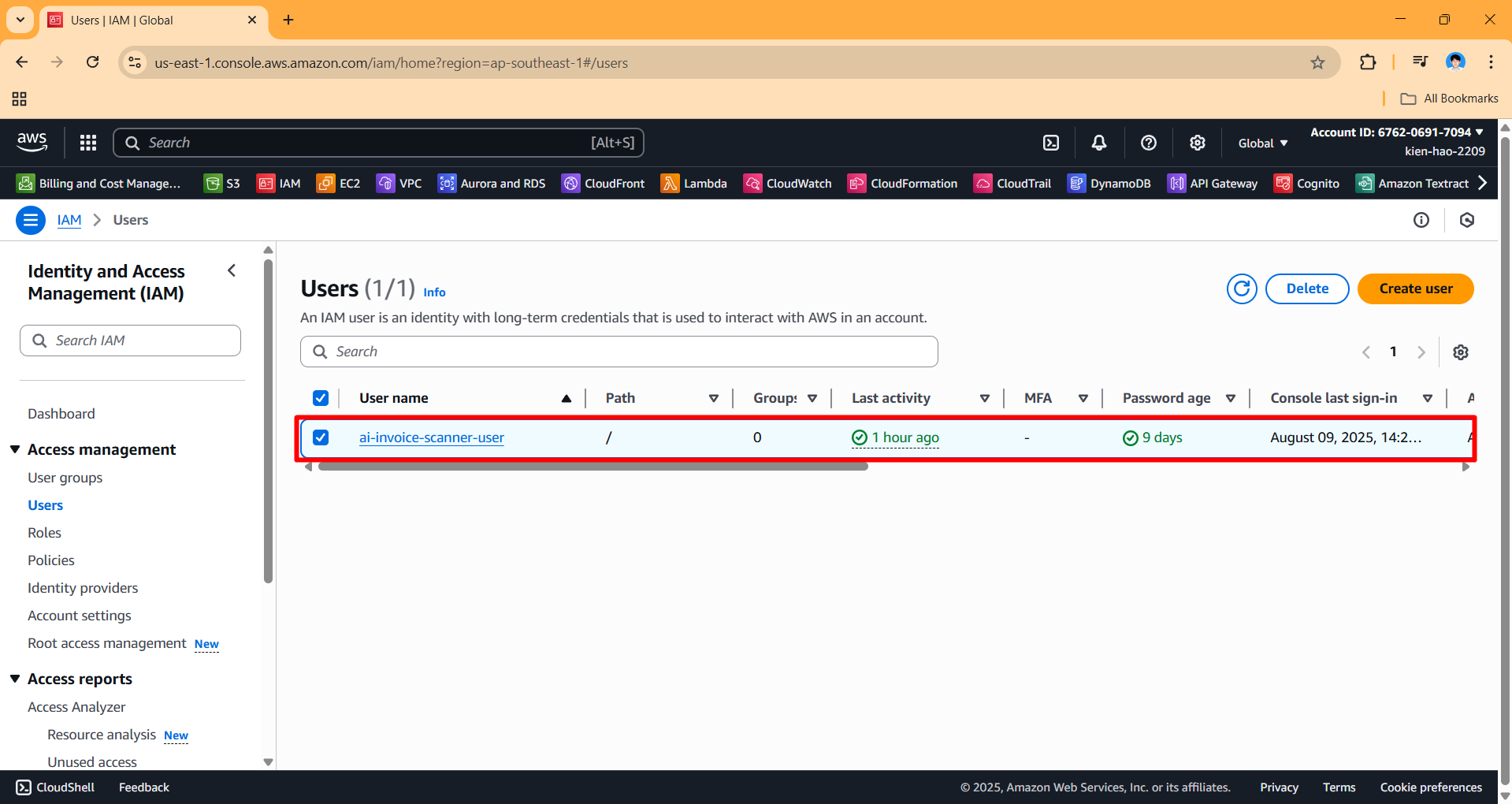
- Find and select the user
ai-invoice-scanner-userto go to the user’s details page.
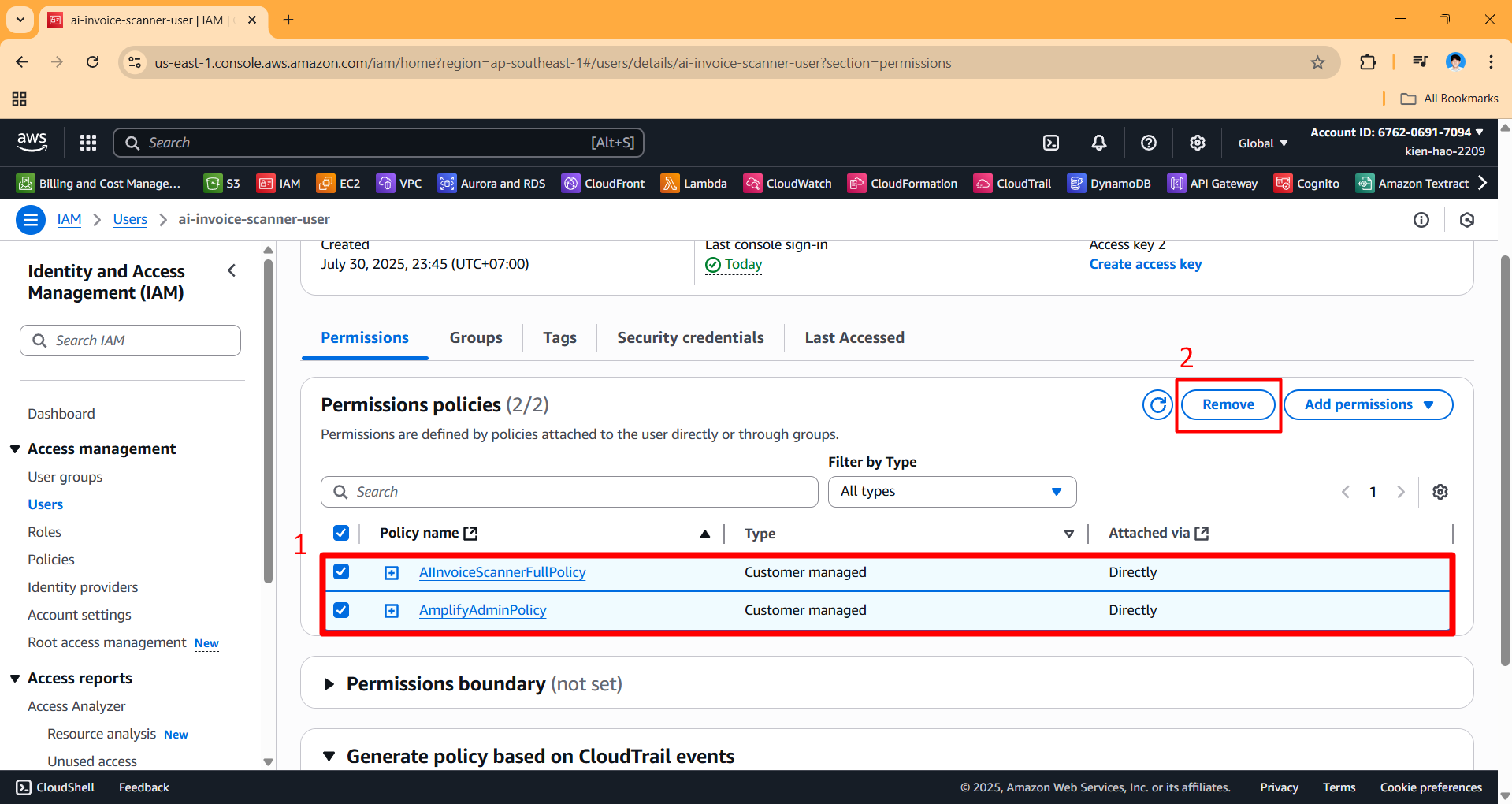
- Scroll down to the Permissions policies section, select all the policies assigned to the user, then click the Remove button.
- Click Remove policies to confirm removing the policies from the user.
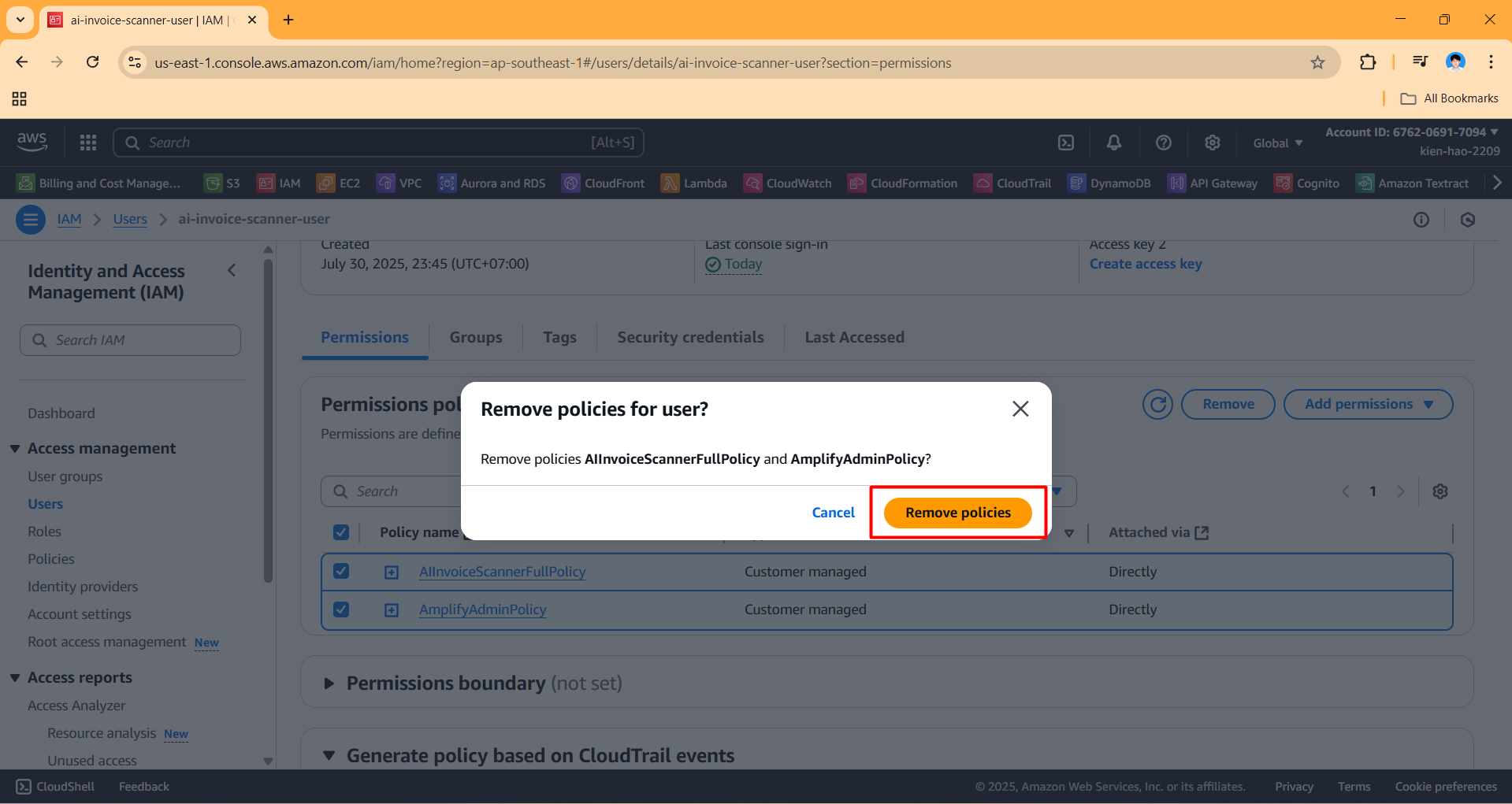
- Access the Security credentials tab.
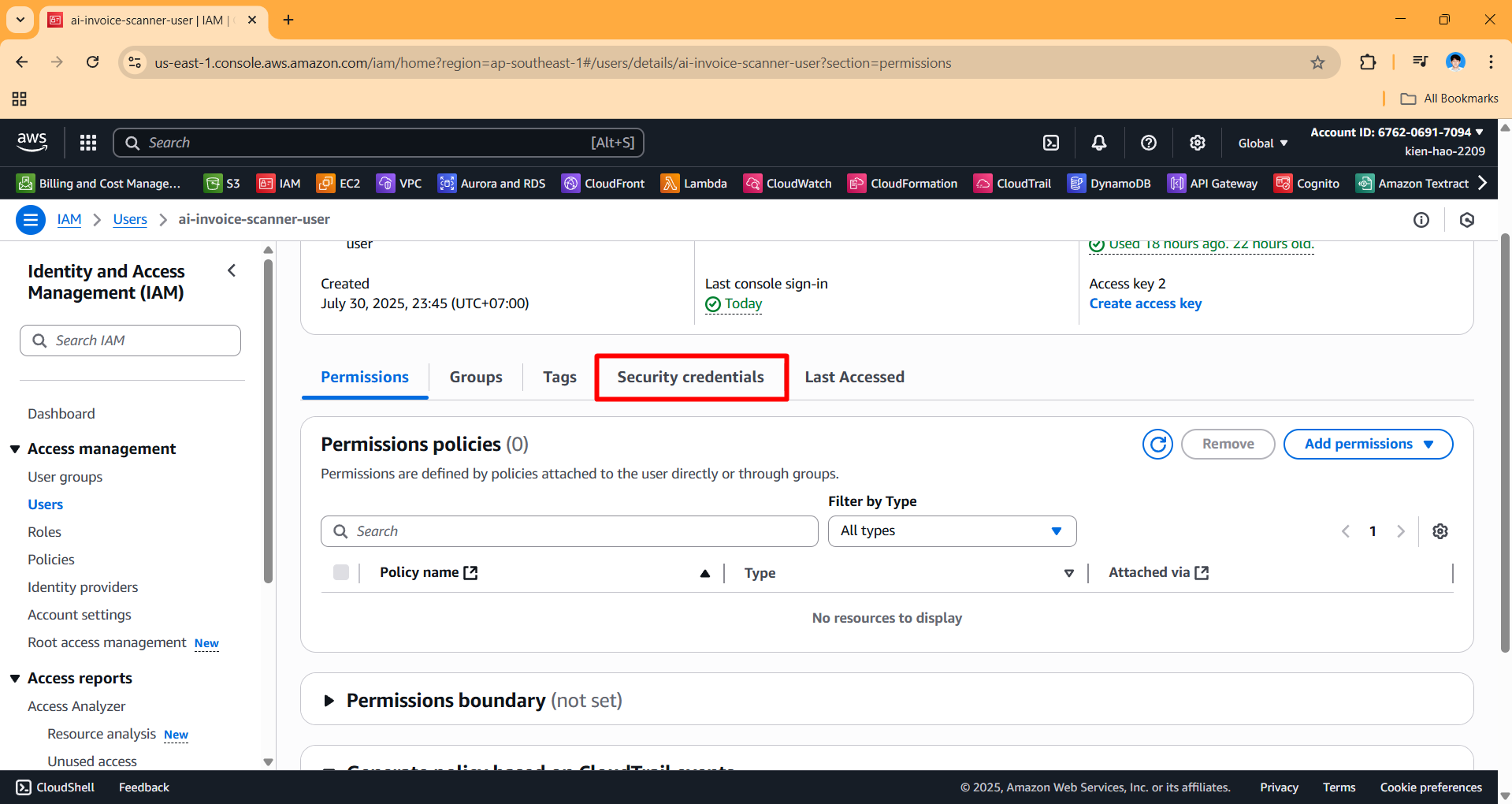
- Scroll down to Access keys, click Actions → Delete to delete the access key.
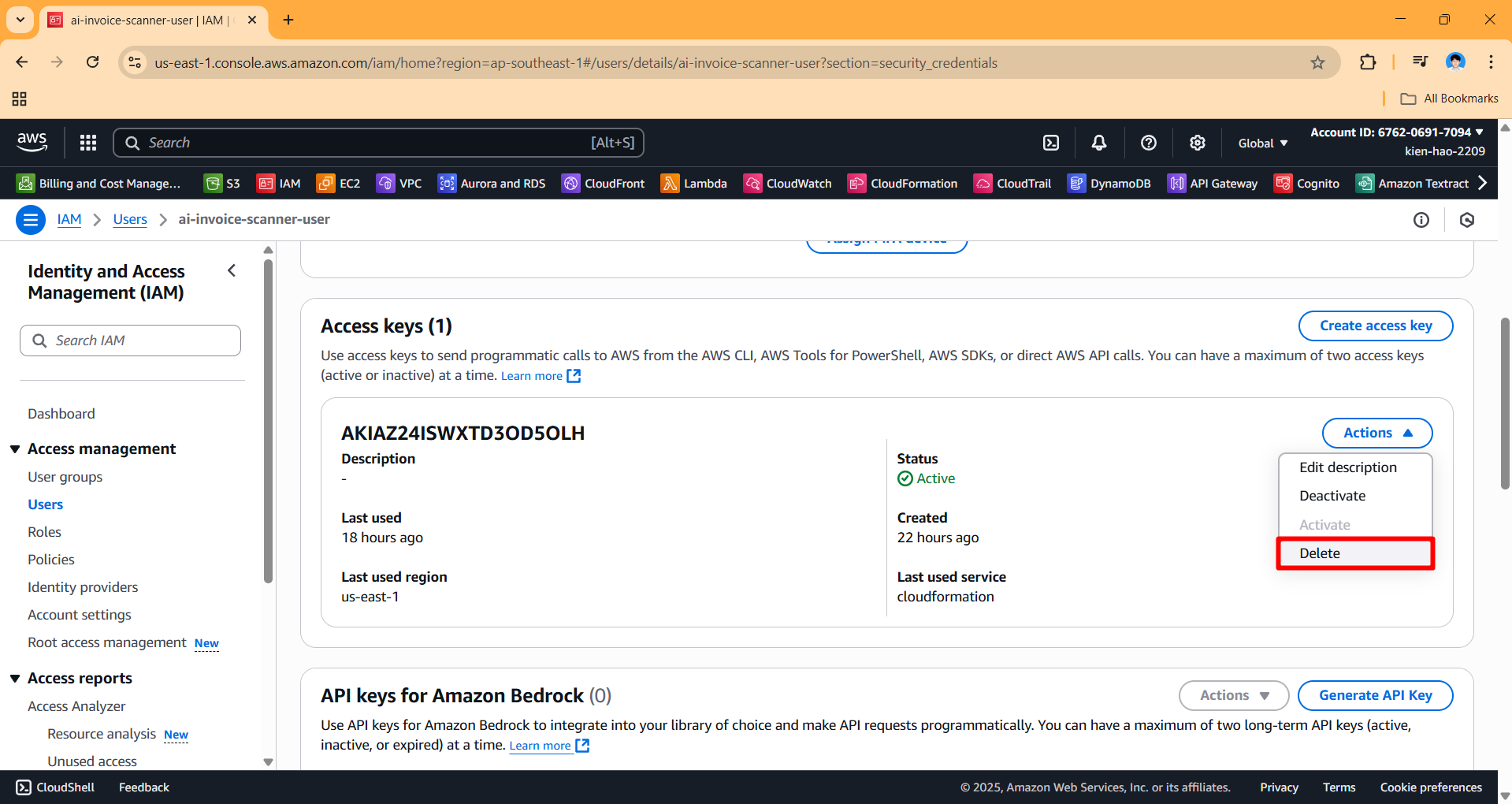
- After deleting the access key, scroll to the top of the page → Click Delete to delete the IAM User.
- During the deletion process, click Deactivate access key if prompted.
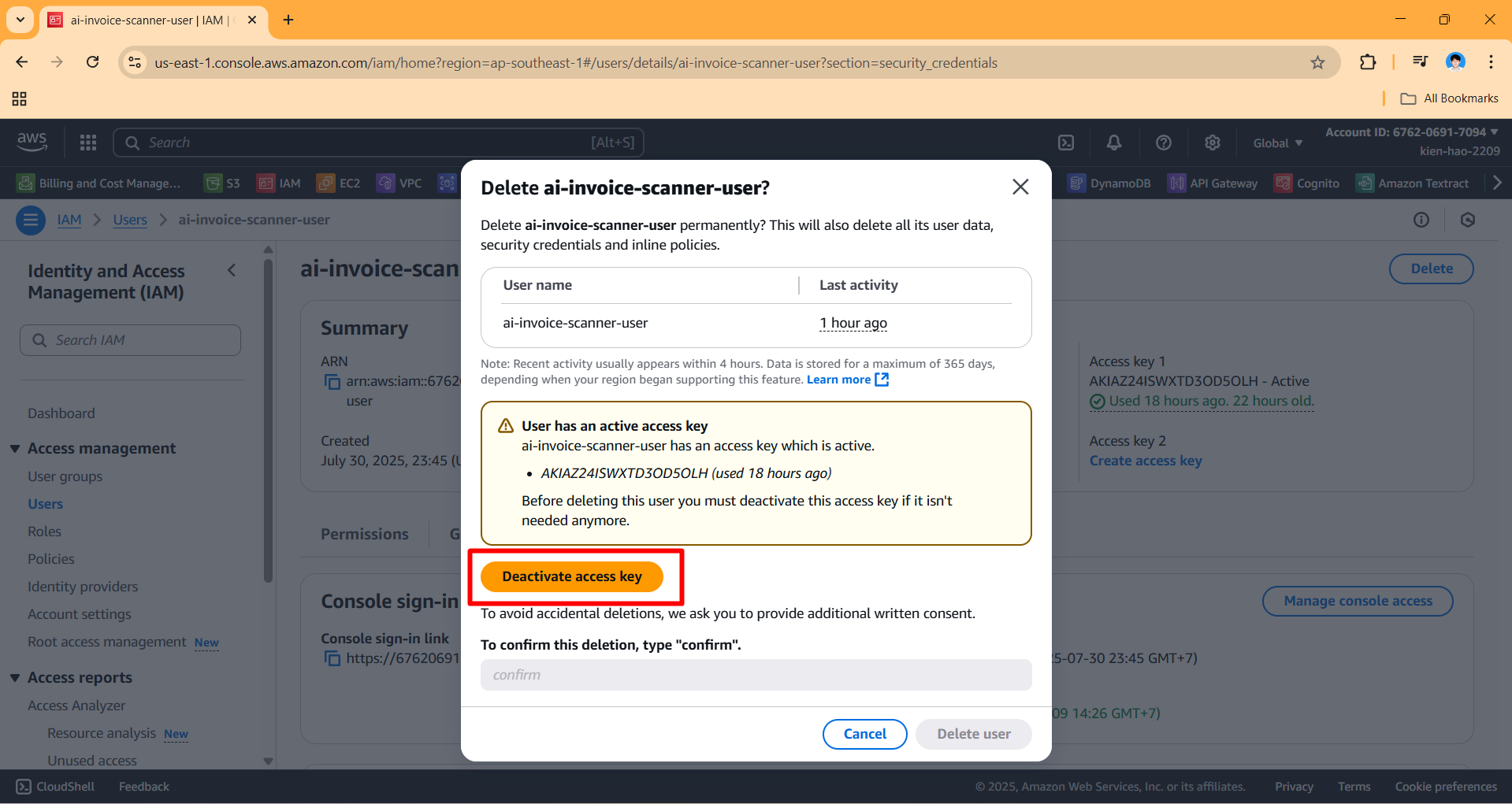
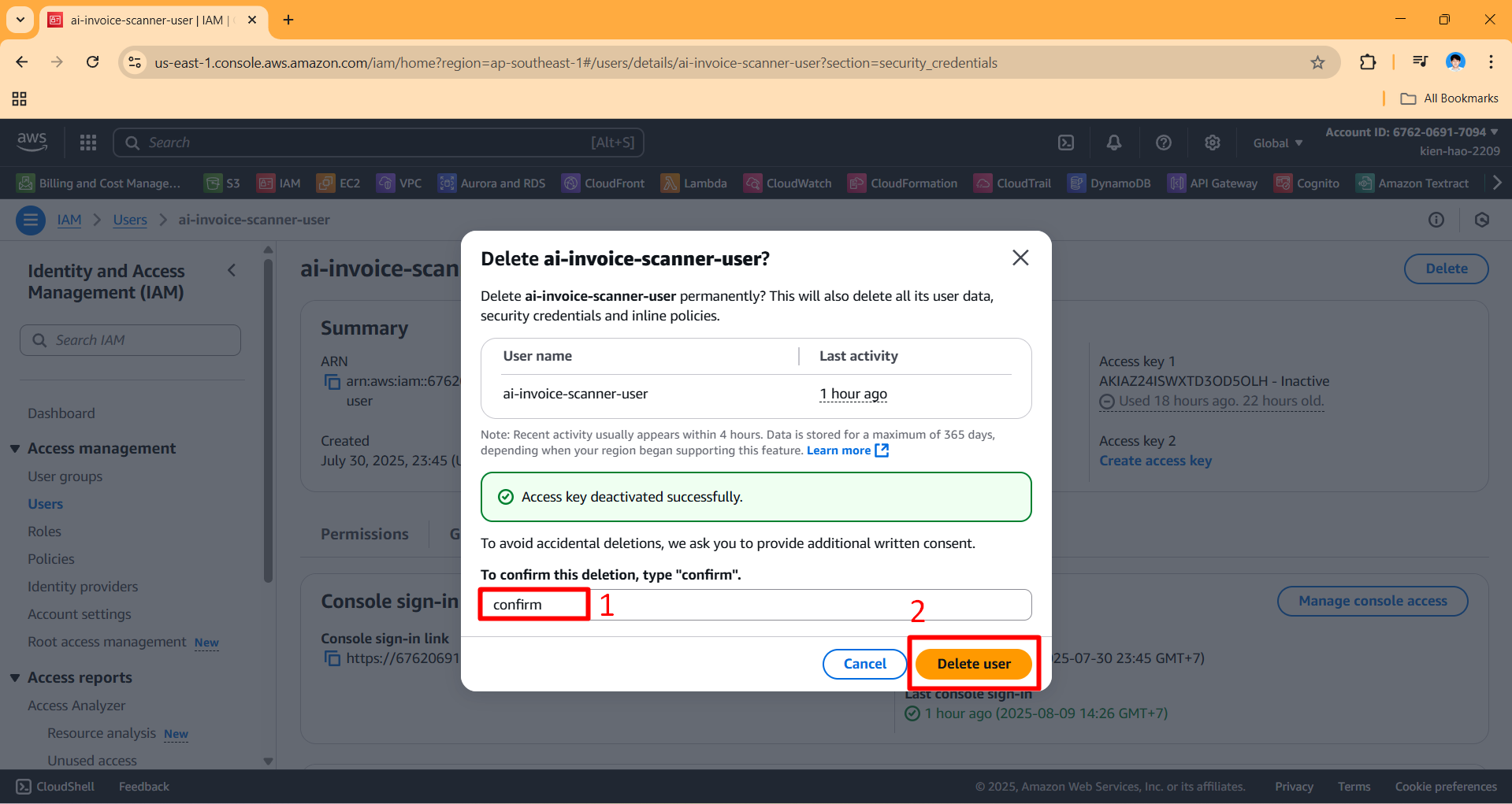
- In the confirmation window, enter
confirm→ Click Delete user.
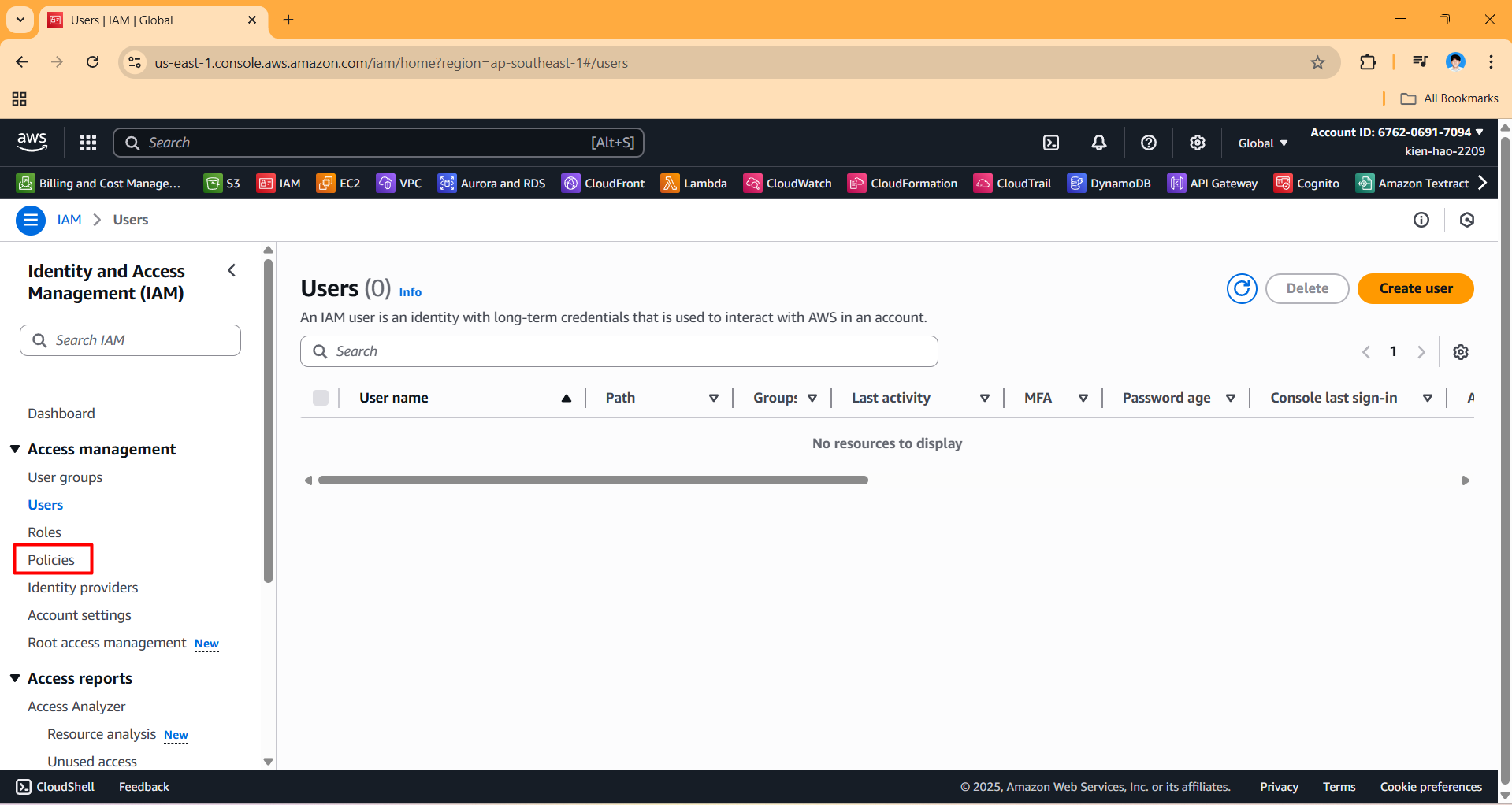
- After deleting the user, in the left navigation bar, select Policies.
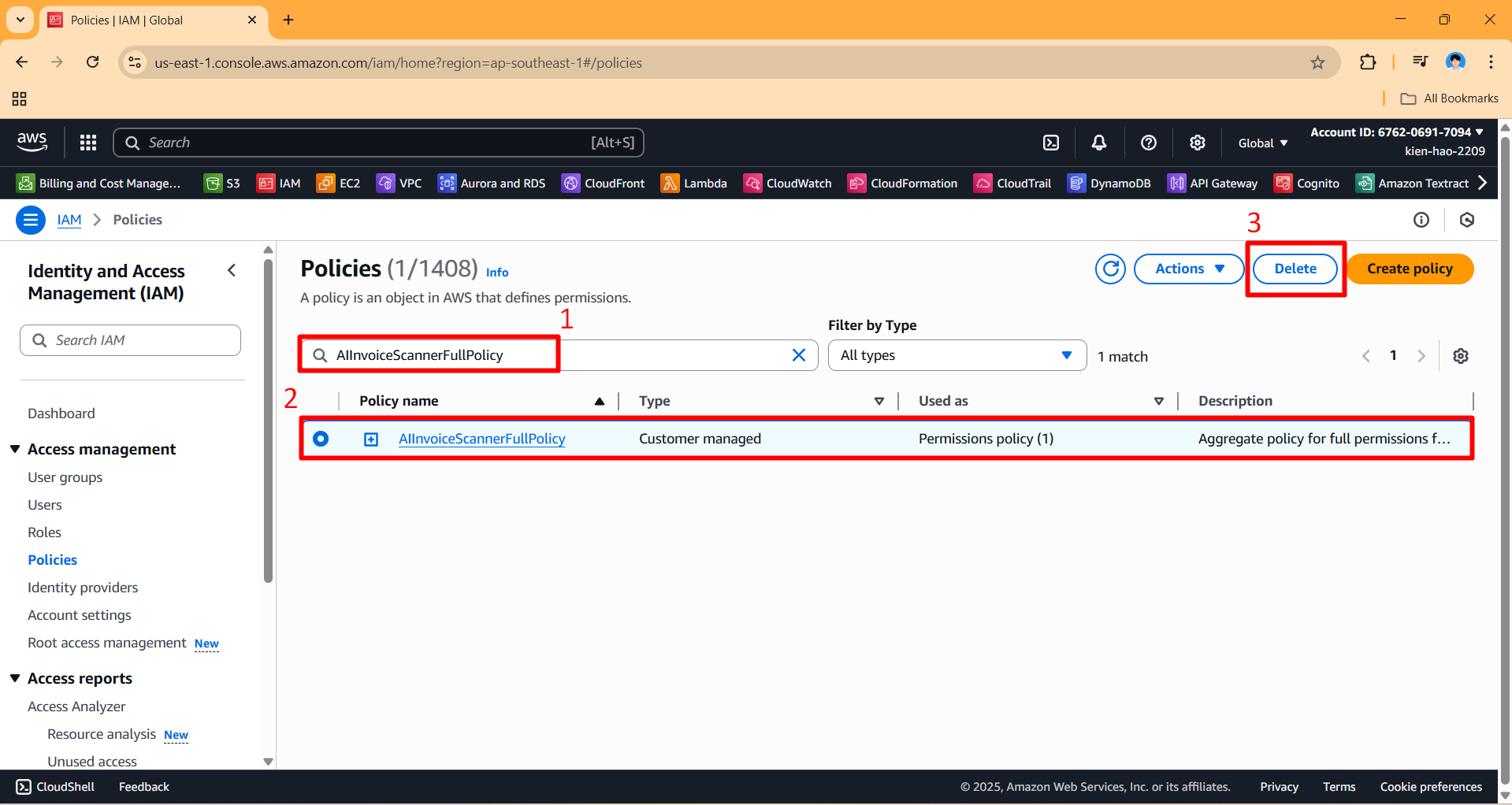
- Find the policy
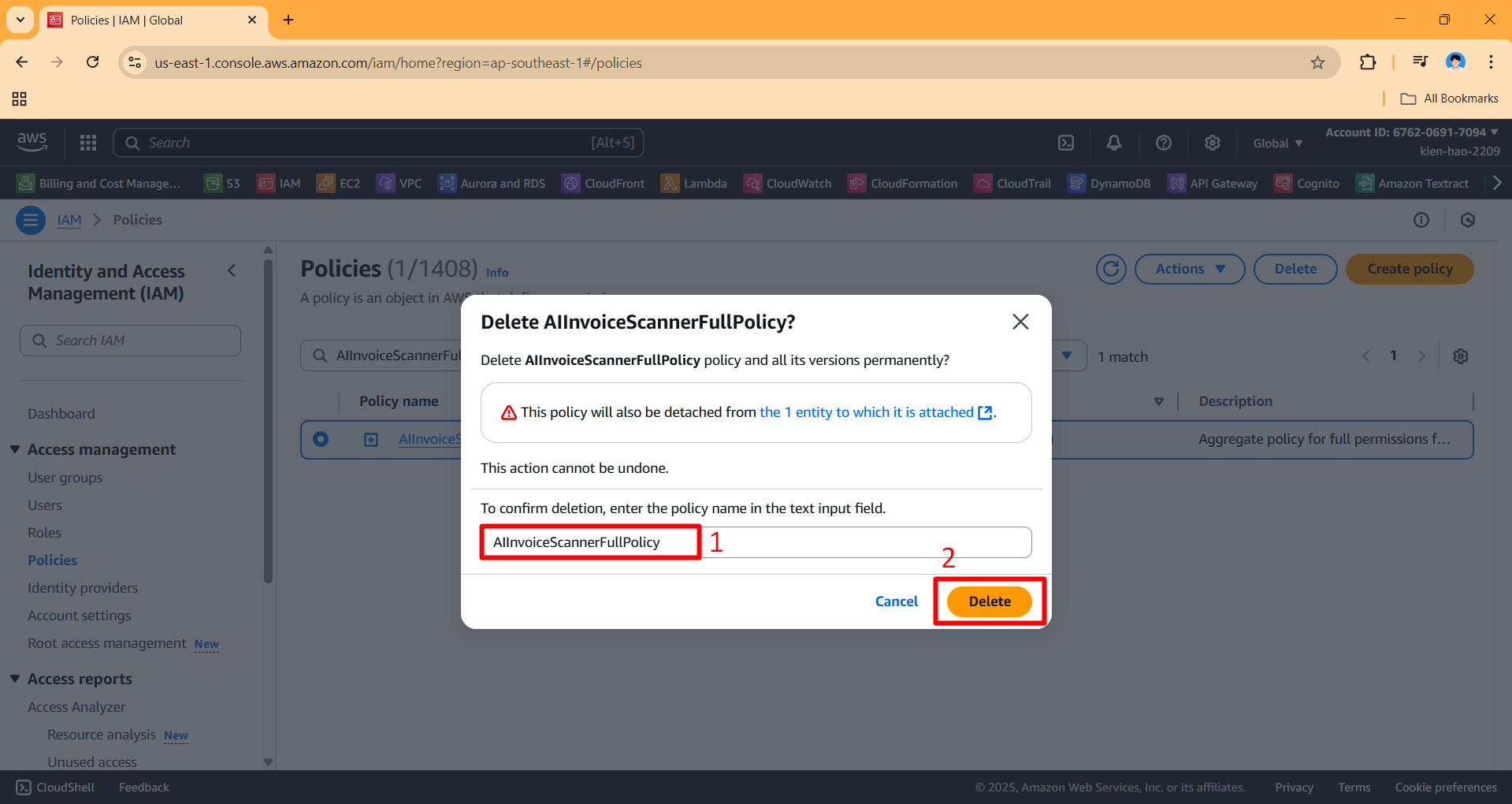
AIInvoiceScannerFullPolicy→ Click Delete.
- Re-enter the policy name to confirm → Click Delete.
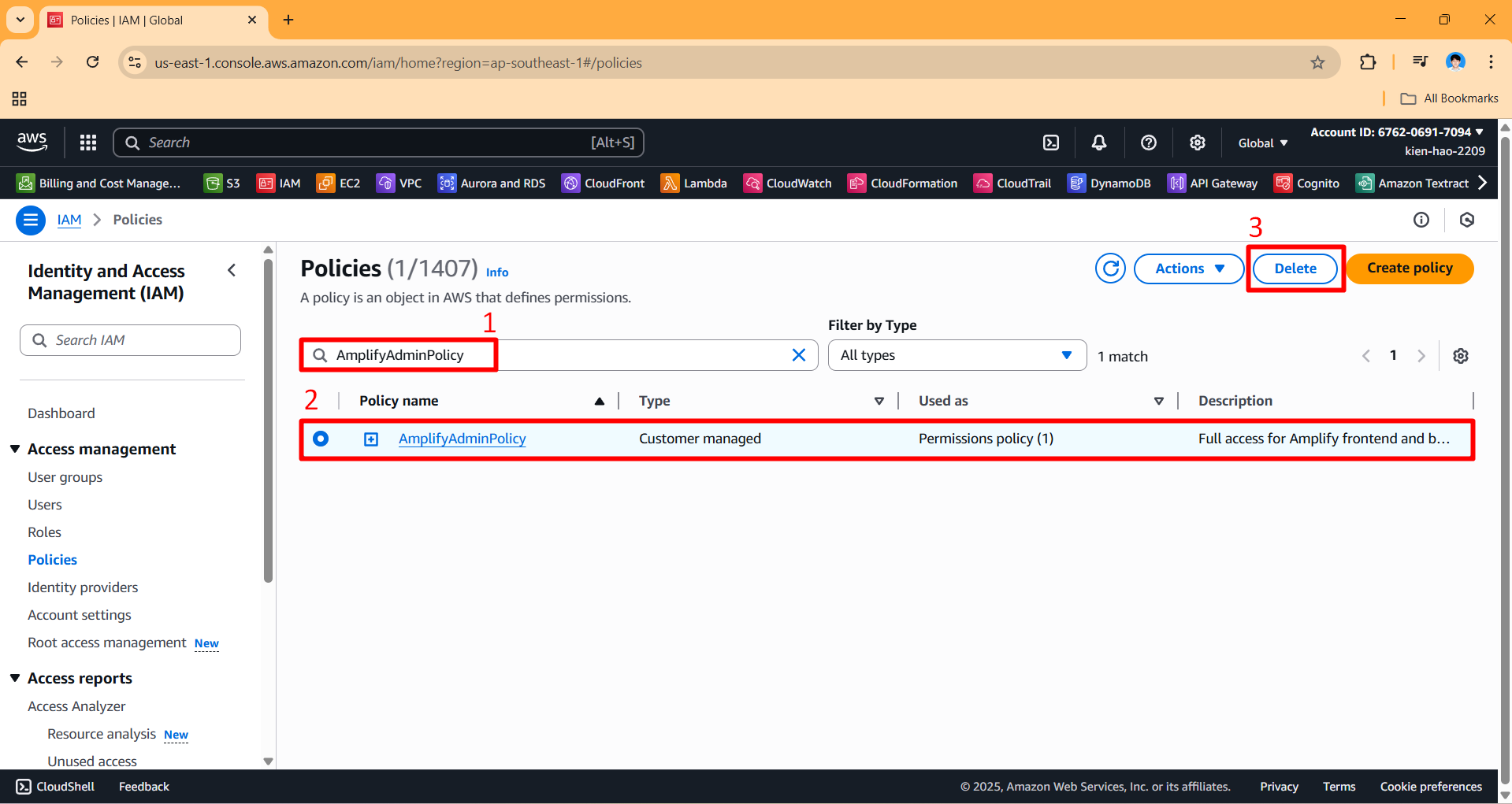
- Repeat the above steps to delete the policy
AmplifyAdminPolicy.
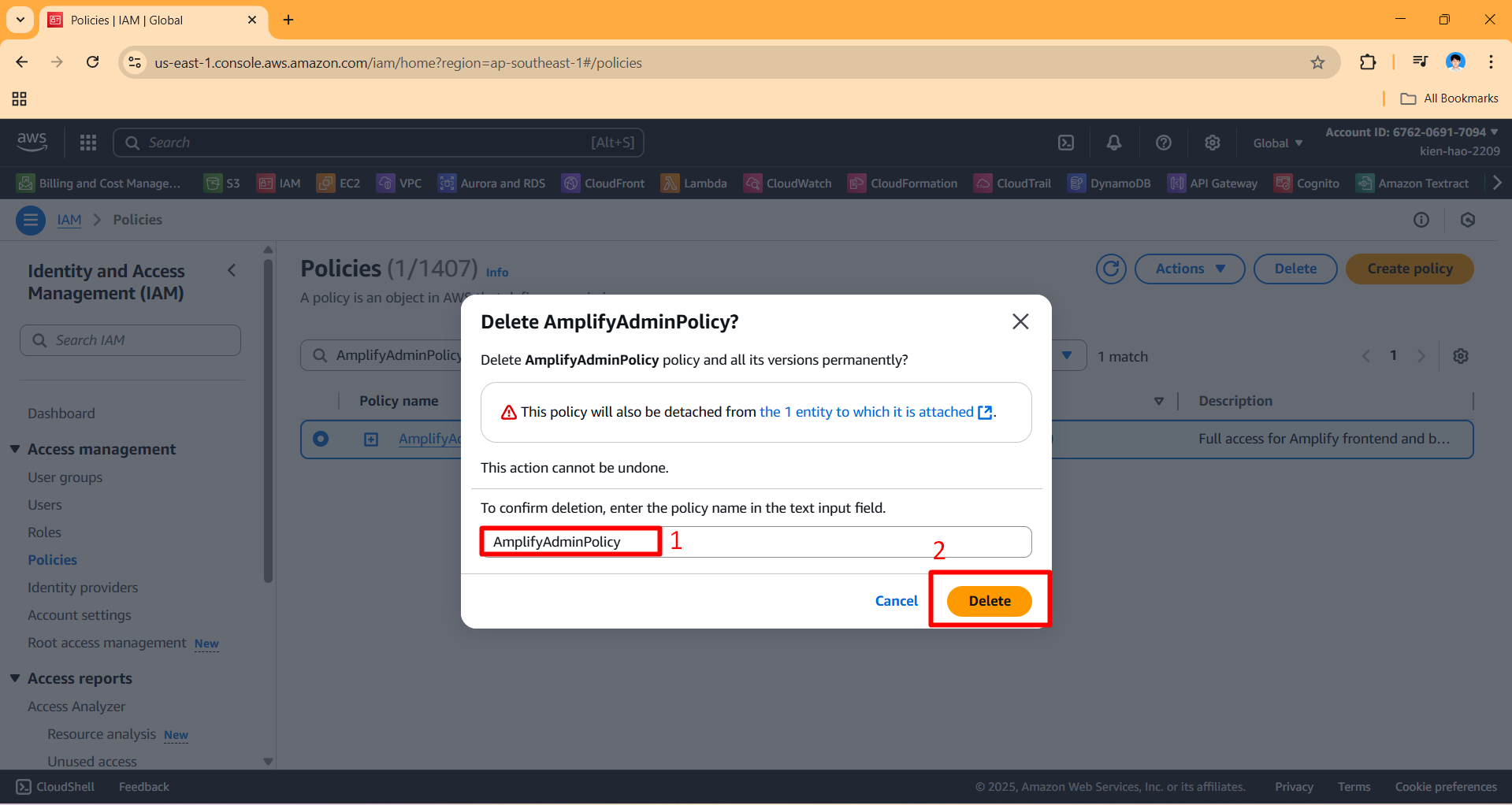
- Re-enter the policy name to confirm → Click Delete.
ℹ️ To be careful, please check the services related to the project again to avoid incurring costs later!