Delete DynamoDB
Steps to follow
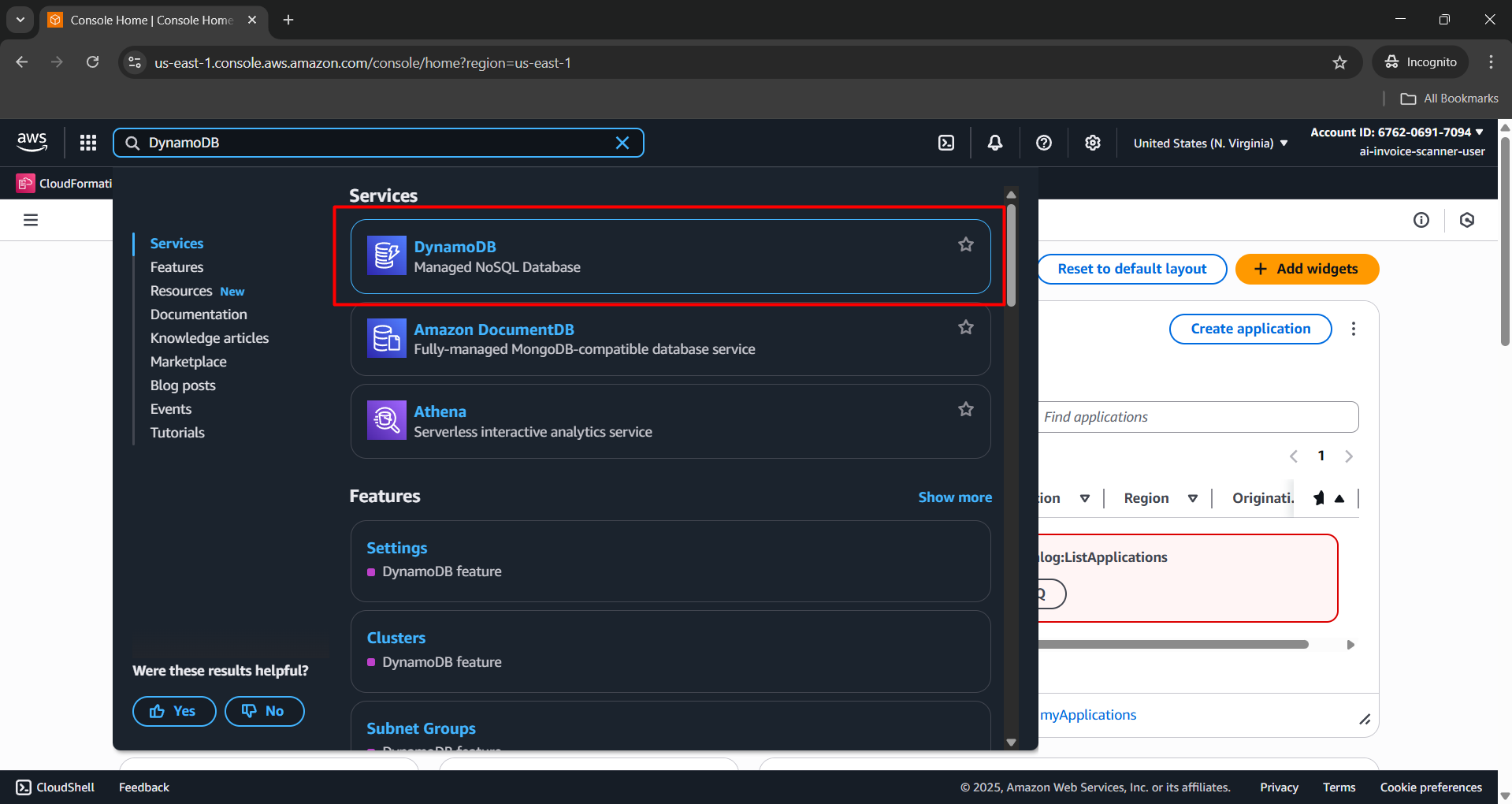
- Open AWS Management Console → Search for DynamoDB service.
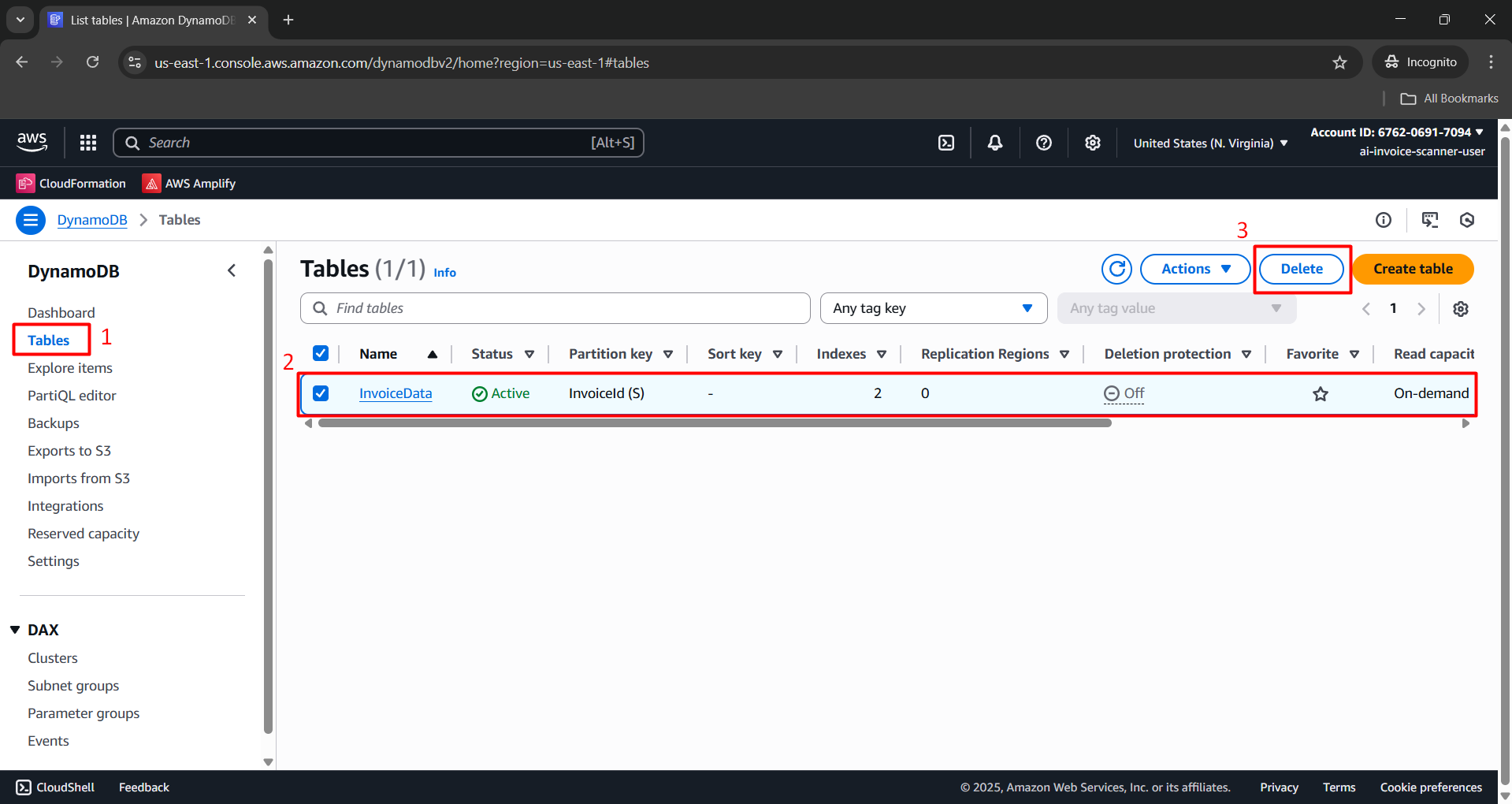
- In the Tables tab, locate and select the
InvoiceDatatable → Click Delete.
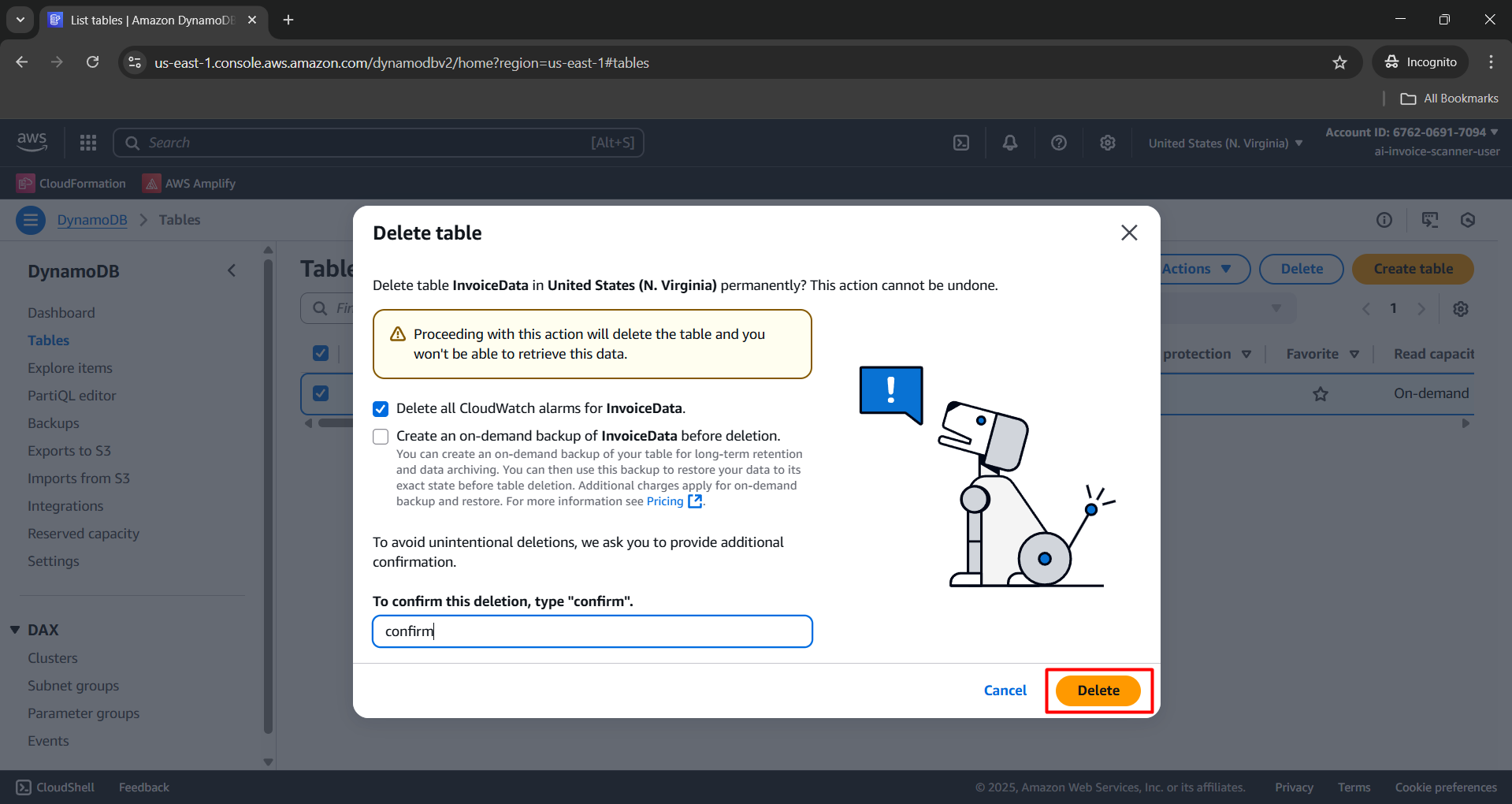
- Confirm by entering:
confirm→ Click Delete.
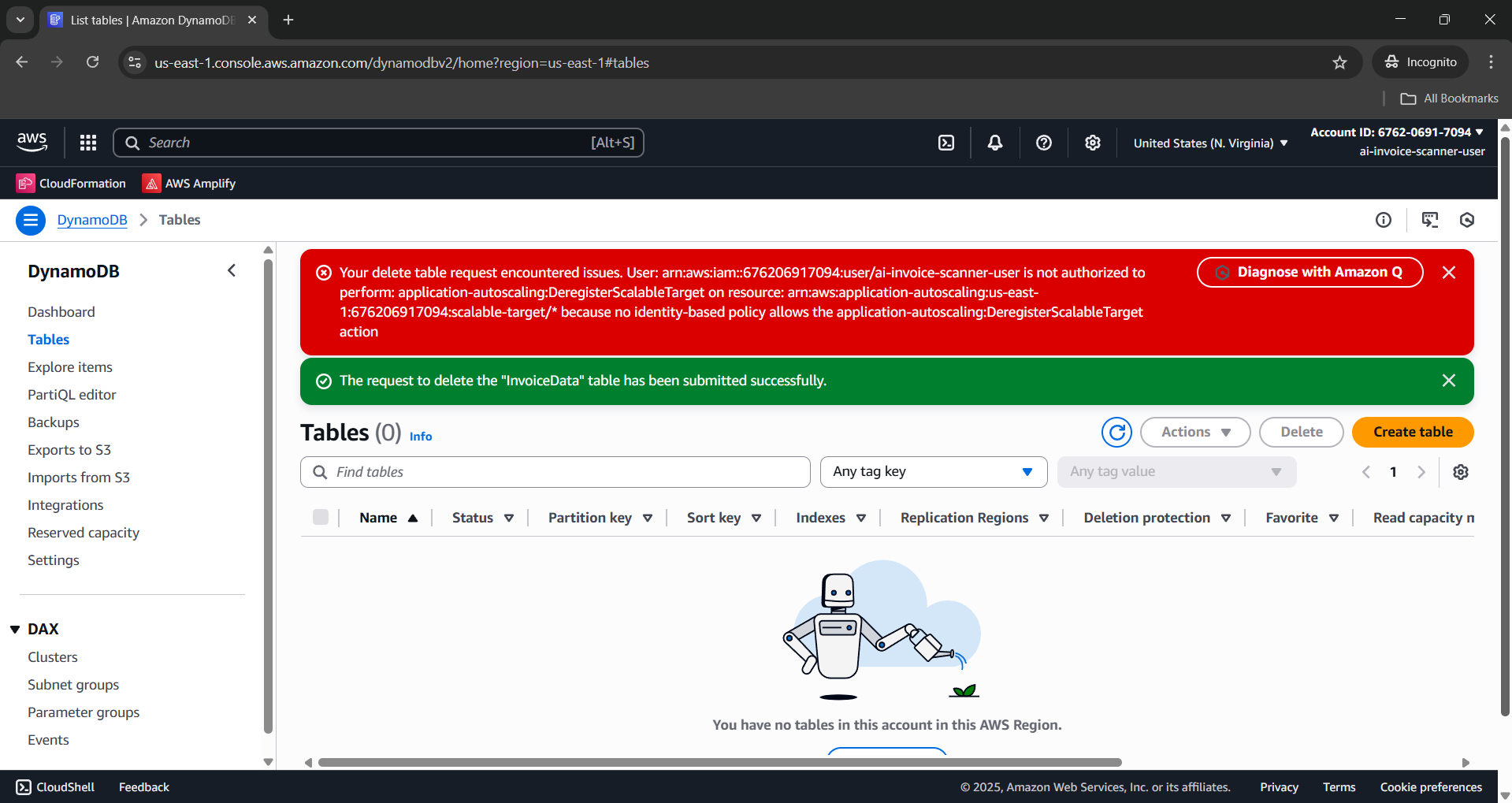
- Check InvoiceData was deleted successfully.