Testing Invoice Retrieval by ID
Step 1: Create Request
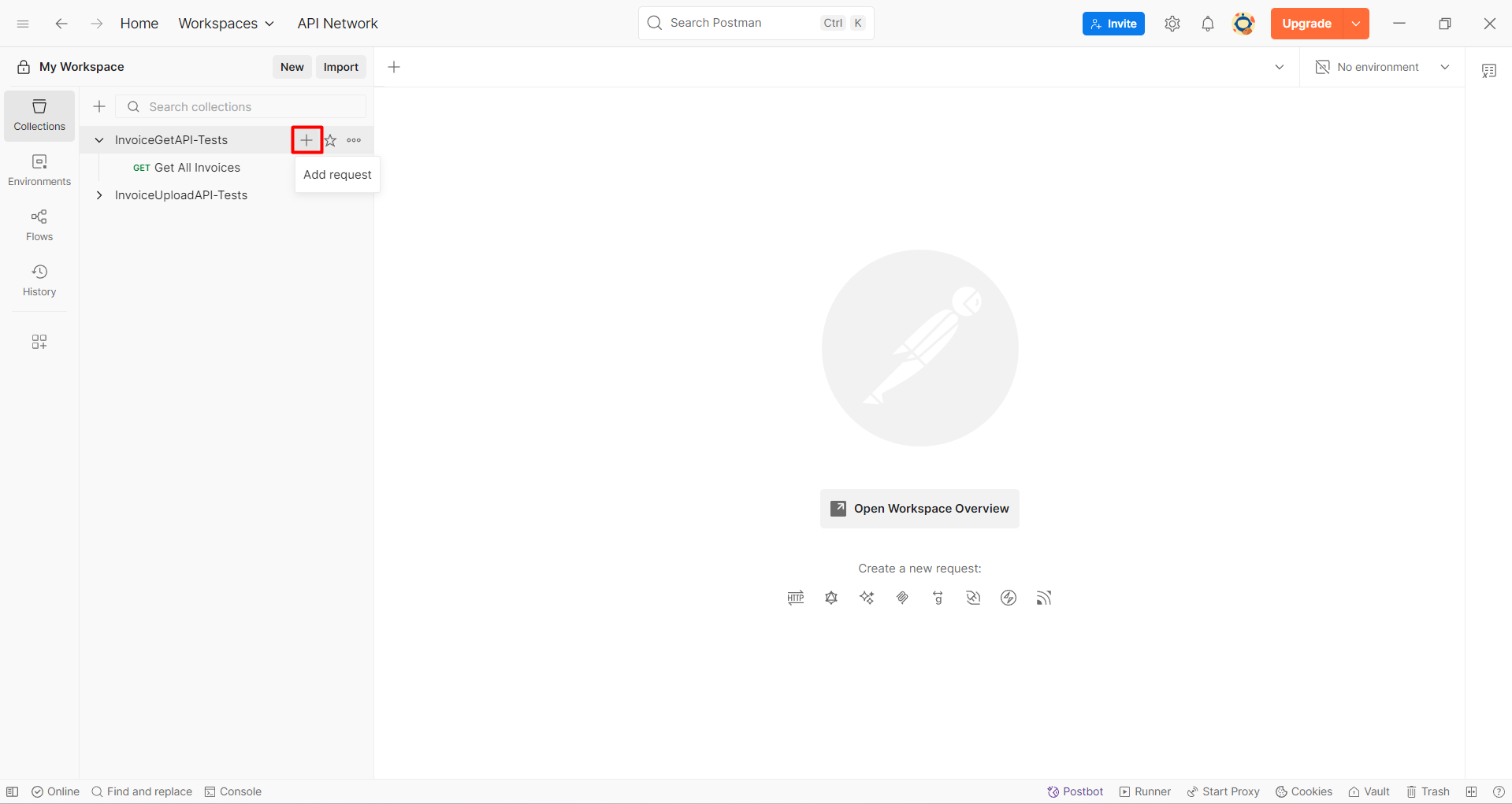
- In the InvoiceGetAPI-Tests Collection, click the "+" button to create a new request.
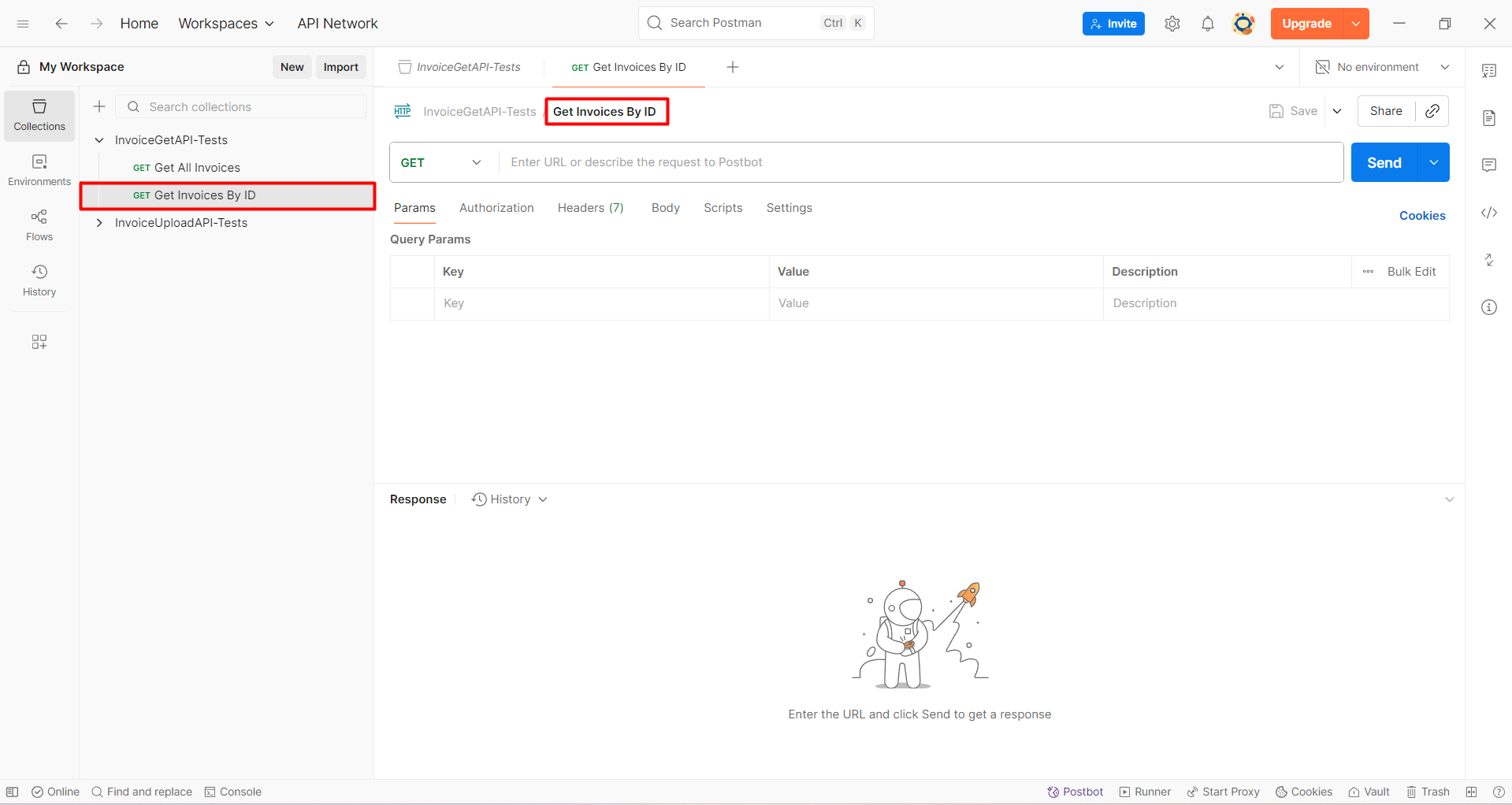
- Name the request:
Get Invoices By ID.
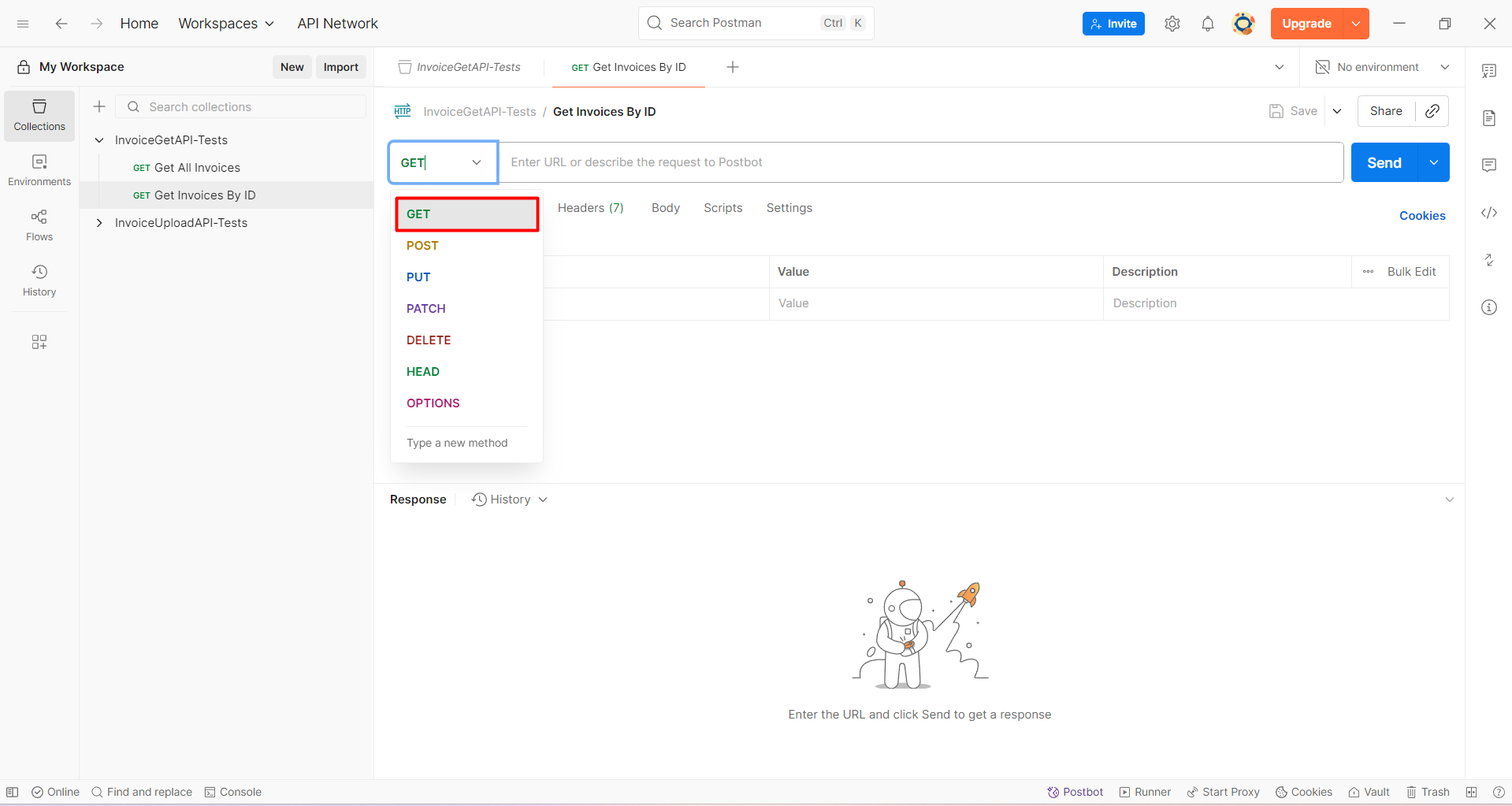
- Select the GET method.
Go to API Gateway and select the API:
GetInvoiceAPI.Navigate to the Stages section.
Click the "+" button to reveal the
/invoice/{id}endpoint path as shown below:
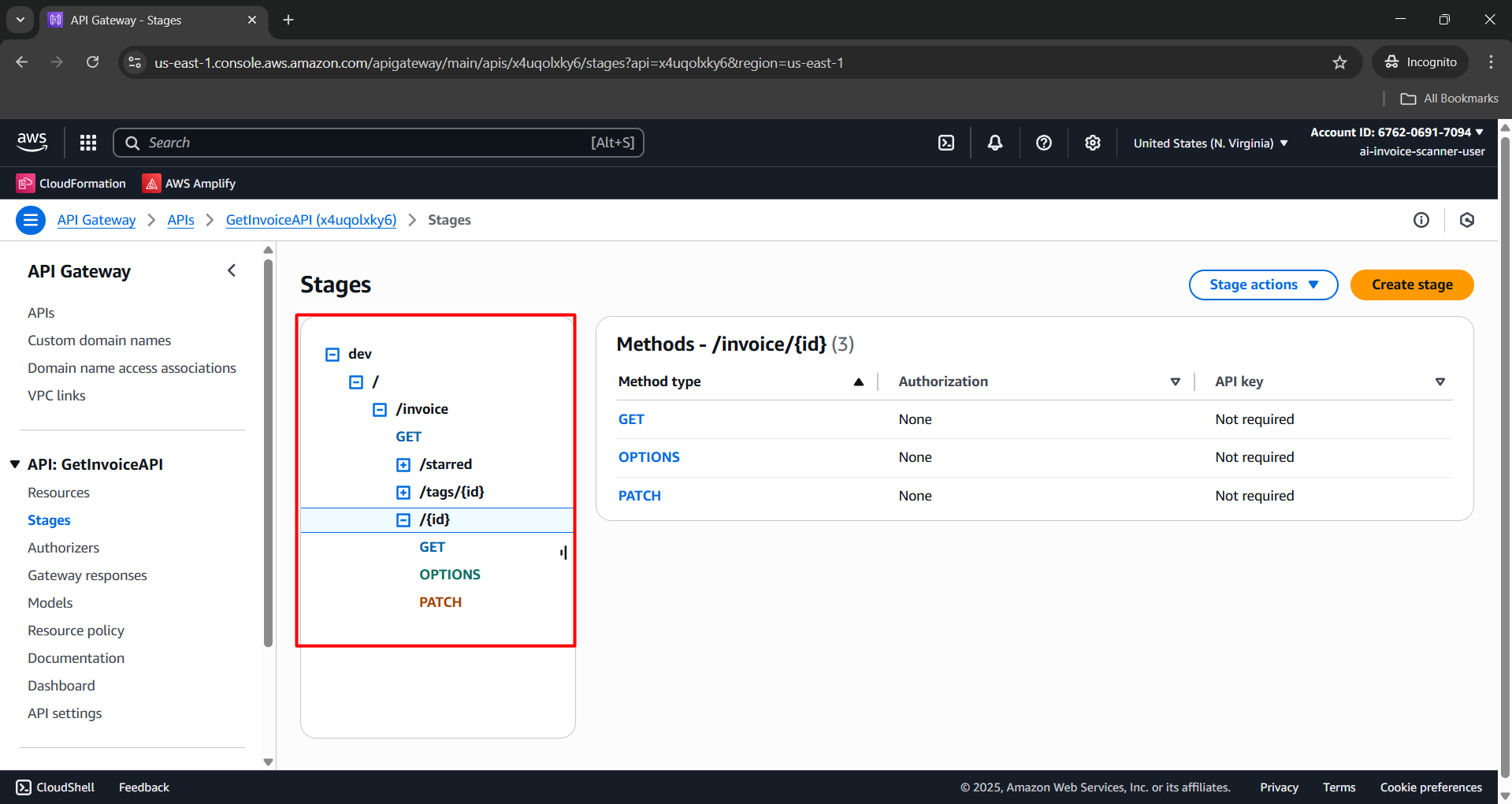
- Select the GET method and copy the Invoke URL.
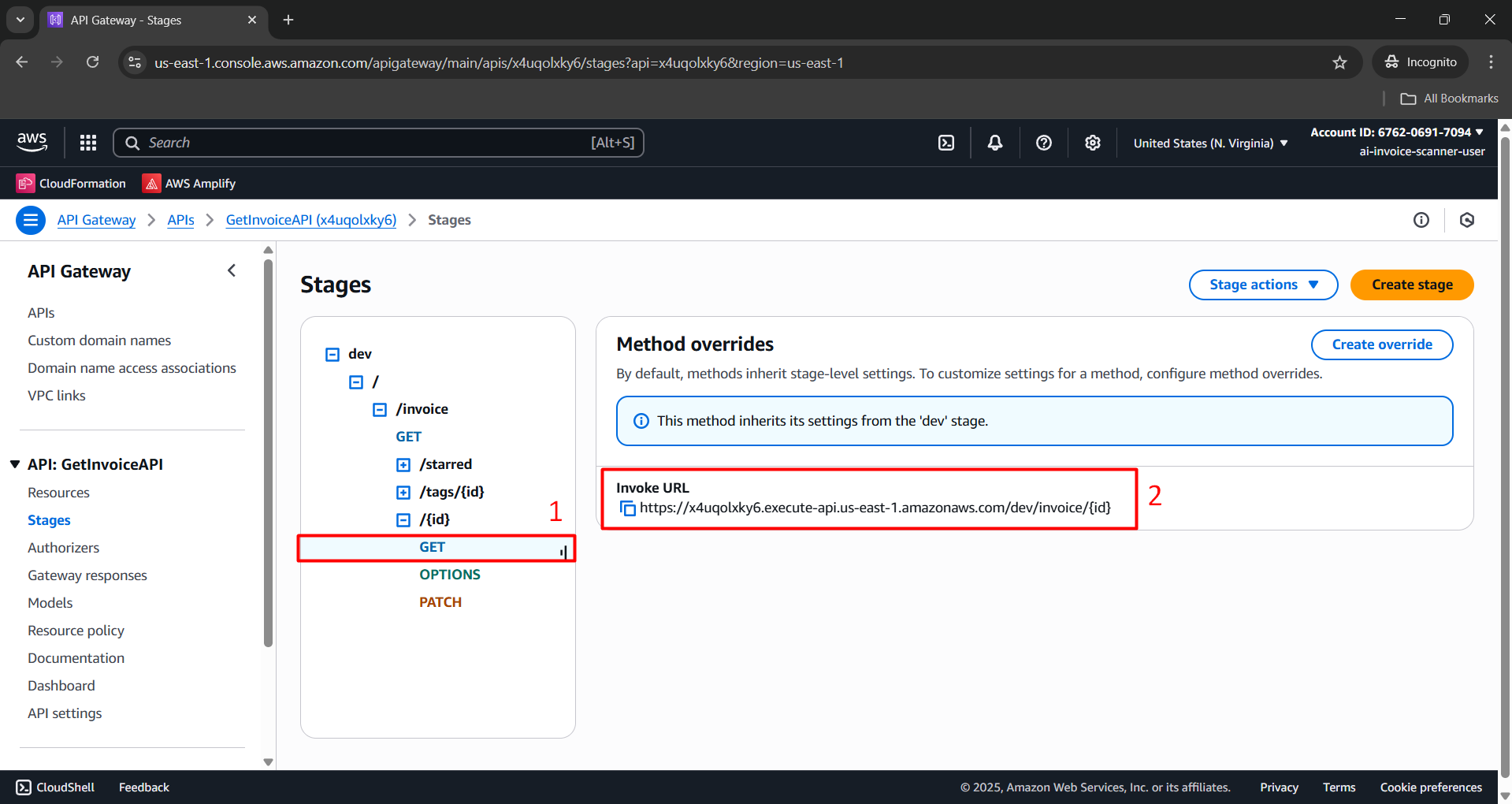
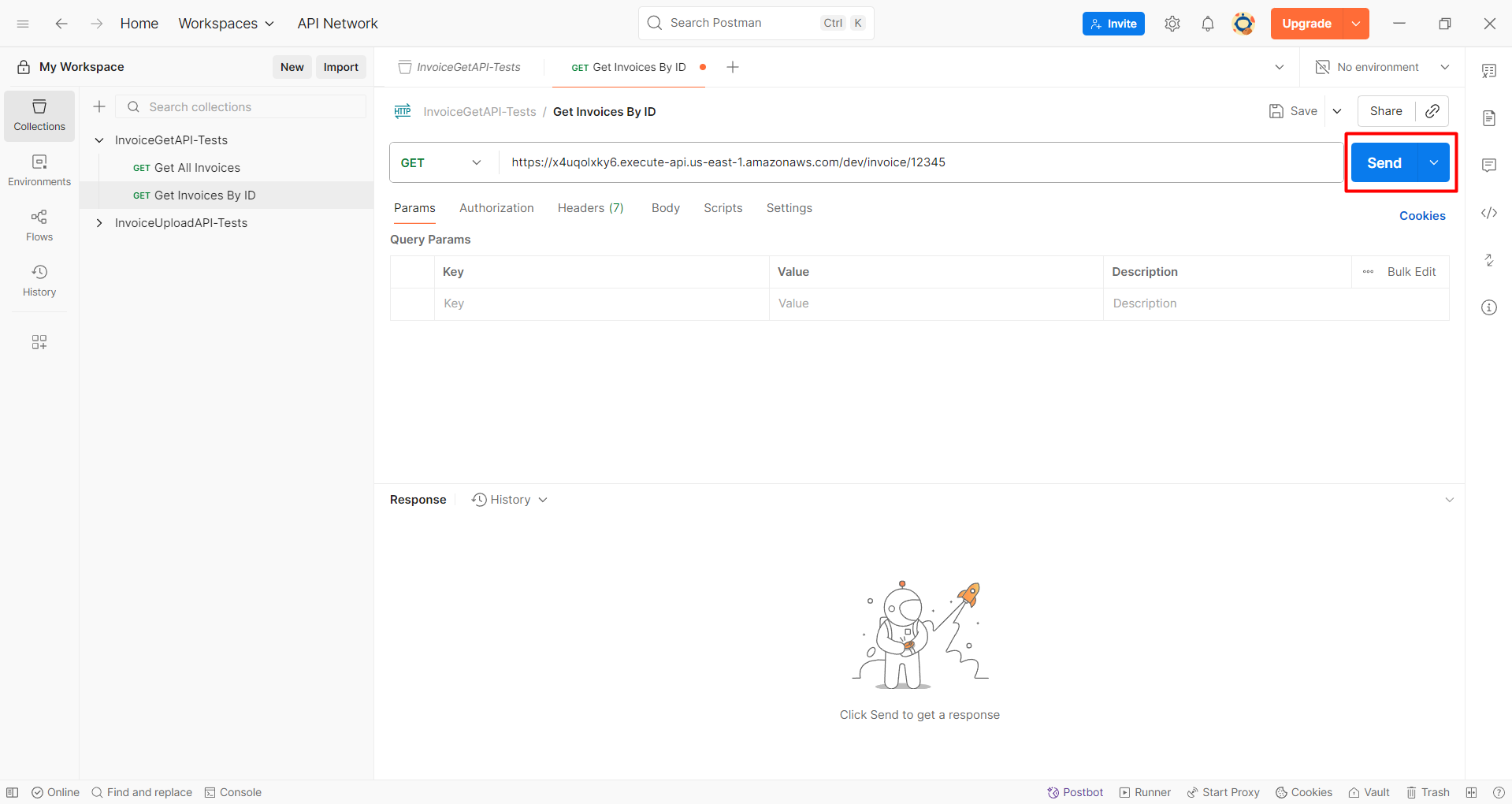
- Paste the Invoke URL into Postman as follows:
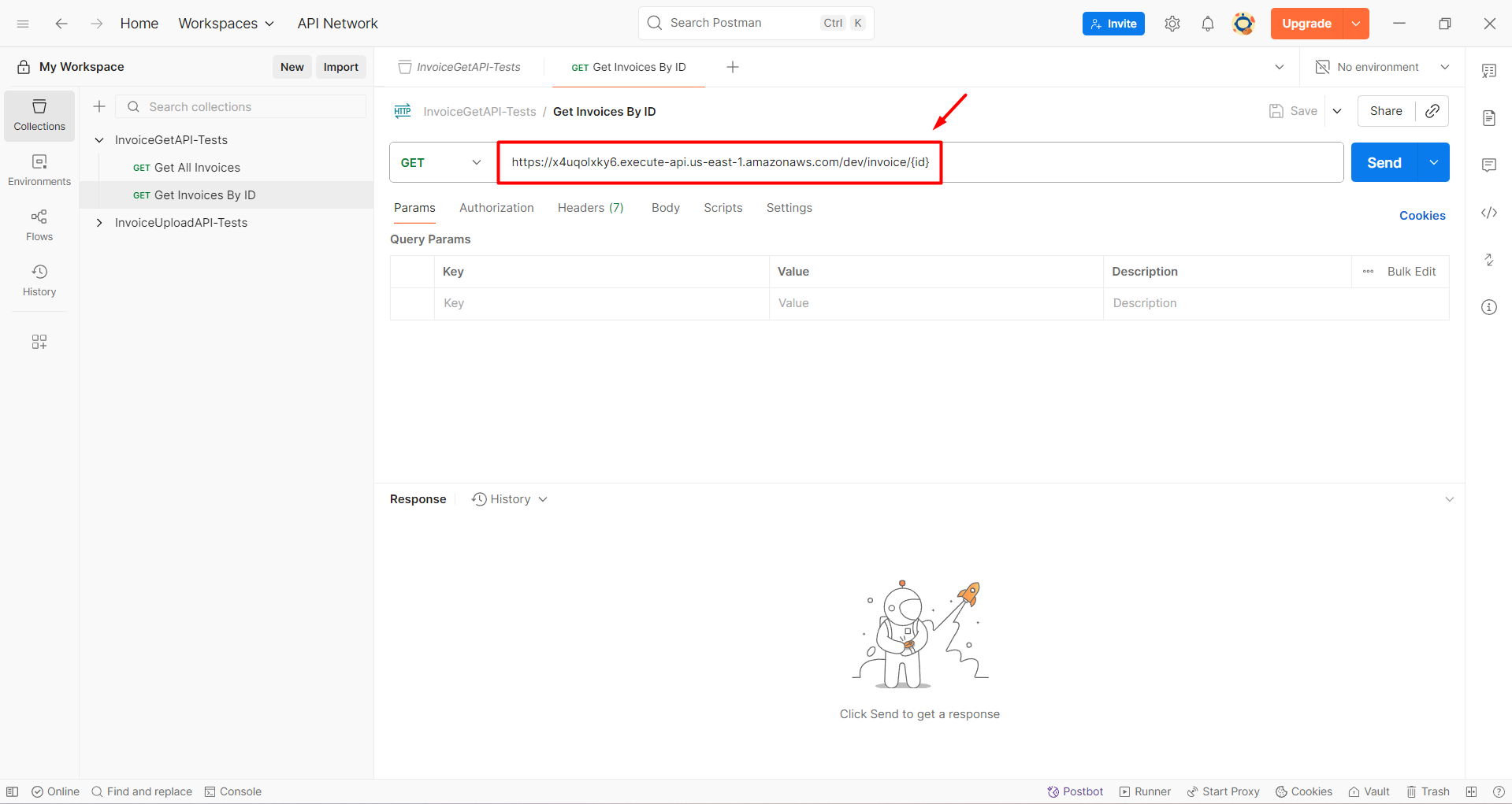
- Replace
{id}in the API endpoint with an actual Invoice ID from DynamoDB:
https://x4uqolxky6.execute-api.us-east-1.amazonaws.com/dev/invoice/<InvoiceId_from_DynamoDB>
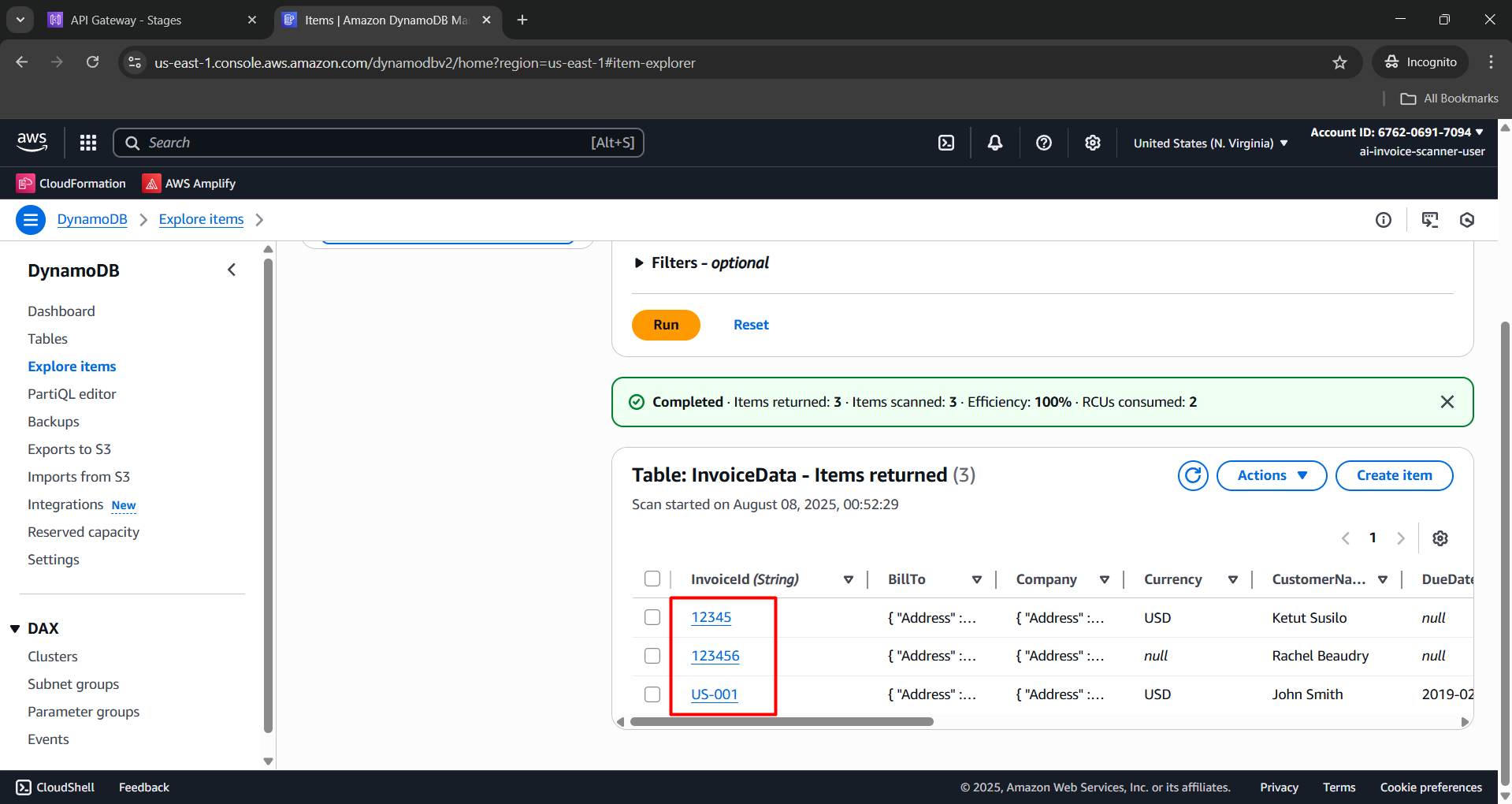
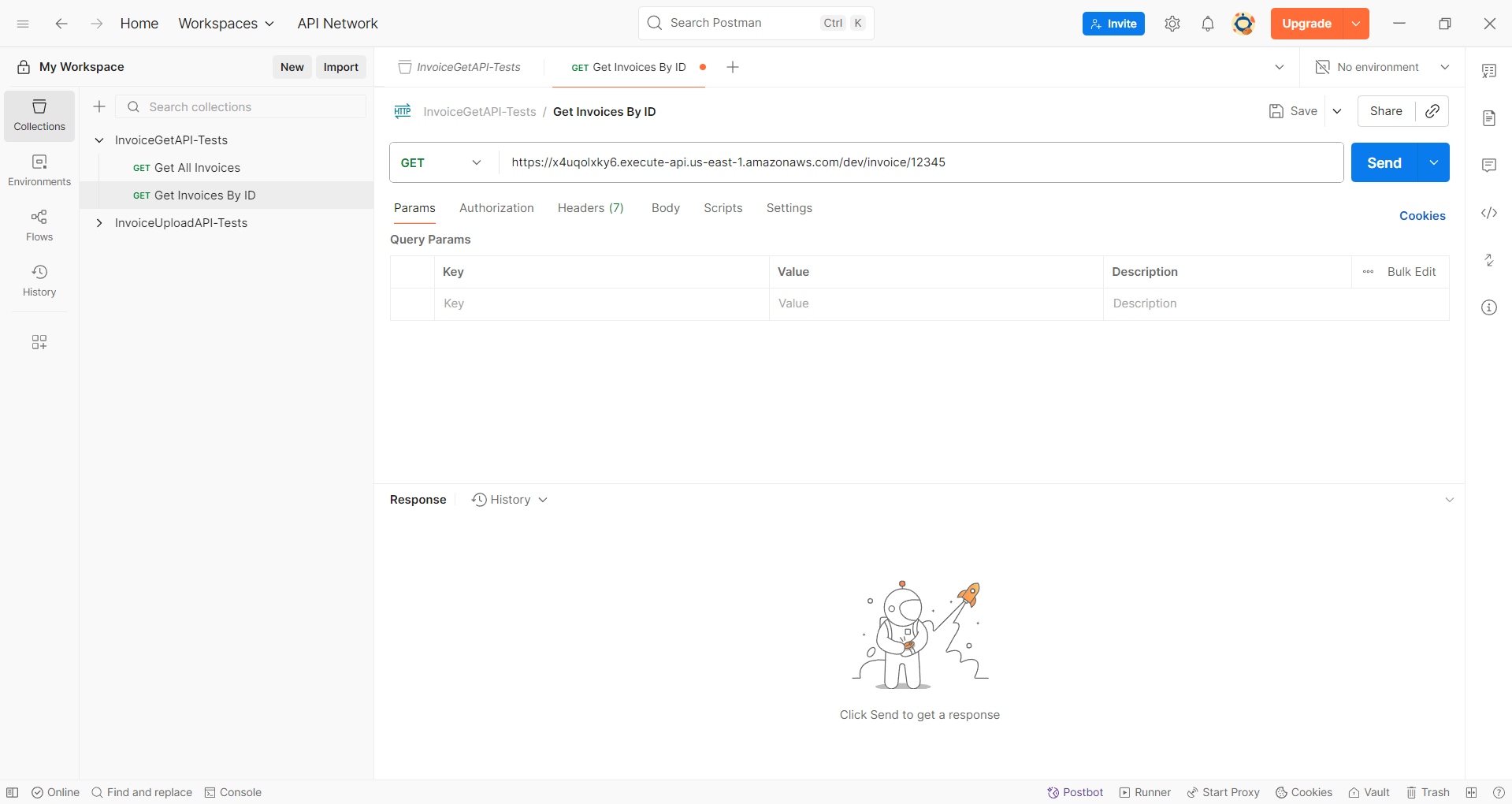
- Click the Send button to view results.
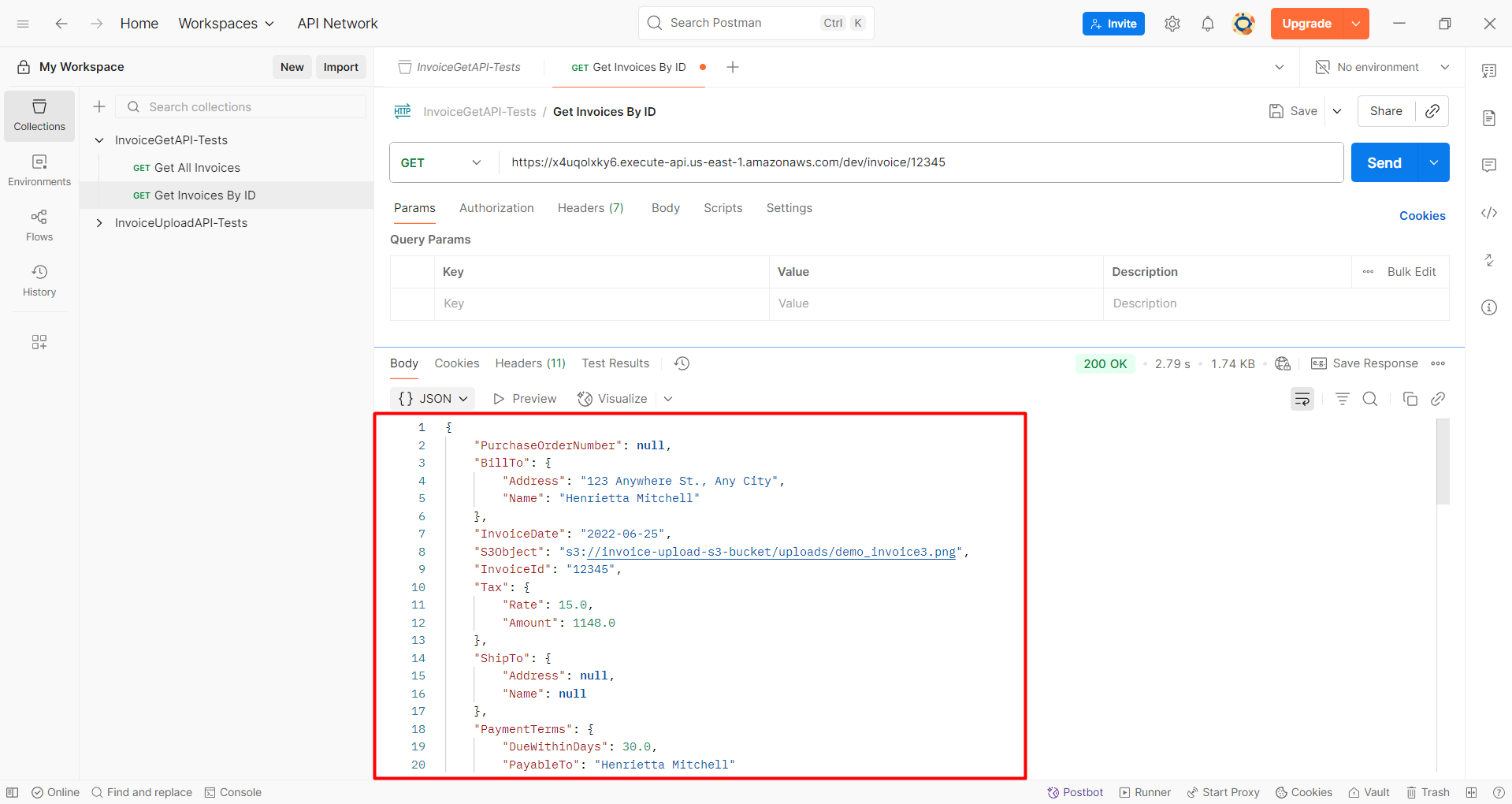
- A successful response will appear as follows:
You can now test the remaining 2 invoice files!