Create Lambda Function #2
Overview
In this step, you will create the second Lambda Function named FetchInvoiceDetailsFunction. This function is responsible for querying or updating invoice information in DynamoDB to serve requests from the API Gateway.
Step 1: Access the Lambda Console
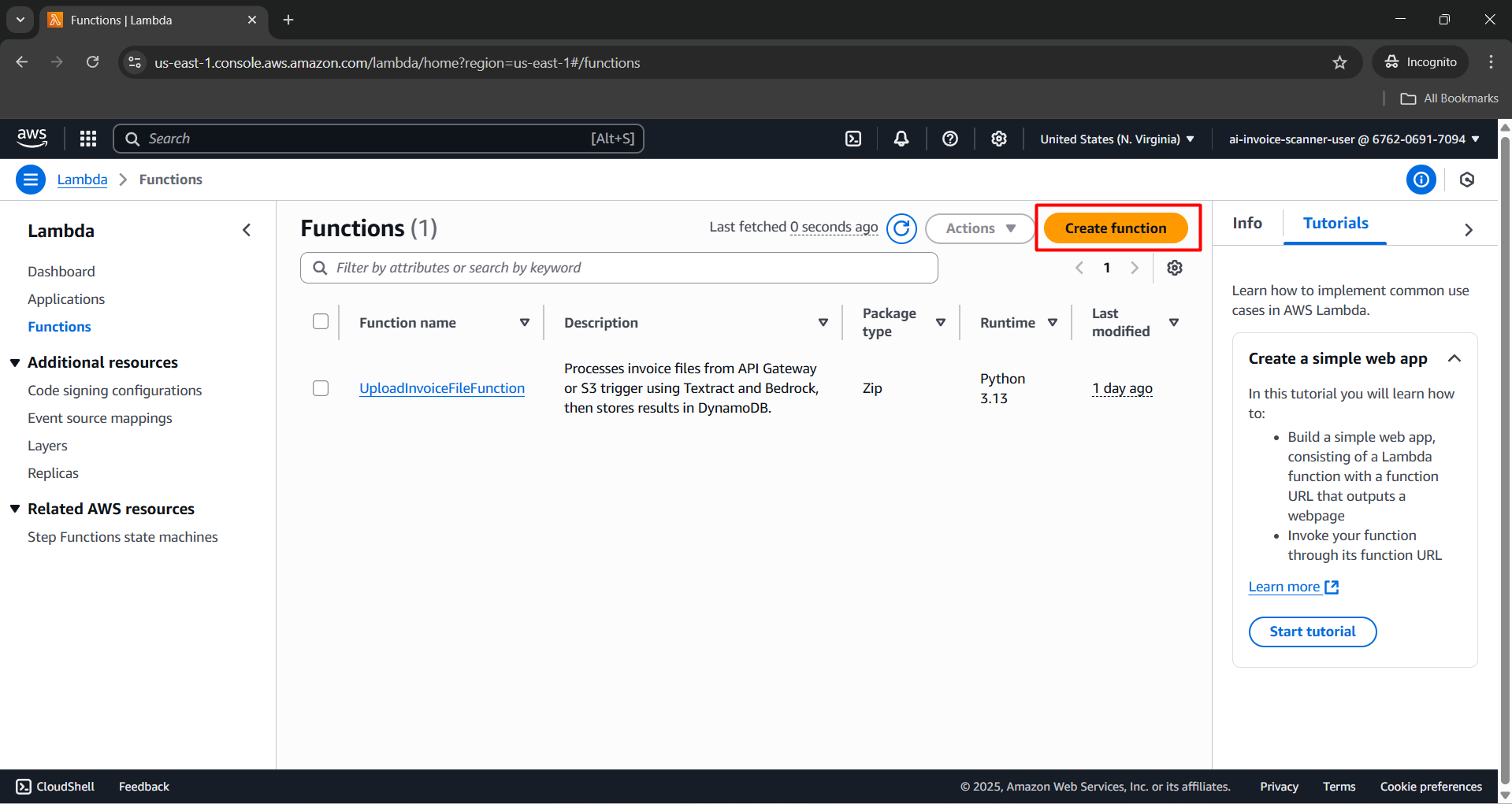
- Open AWS Lambda Console

- Click Create function.
Step 2: Configure Lambda Function
In the Author from scratch section, enter the following details:
- Function name:
FetchInvoiceDetailsFunction - Runtime:
Python 3.12 - Architecture:
x86_64 - Permissions: Select Use an existing role
- Existing role:
LambdaExecutionRole-AIInvoiceScanner
- Function name:
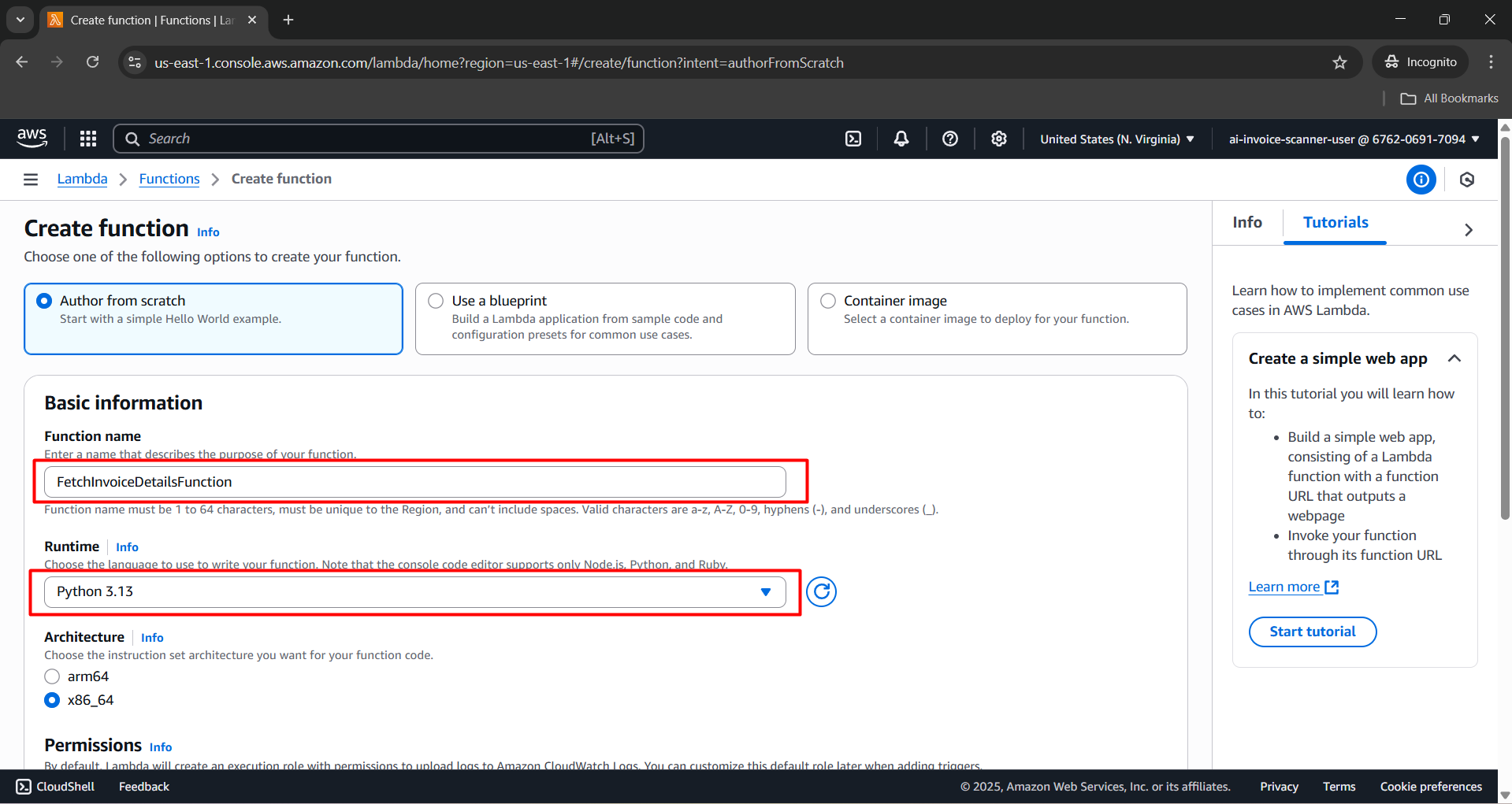
- Click Create function.

Step 3: Add Python Source Code
- Scroll down to the Code section and replace the default content with the following Python code:
import boto3
import json
from decimal import Decimal
from boto3.dynamodb.conditions import Key

dynamodb = boto3.resource('dynamodb')
table = dynamodb.Table('InvoiceData')

def decimal_default(obj):
    if isinstance(obj, Decimal):
        return float(obj)

def lambda_handler(event, context):
    print("DEBUG EVENT:", json.dumps(event))

    headers = {
        "Access-Control-Allow-Origin": "*",
        "Access-Control-Allow-Credentials": True,
        "Access-Control-Allow-Headers": "*",
        "Access-Control-Allow-Methods": "OPTIONS,GET,PATCH"
    }

    try:
        http_method = event.get("httpMethod", "")
        resource = event.get("resource", "")
        path_params = event.get("pathParameters") or {}
        invoice_id = path_params.get("id")

        # === PATCH /invoice/starred/{id} ===
        if http_method == "PATCH" and invoice_id and resource == "/invoice/starred/{id}":
            if not event.get("body"):
                return {
                    'statusCode': 400,
                    'headers': headers,
                    'body': json.dumps({'error': 'Body must not be empty'})
                }

            # Kiểm tra tồn tại invoice
            existing = table.get_item(Key={'InvoiceId': invoice_id})
            if 'Item' not in existing:
                return {
                    'statusCode': 404,
                    'headers': headers,
                    'body': json.dumps({'error': f'Invoice with the given ID was not found: {invoice_id}.'})
                }

            body = json.loads(event["body"])
            starred = body.get("starred")
            if not isinstance(starred, bool):
                return {
                    'statusCode': 400,
                    'headers': headers,
                    'body': json.dumps({'error': 'The 'starred' field must be a boolean'})
                }

            starred_str = "true" if starred else "false"

            table.update_item(
                Key={'InvoiceId': invoice_id},
                UpdateExpression="SET Starred = :starred",
                ExpressionAttributeValues={':starred': starred_str}
            )

            return {
                'statusCode': 200,
                'headers': headers,
                'body': json.dumps({'message': 'Starred updated successfully', 'InvoiceId': invoice_id, 'Starred': starred_str})
            }

        # === PATCH /invoice/tags/{id} ===
        if http_method == "PATCH" and invoice_id and resource == "/invoice/tags/{id}":
            if not event.get("body"):
                return {
                    'statusCode': 400,
                    'headers': headers,
                    'body': json.dumps({'error': 'Body must not be empty'})
                }

            # Kiểm tra tồn tại invoice
            existing = table.get_item(Key={'InvoiceId': invoice_id})
            if 'Item' not in existing:
                return {
                    'statusCode': 404,
                    'headers': headers,
                    'body': json.dumps({'error': f'Invoice with the given ID was not found: {invoice_id}.'})
                }

            body = json.loads(event["body"])
            tags = body.get("tags")
            if not isinstance(tags, list):
                return {
                    'statusCode': 400,
                    'headers': headers,
                    'body': json.dumps({'error': 'Tags must be an array'})
                }

            table.update_item(
                Key={'InvoiceId': invoice_id},
                UpdateExpression="SET Tags = :tags",
                ExpressionAttributeValues={':tags': tags}
            )

            return {
                'statusCode': 200,
                'headers': headers,
                'body': json.dumps({'message': 'Tags updated successfully', 'InvoiceId': invoice_id, 'Tags': tags})
            }

        # === GET /invoice/starred ===
        if http_method == "GET" and resource == "/invoice/starred":
            try:
                response = table.query(
                    IndexName="StarredInvoicesIndex",
                    KeyConditionExpression=Key("Starred").eq("true")
                )
                items = response.get("Items", [])
                return {
                    'statusCode': 200,
                    'headers': headers,
                    'body': json.dumps(items, default=decimal_default)
                }
            except Exception as e:
                return {
                    'statusCode': 500,
                    'headers': headers,
                    'body': json.dumps({'error': f'Error querying StarredInvoicesIndex: {str(e)}'})
                }

        # === GET /invoice/{id} ===
        if invoice_id and http_method == "GET":
            response = table.get_item(Key={'InvoiceId': invoice_id})
            if 'Item' not in response:
                return {
                    'statusCode': 404,
                    'headers': headers,
                    'body': json.dumps({'error': f'Invoice with the given ID was not found: {invoice_id}.'})
                }
            return {
                'statusCode': 200,
                'headers': headers,
                'body': json.dumps(response['Item'], default=decimal_default)
            }

        # === GET /invoice?name=... ===
        if http_method == "GET" and event.get('queryStringParameters') and event['queryStringParameters'].get('name'):
            name = event['queryStringParameters']['name']
            try:
                response = table.query(
                    IndexName='CustomerName-index',
                    KeyConditionExpression=Key('CustomerName').eq(name)
                )
                items = response.get('Items', [])
            except Exception as e:
                return {
                    'statusCode': 500,
                    'headers': headers,
                    'body': json.dumps({'error': f'Error querying CustomerName: {str(e)}'})
                }

            if not items:
                return {
                    'statusCode': 404,
                    'headers': headers,
                    'body': json.dumps({'error': f'No invoice found with the customer name: {name}.'})
                }

            return {
                'statusCode': 200,
                'headers': headers,
                'body': json.dumps(items, default=decimal_default)
            }

        # === GET /invoice (tất cả) ===
        if http_method == "GET":
            response = table.scan()
            items = response.get('Items', [])
            return {
                'statusCode': 200,
                'headers': headers,
                'body': json.dumps(items, default=decimal_default)
            }

        return {
            'statusCode': 400,
            'headers': headers,
            'body': json.dumps({'error': 'Method not supported'})
        }

    except Exception as e:
        return {
            'statusCode': 500,
            'headers': headers,
            'body': json.dumps({'error': str(e)})
        }
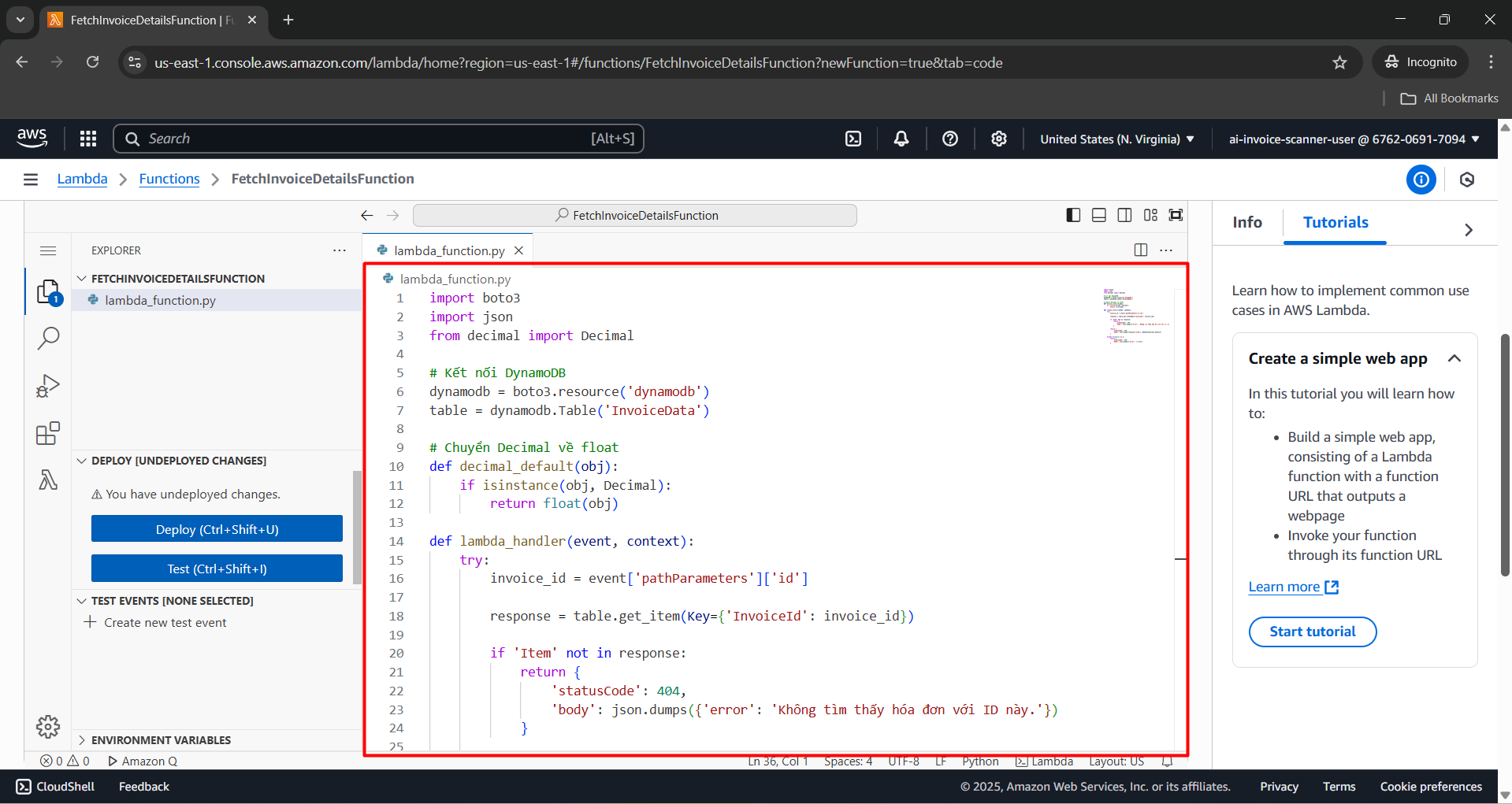
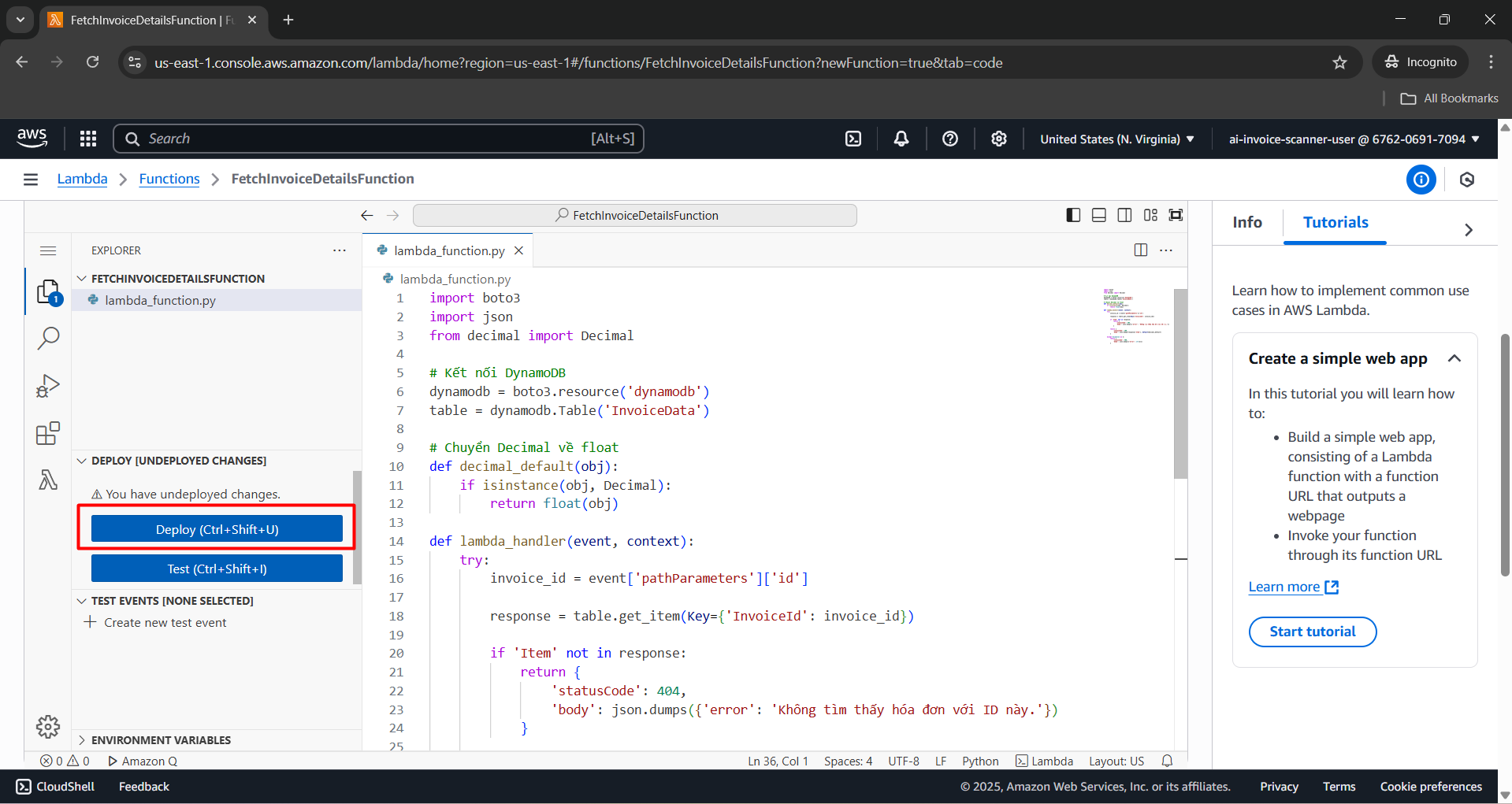
- Click Deploy to save and apply the source code.
Step 4: Configure Timeout and Memory
- Go to Configuration > General configuration, click Edit.

Configure the information as follows:
- Description:
Retrieves invoice data from DynamoDB based on invoice ID via API Gateway request - Memory (MB): 128
- Timeout: 3 seconds
- Description:
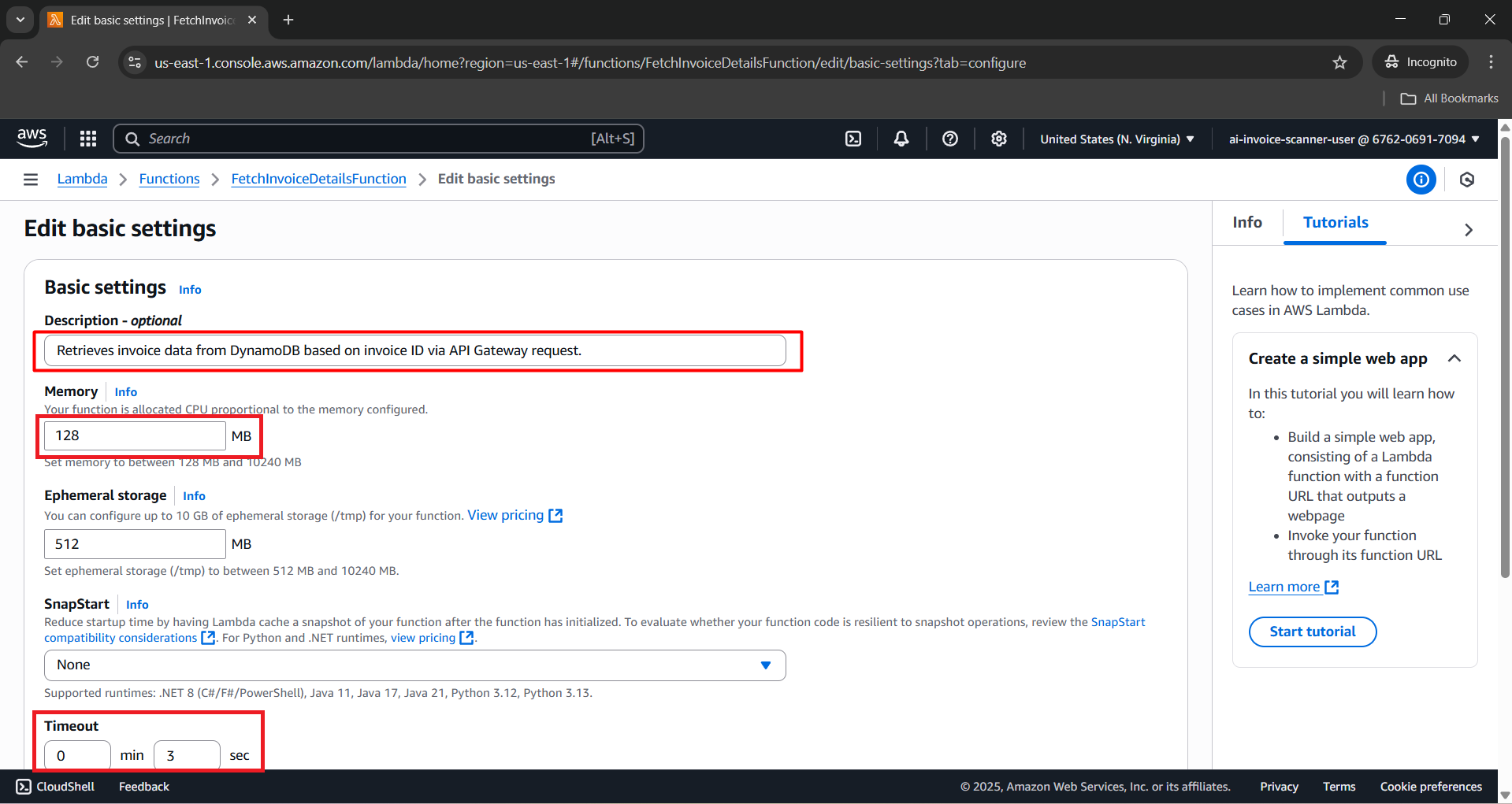
- Click Save.

Kết luận
You have successfully created the FetchInvoiceDetailsFunction Lambda Function, used to handle querying and updating invoice data from DynamoDB. This function will be connected to API Gateway to serve requests from the frontend.