Testing Lambda Function #1
Tổng quan
In this step, you will test the UploadInvoiceFileFunction Lambda Function by uploading a sample invoice file to the S3 bucket. The purpose of this test is to verify the entire processing workflow, from file upload to S3, data extraction with Textract, analysis with Bedrock, and storage in DynamoDB.
Prerequisites
Before testing the Lambda function, prepare a sample invoice file to upload. Please download the following file:
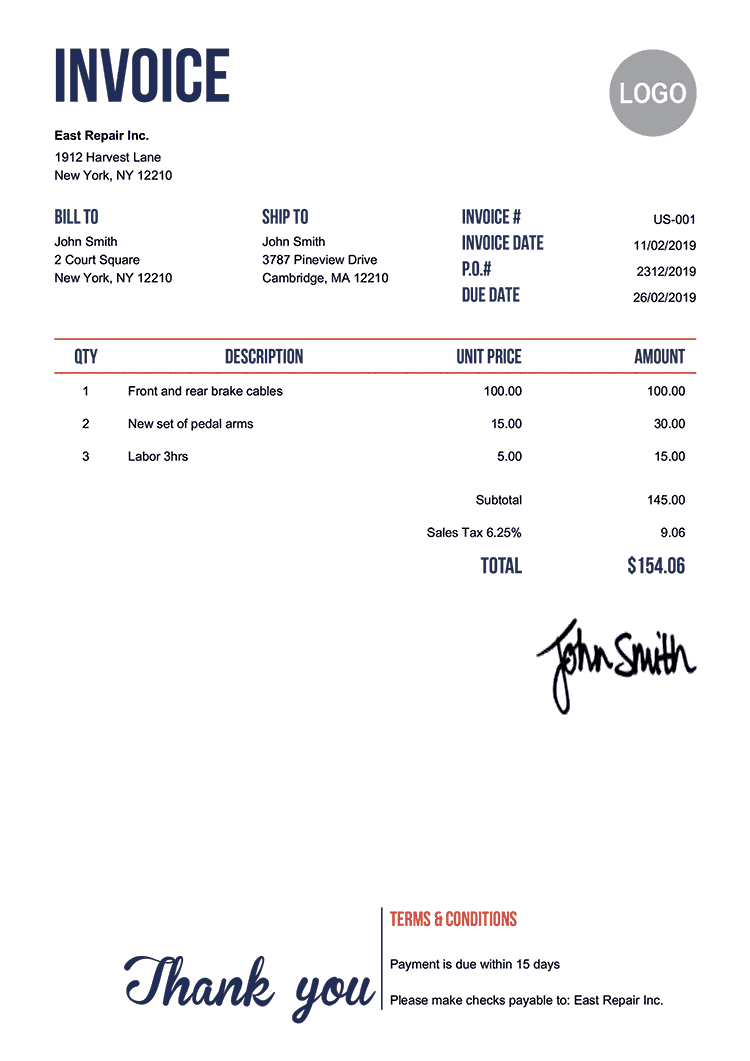
🔧 Note: If you use a different invoice file, rename it to demo_invoice.png before uploading to the uploads/ folder in S3.
Step 1: Upload Invoice File to S3
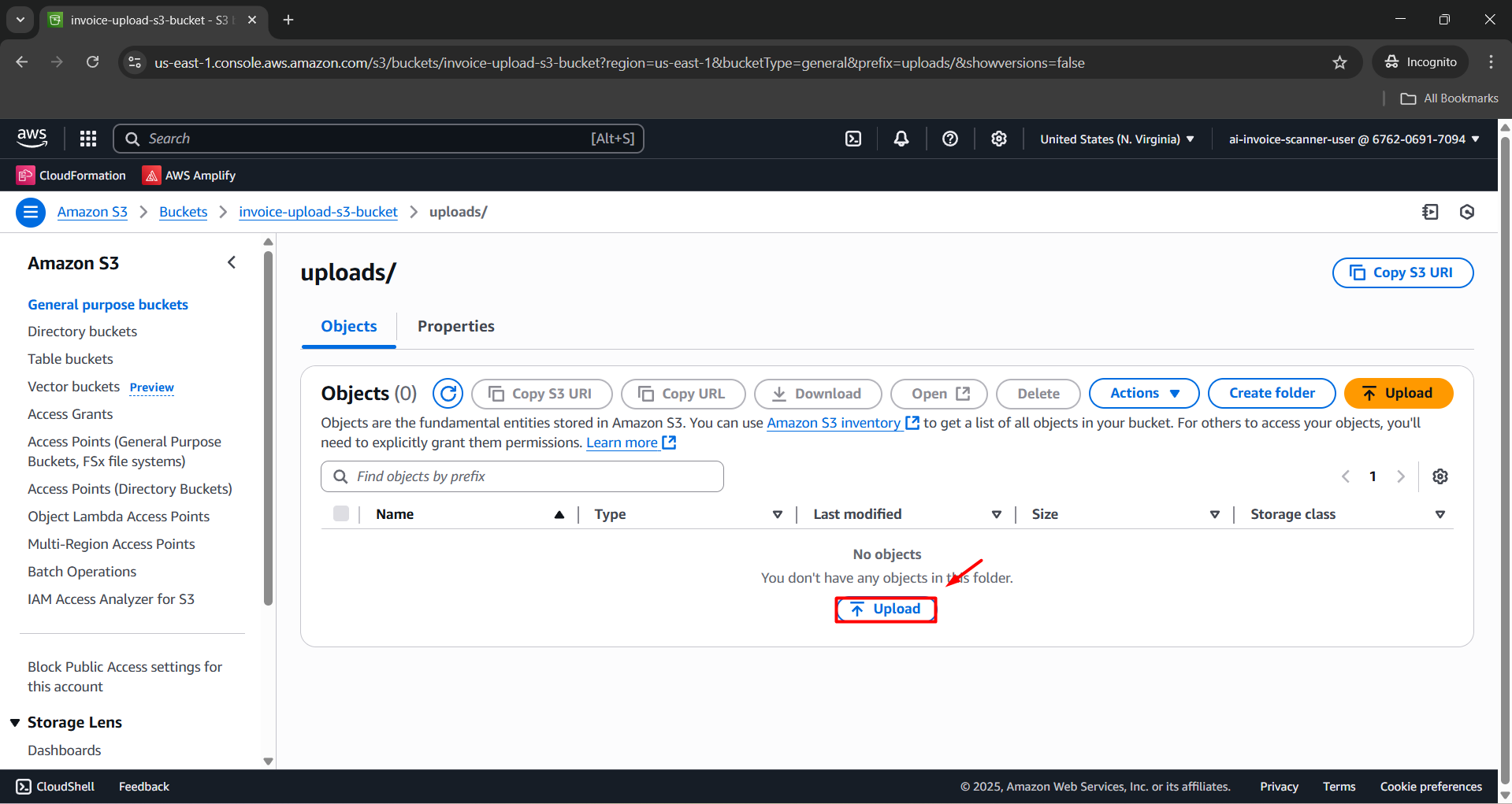
- Go to Amazon S3 Console.
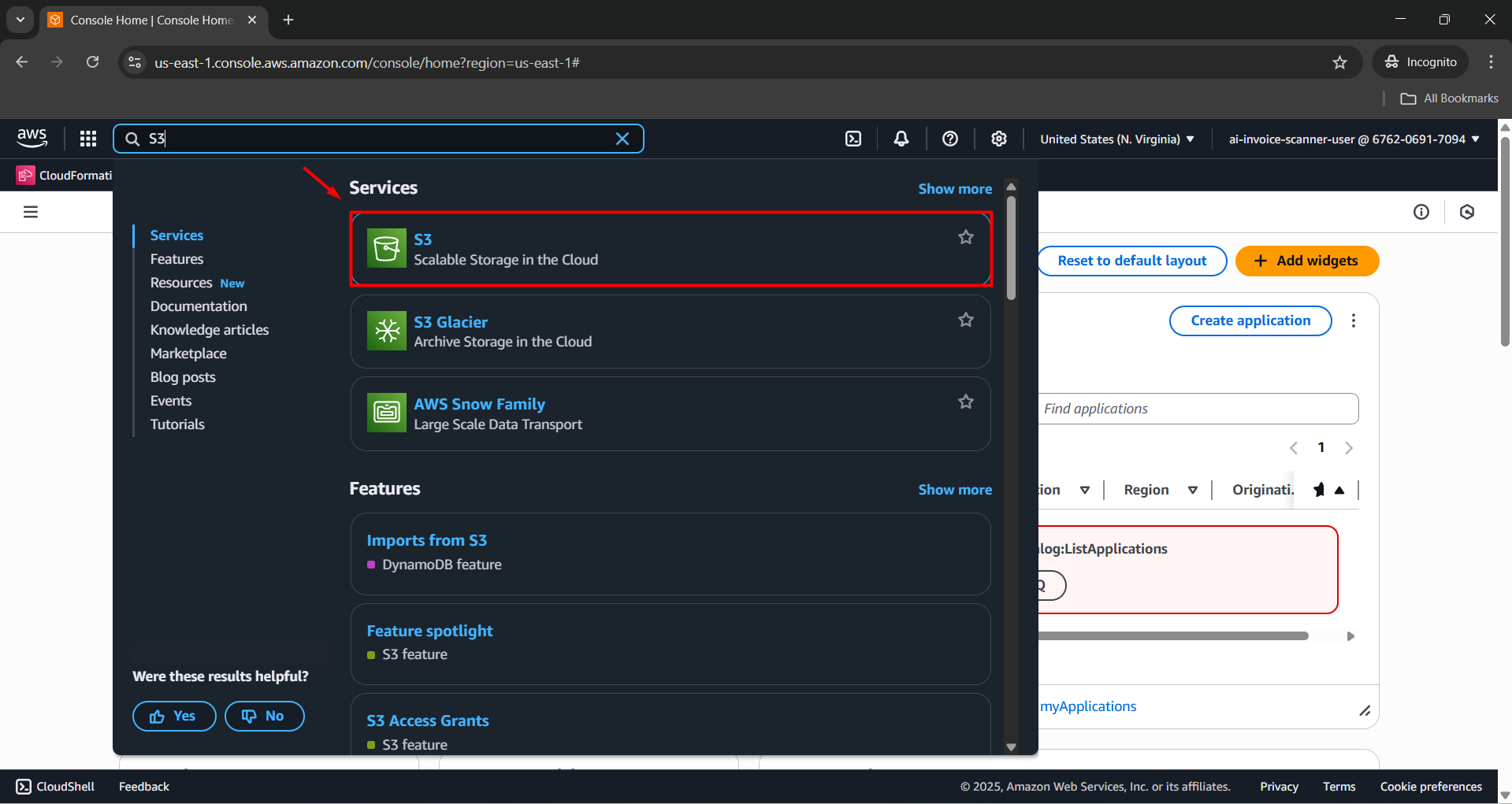
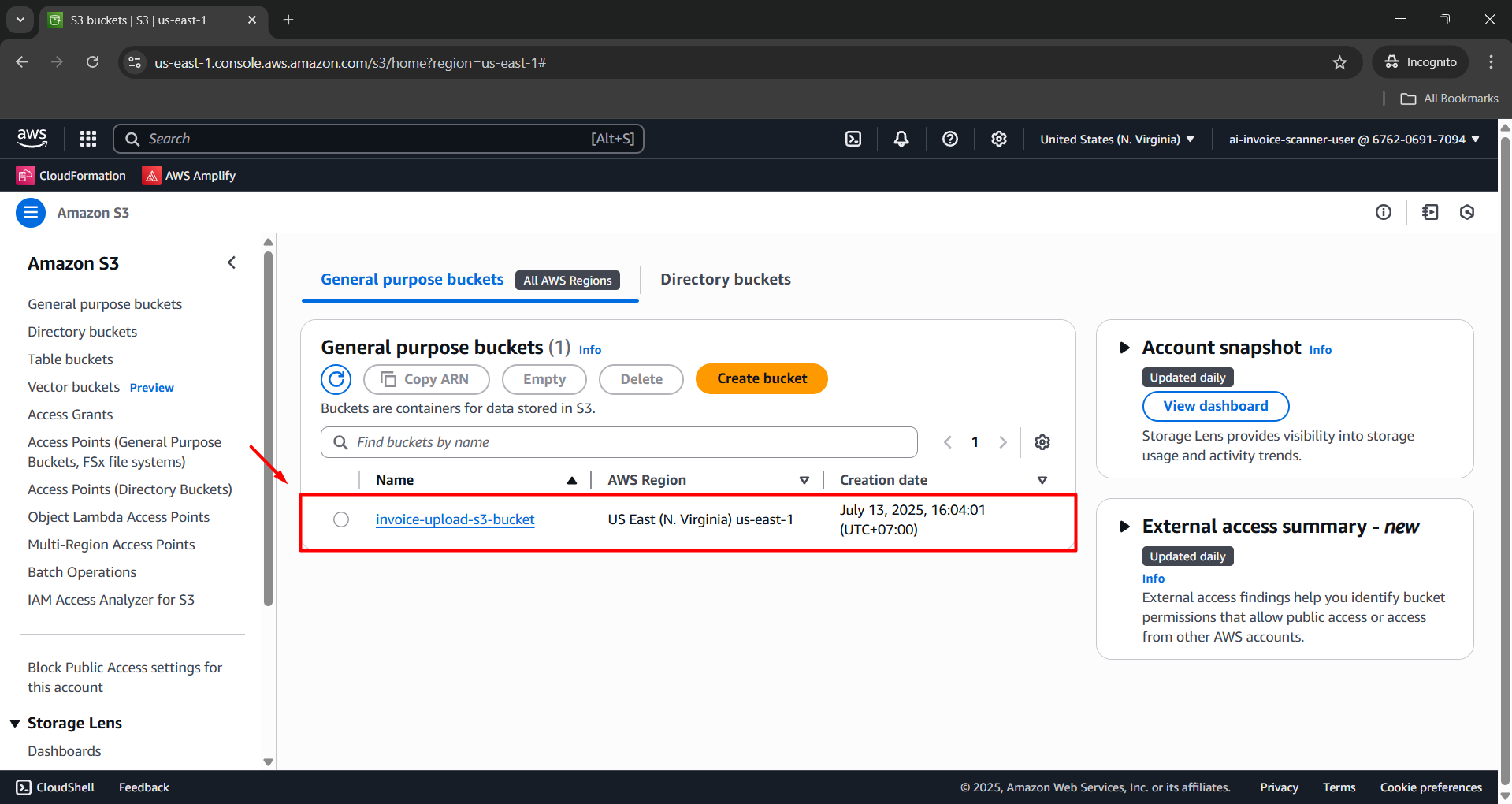
- Open the bucket named: invoice-upload-s3-bucket.
- Open the uploads/ folder.
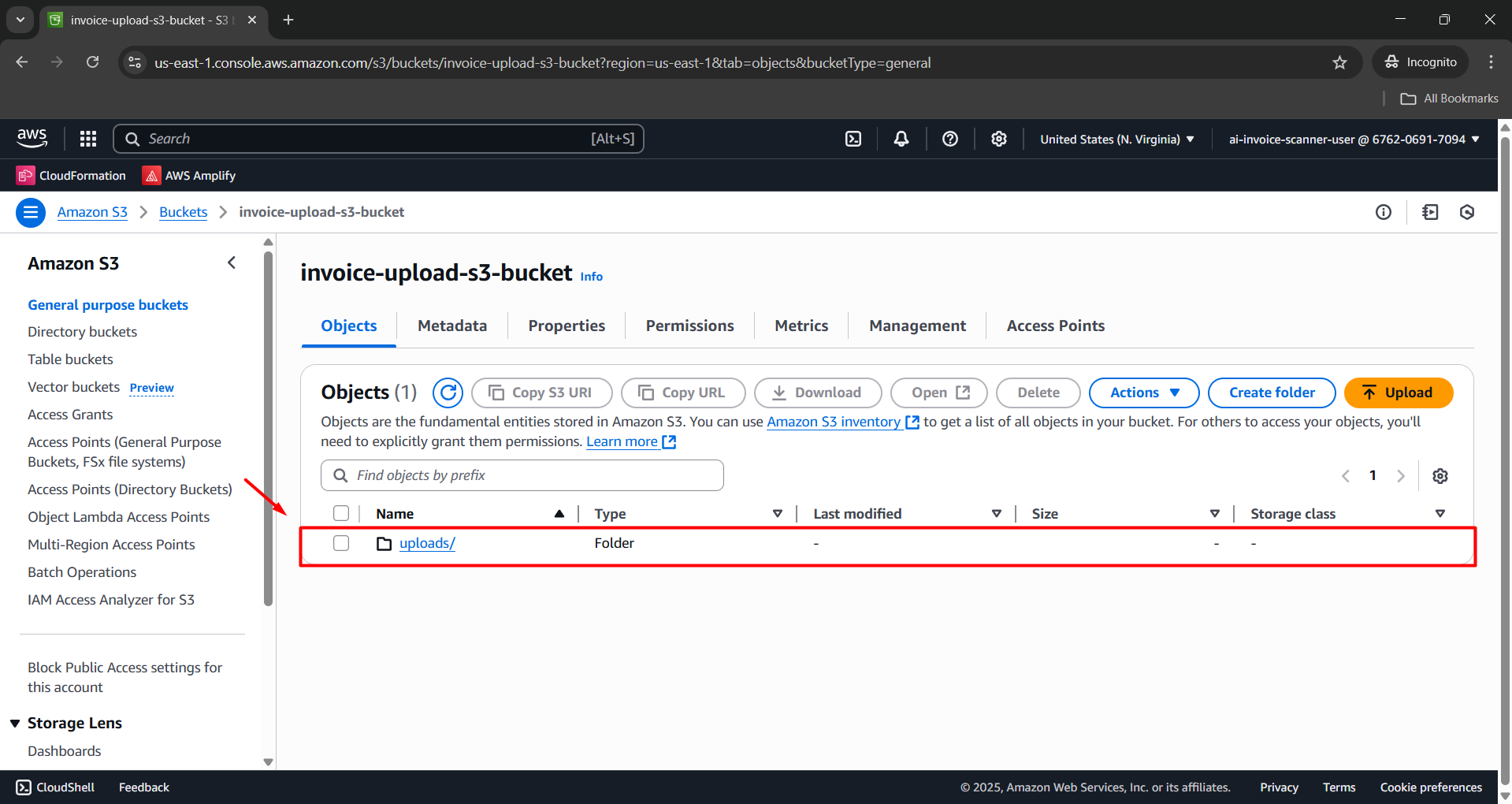
- Click Upload.
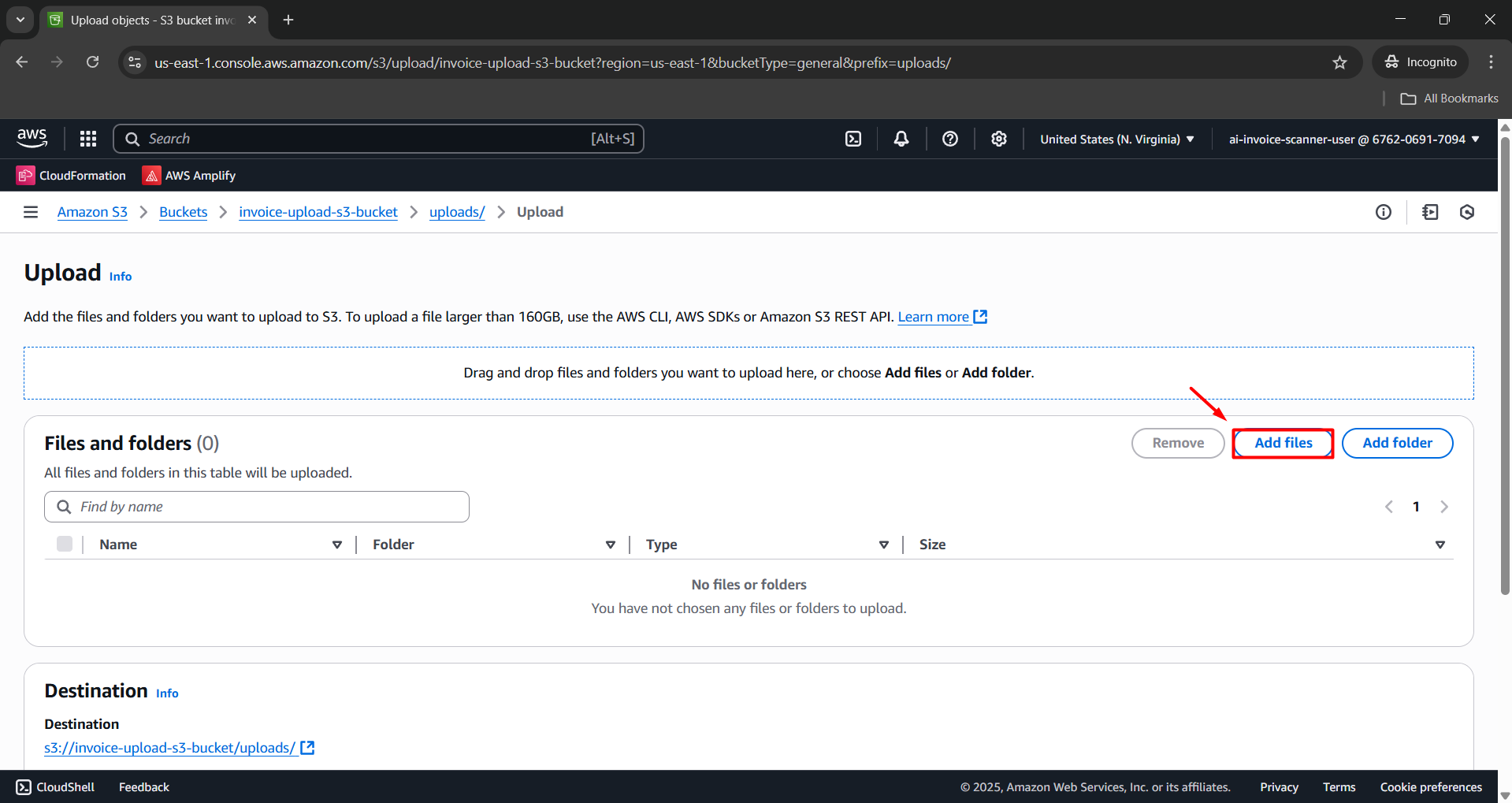
- Click Add files.
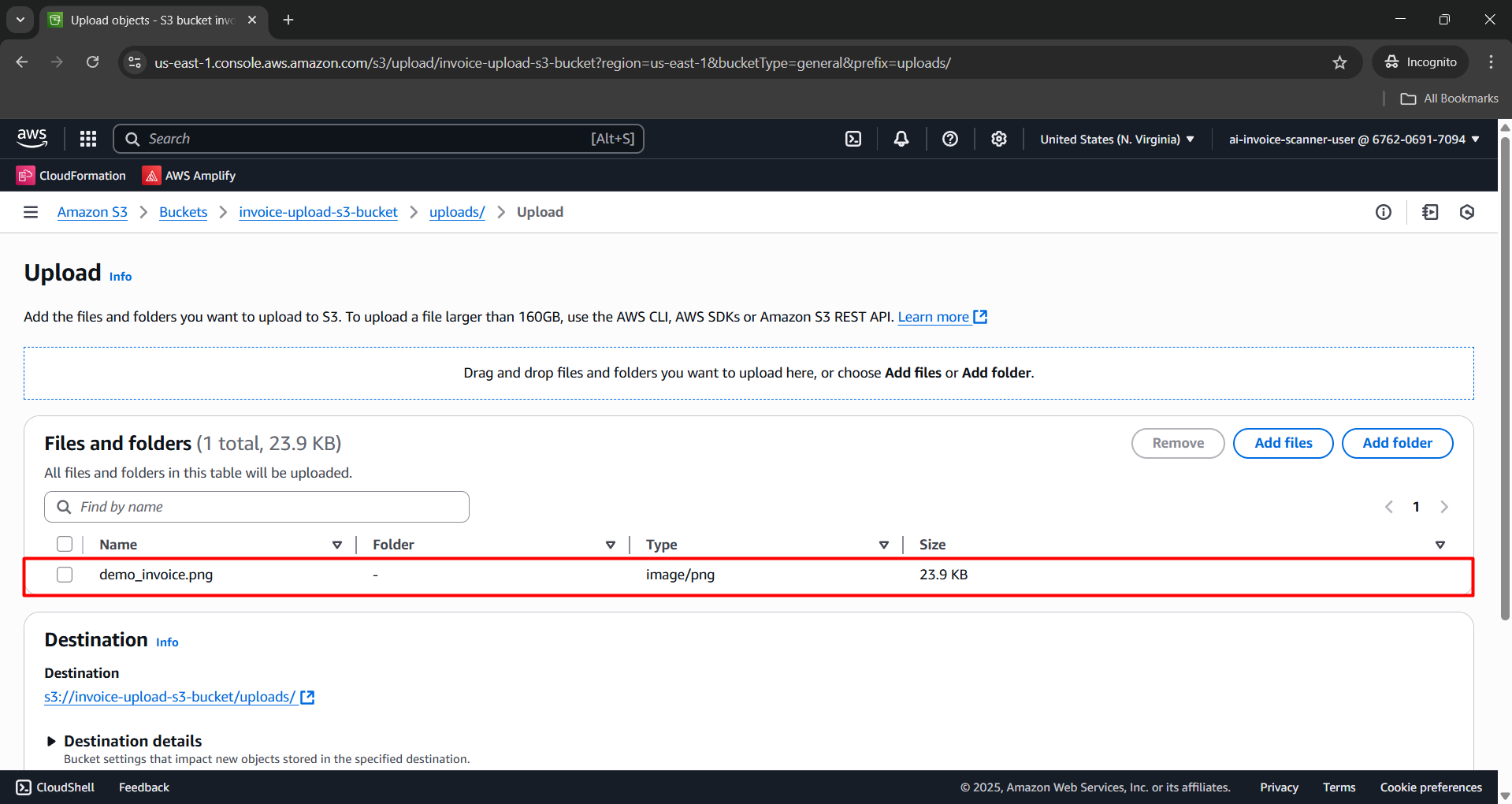
- Choose the file: demo_invoice.png.
- Click Upload to upload the file.
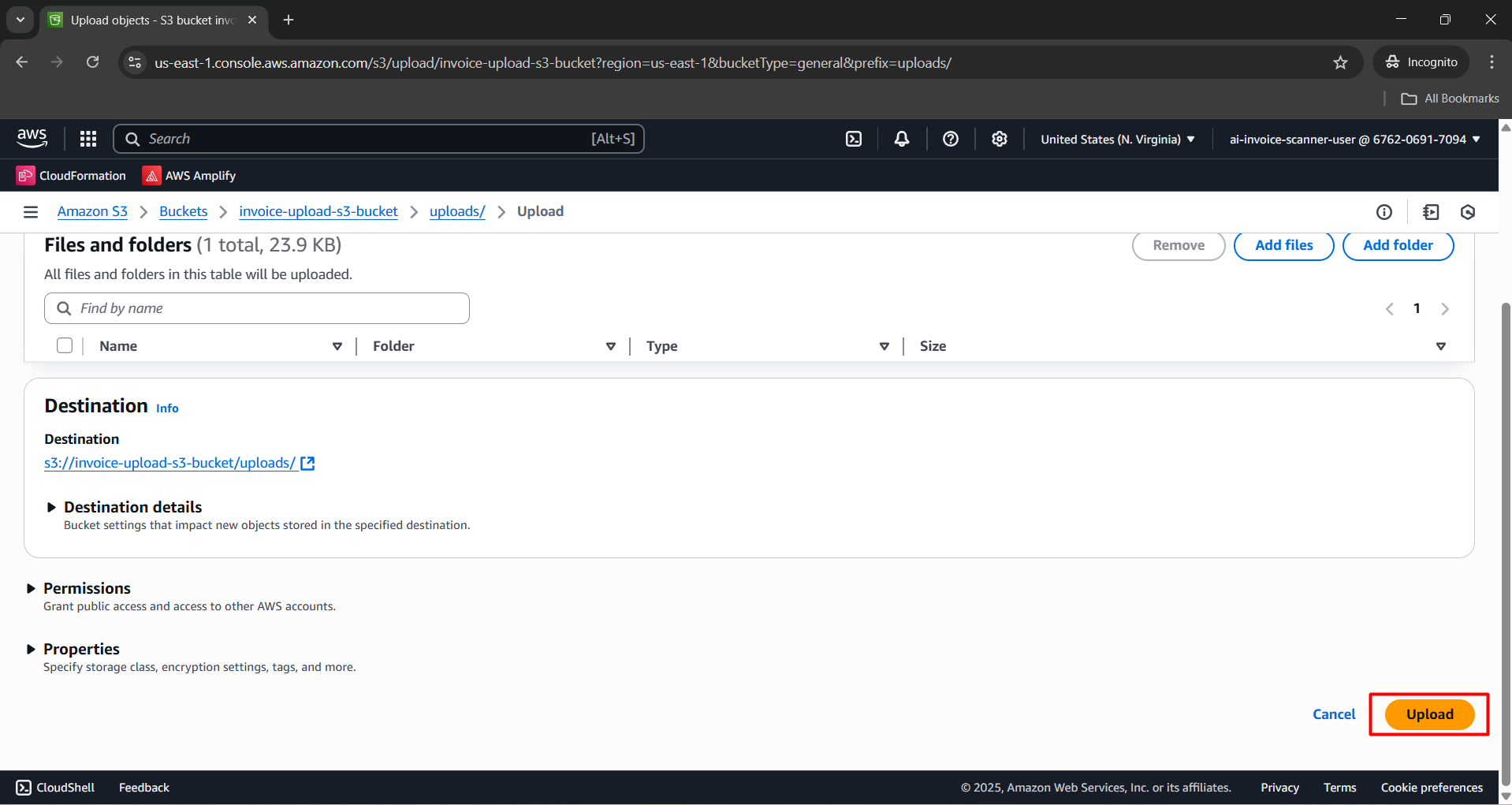
- Check the file after upload.
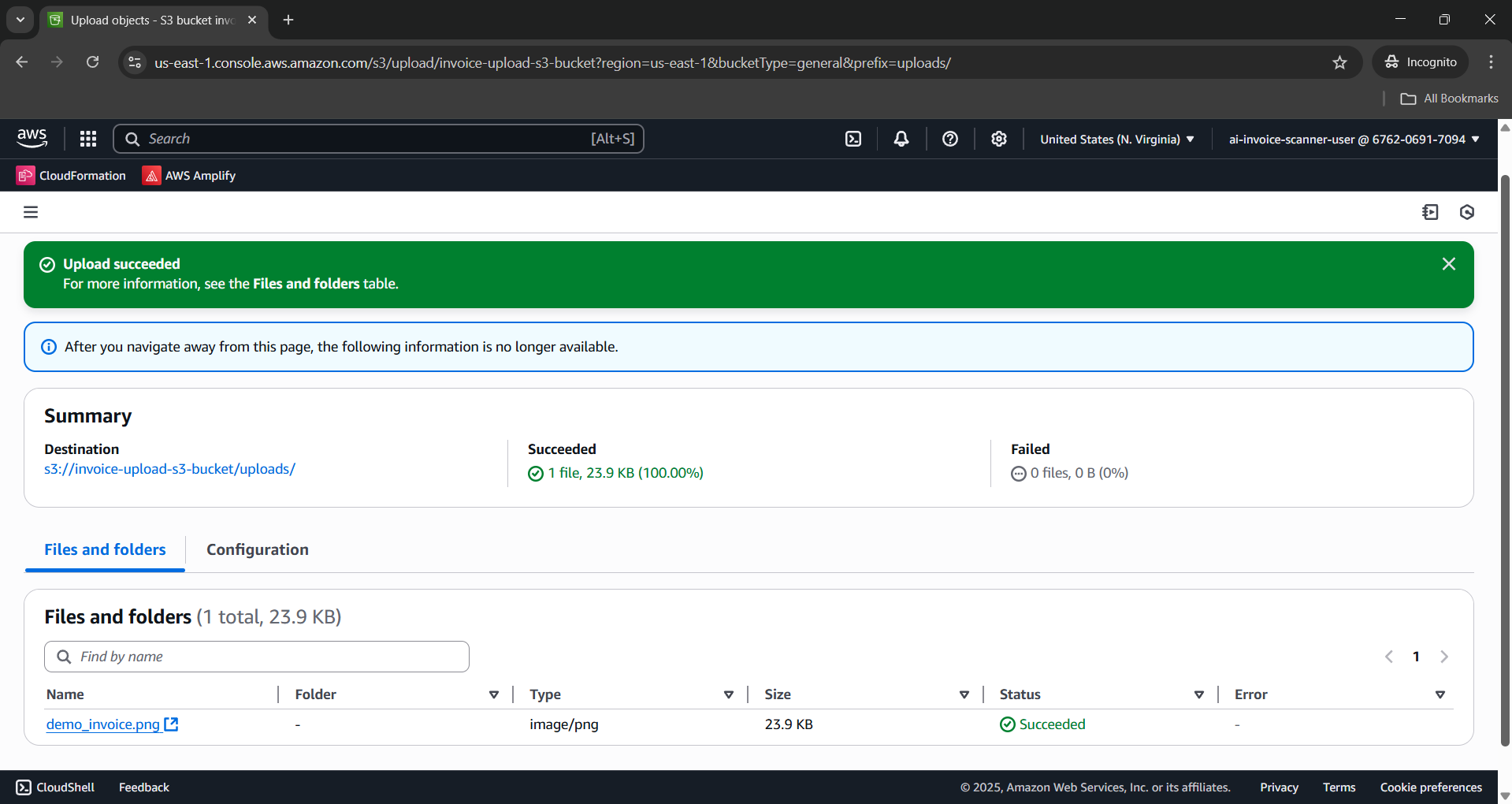
Step 2: Create Test Event in Lambda Console
- Open AWS Lambda Console.
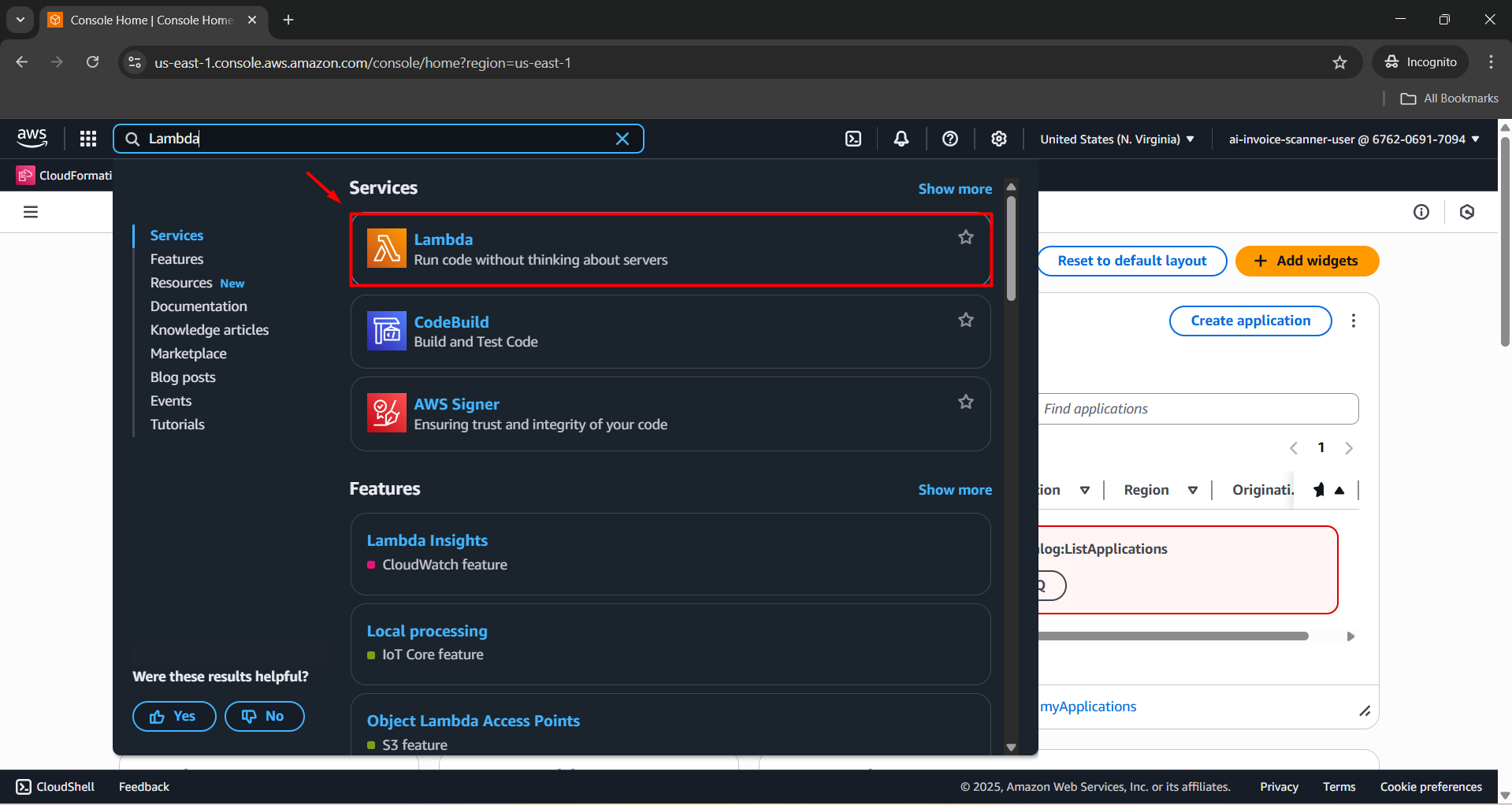
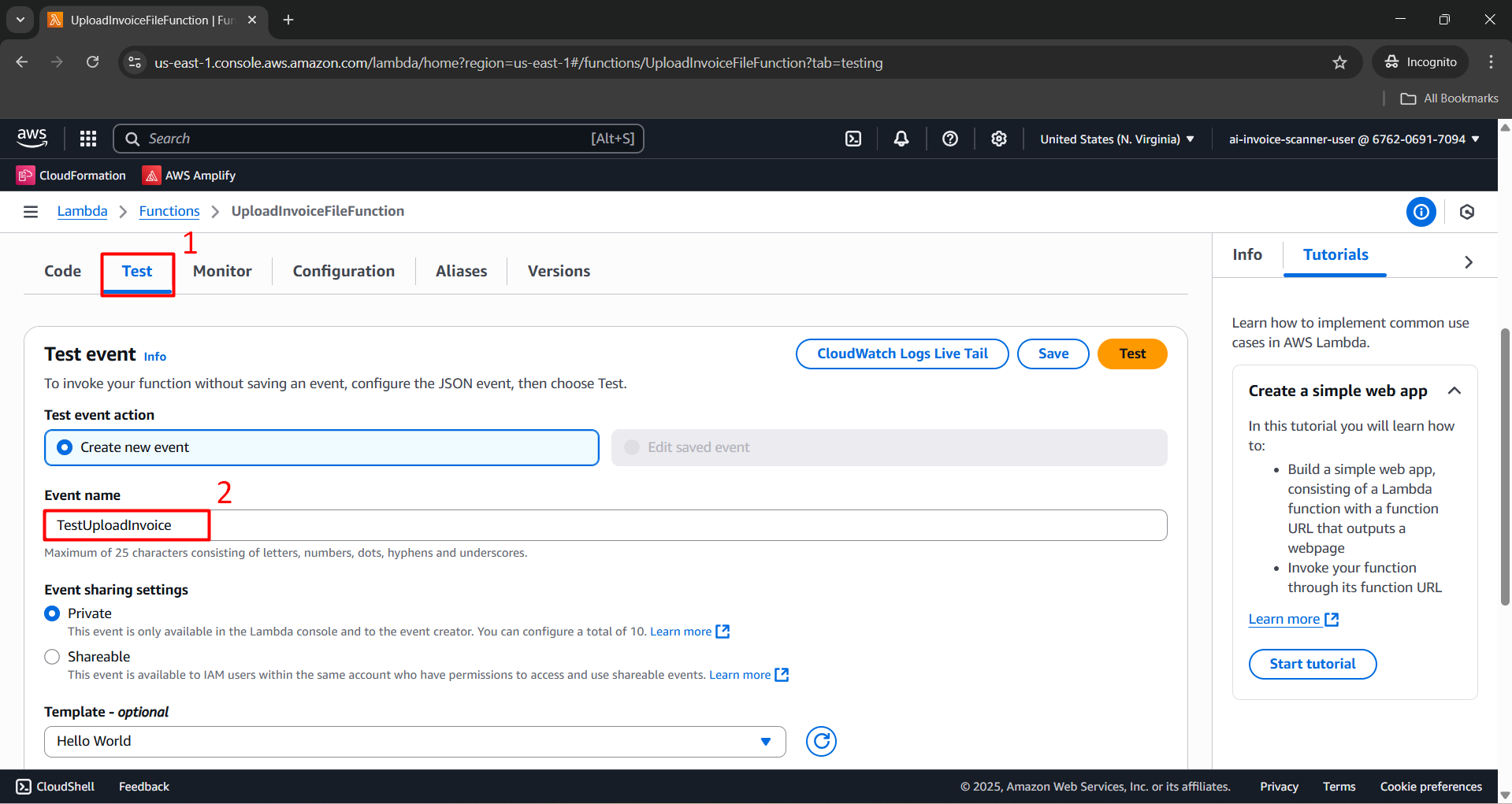
Navigate to the UploadInvoiceFileFunction function.
Click the Test tab to create a new Test Event.
Event name:
TestUploadInvoice.
- Paste the following JSON content into the event section:
{
    "Records": [
        {
            "eventVersion": "2.1",
            "eventSource": "aws:s3",
            "awsRegion": "us-east-1",
            "eventTime": "2025-07-31T12:00:00.000Z",
            "eventName": "ObjectCreated:Put",
            "s3": {
                "bucket": {
                    "name": "invoice-upload-s3-bucket"
                },
                "object": {
                    "key": "uploads/demo_invoice.png"
                }
            }
        }
    ]
}
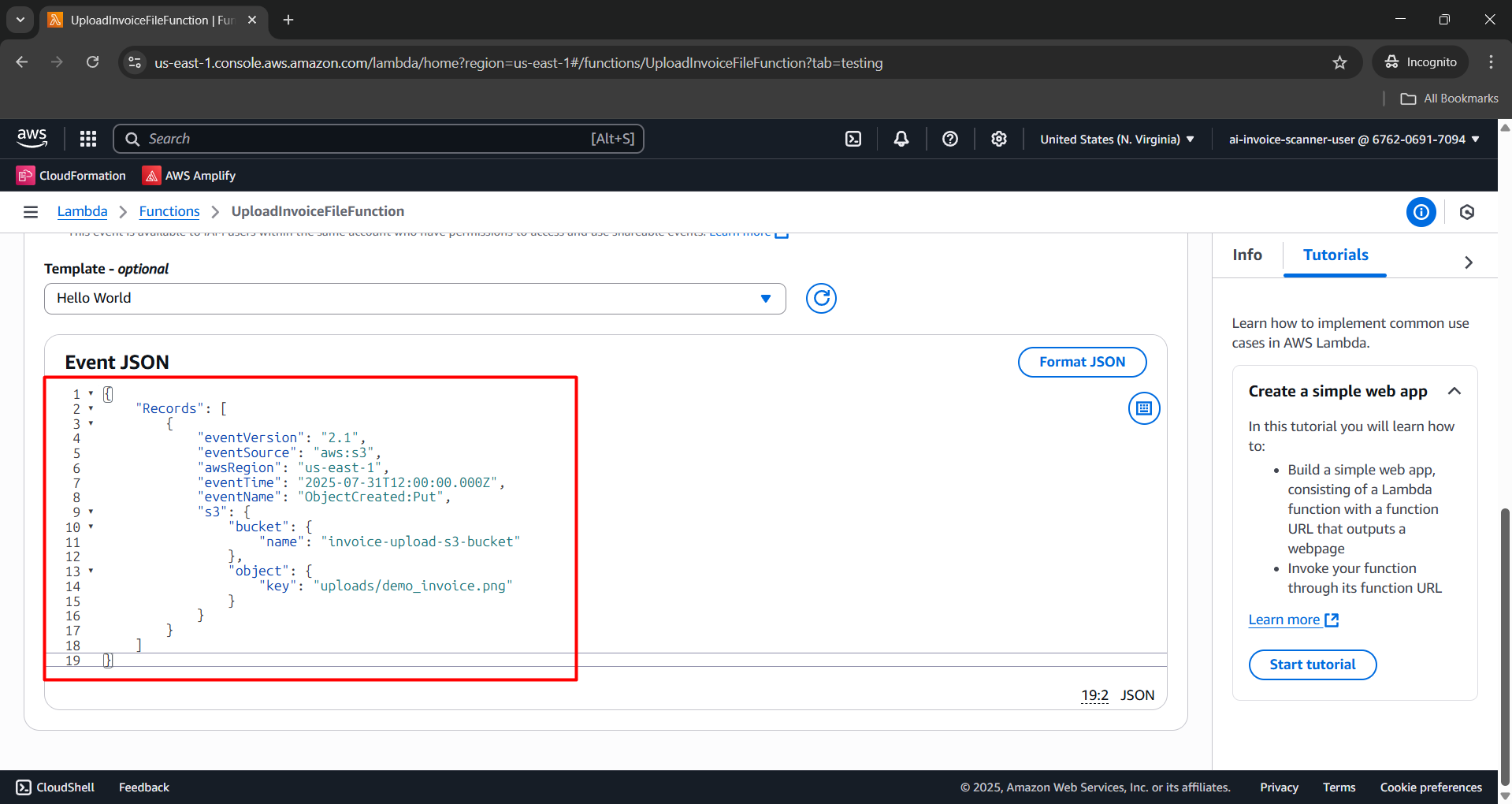
- Click Save.
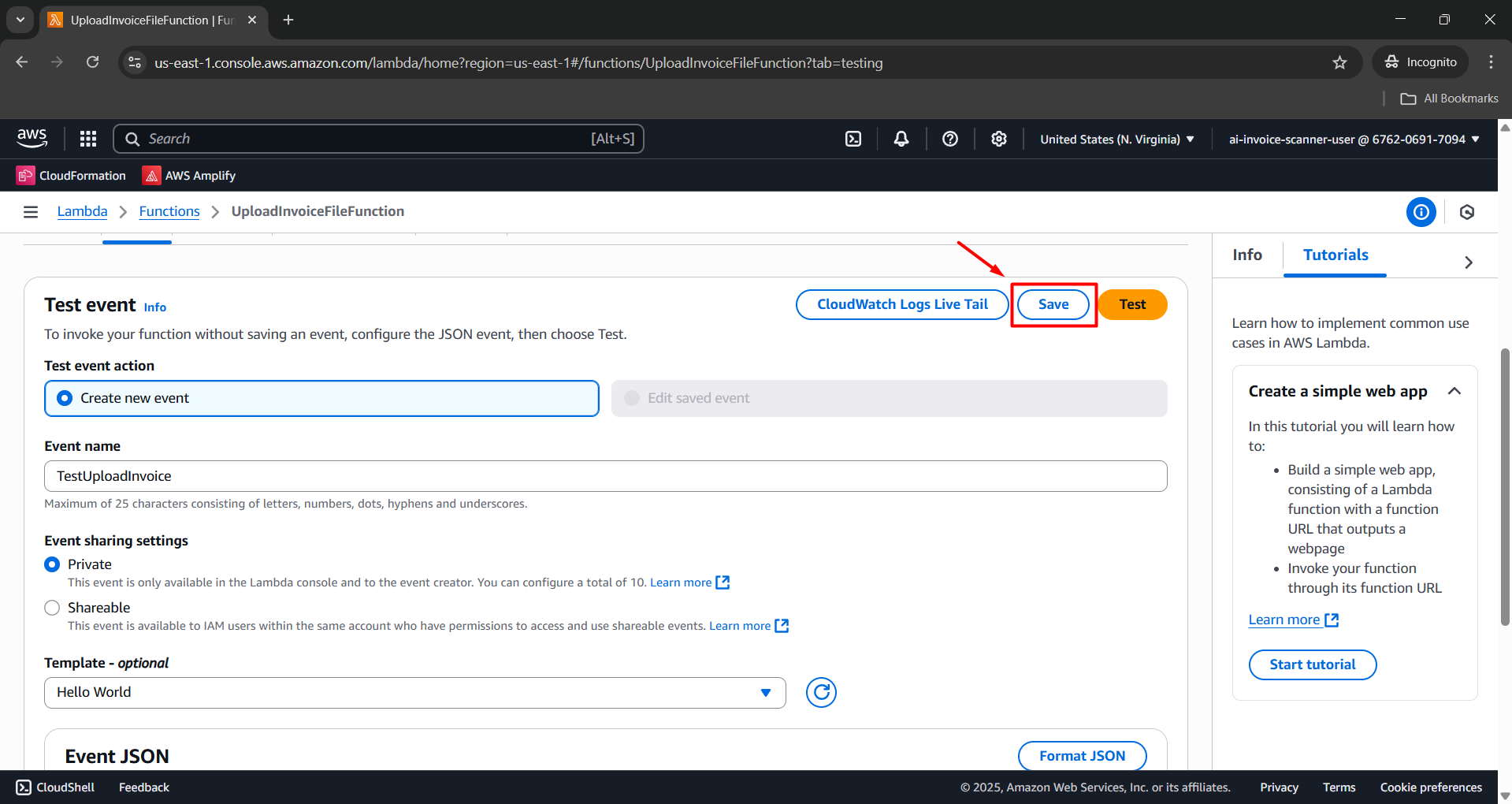
Step 3: Run the Test
- After creating the Test Event, click the Test button to run it.
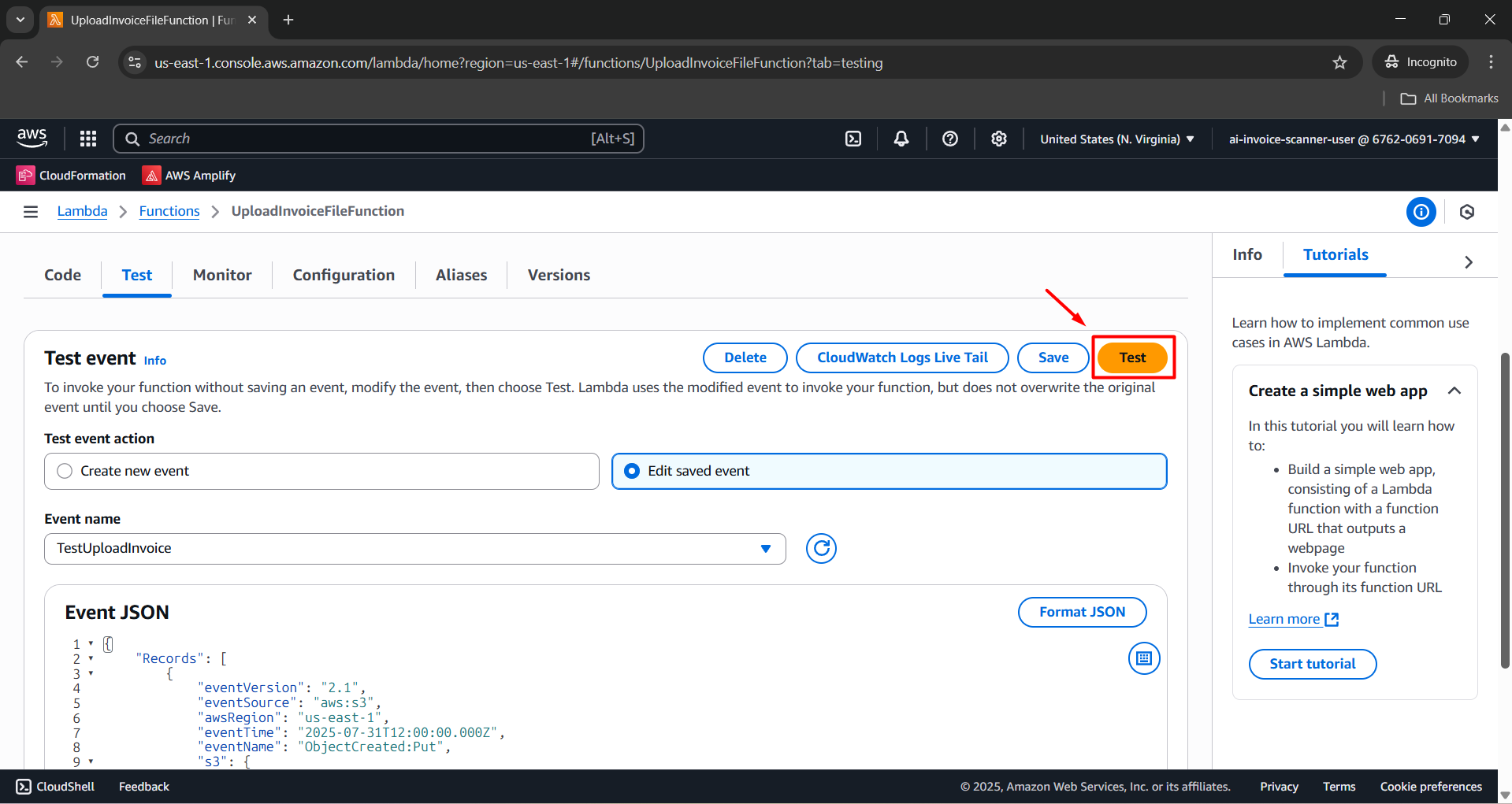
Observe the Execution results displayed after the run:
- If successful, you will see: Status: succeeded along with log output.
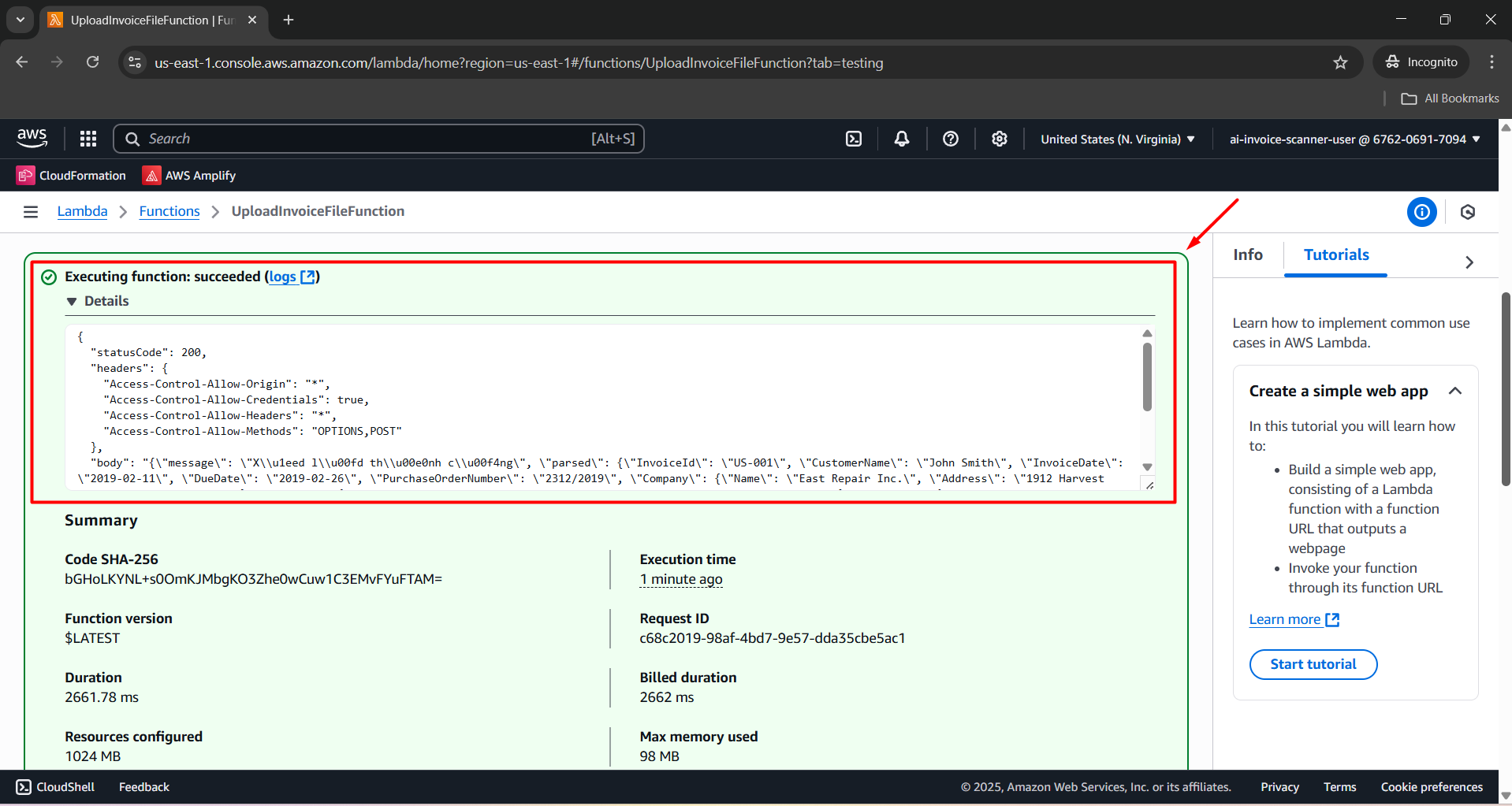
Step 4: View Detailed Logs in CloudWatch
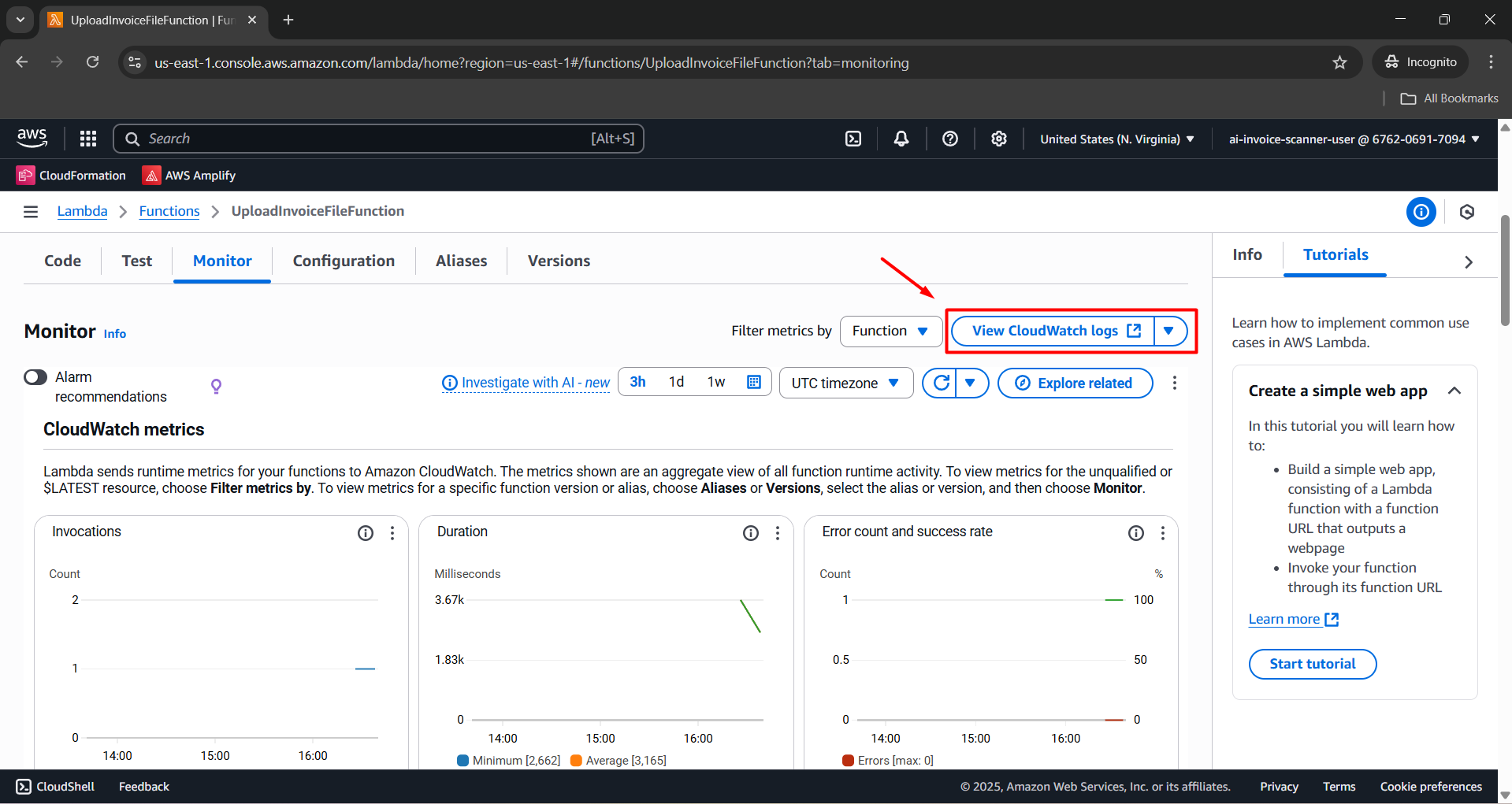
- In Lambda Console, select the Monitor tab.
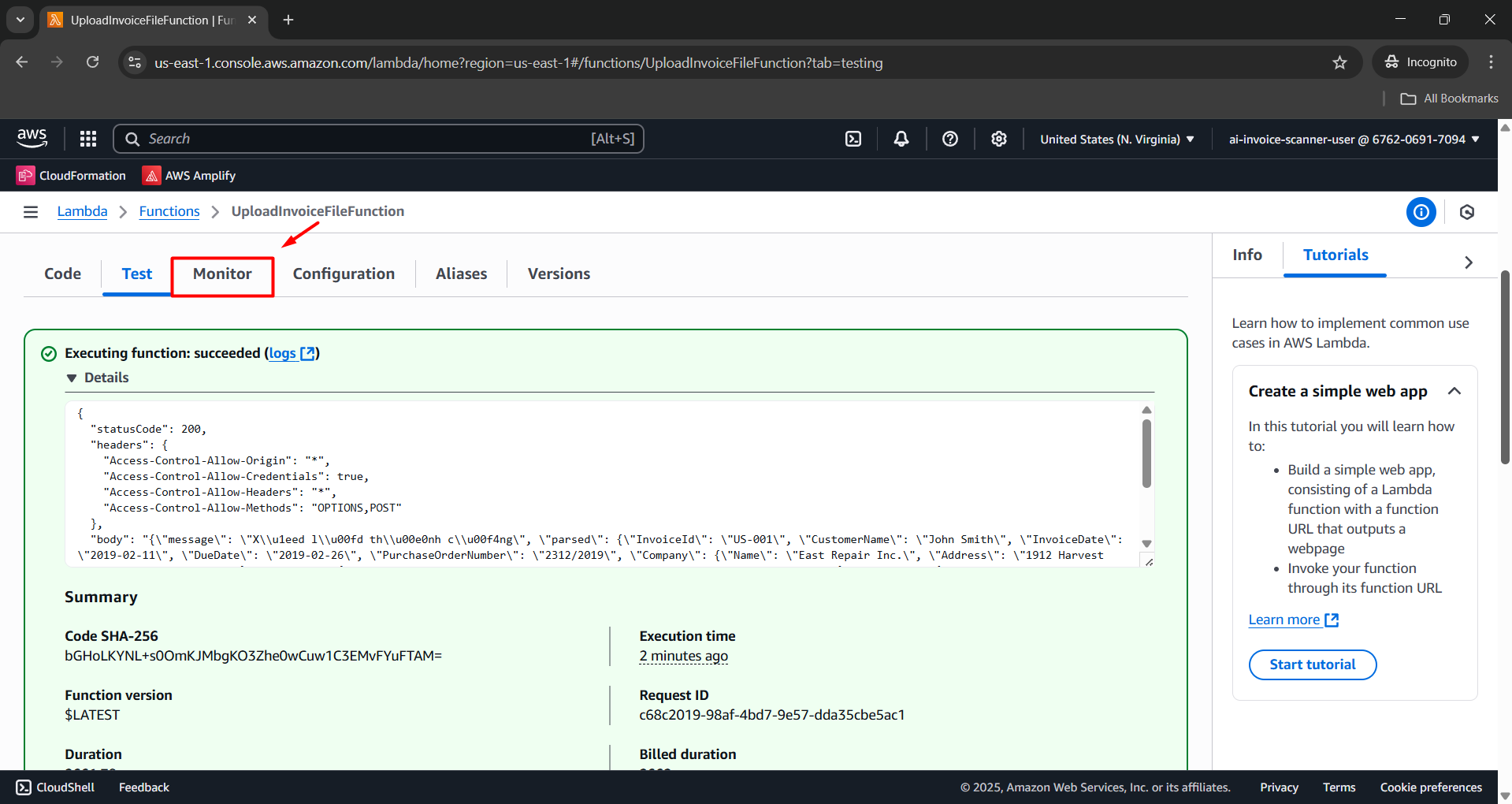
- Click View CloudWatch logs.
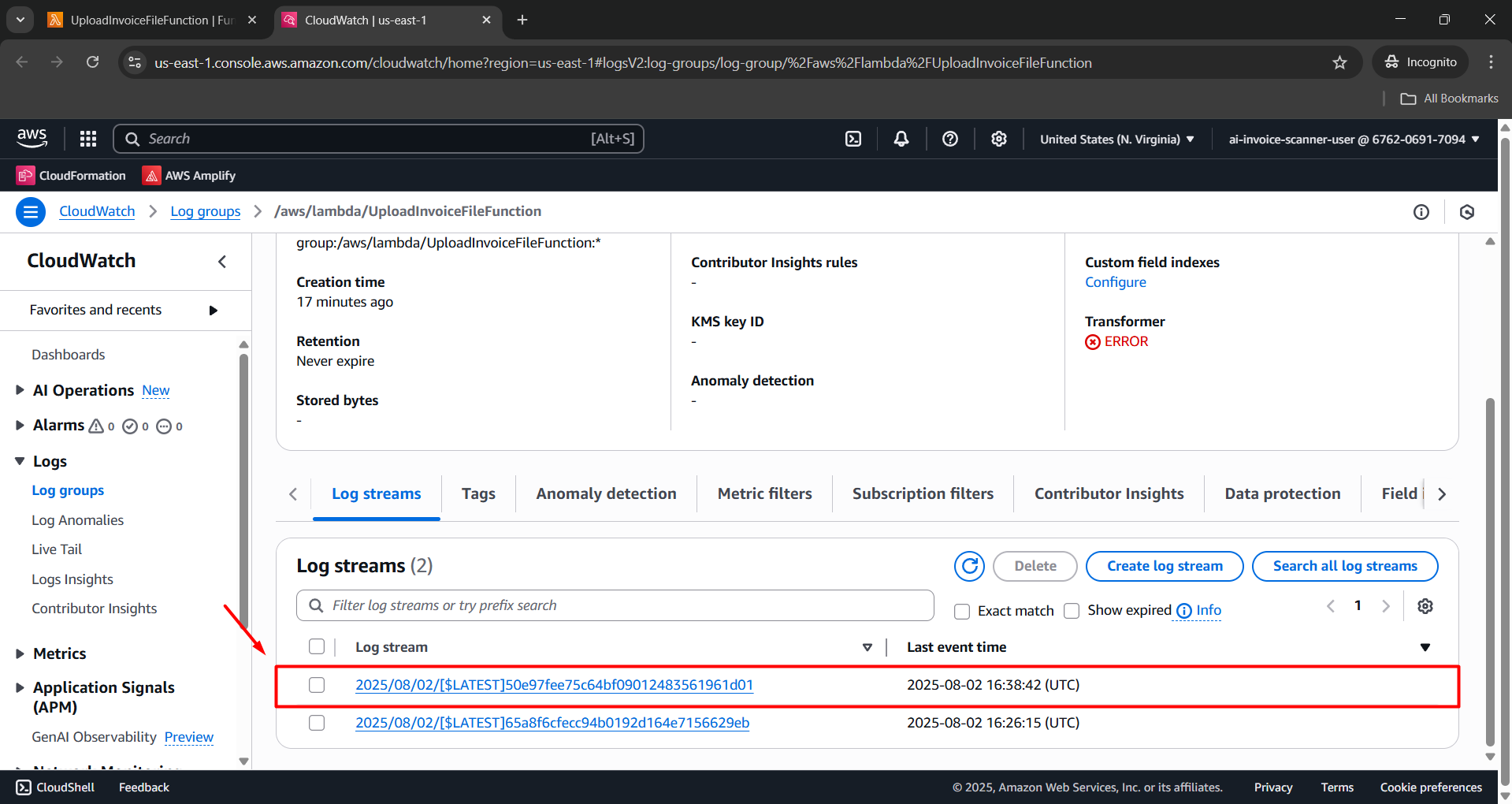
- Open the latest log stream.
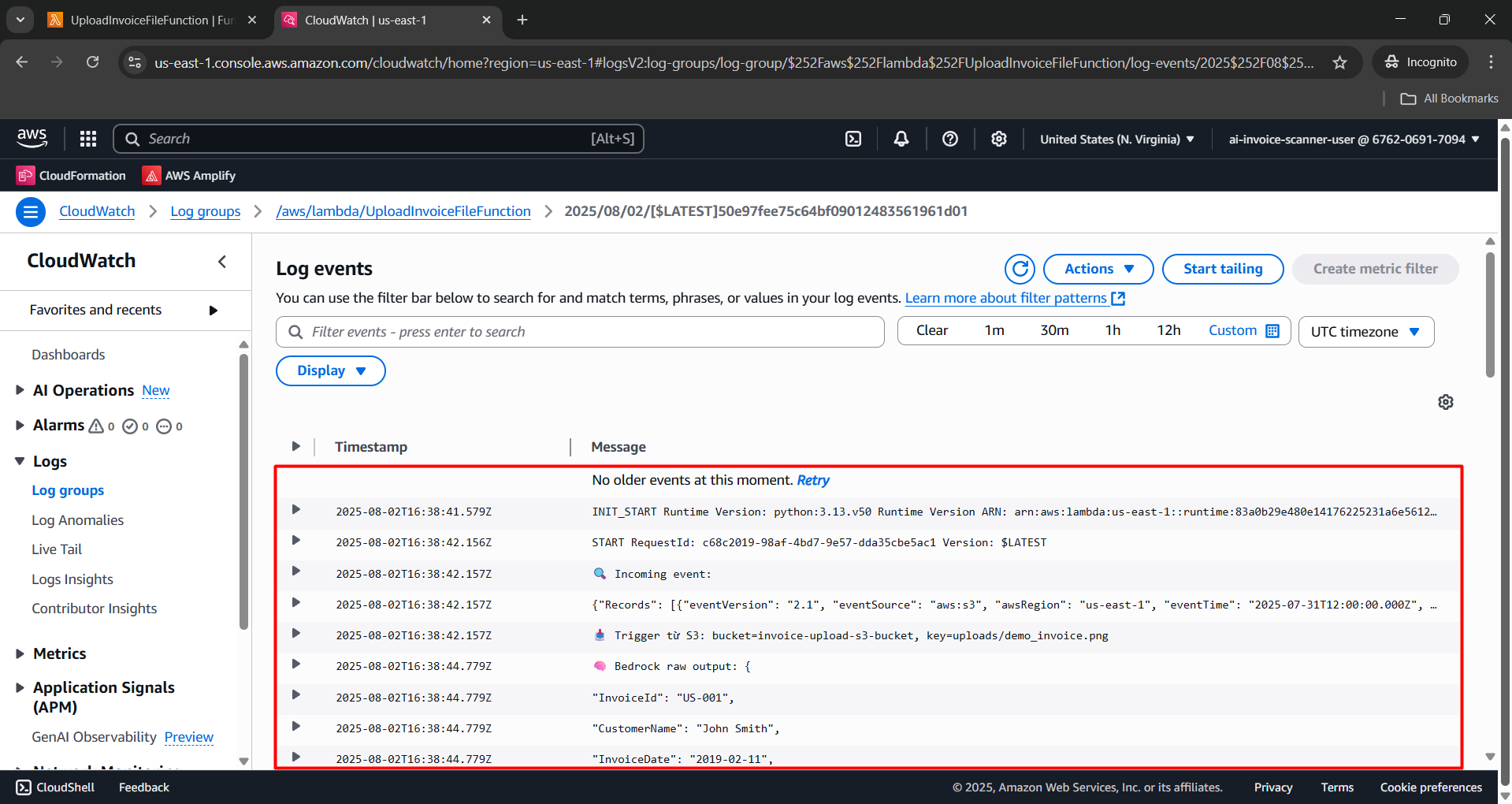
- Review the logs.
Step 5: Check Data in DynamoDB
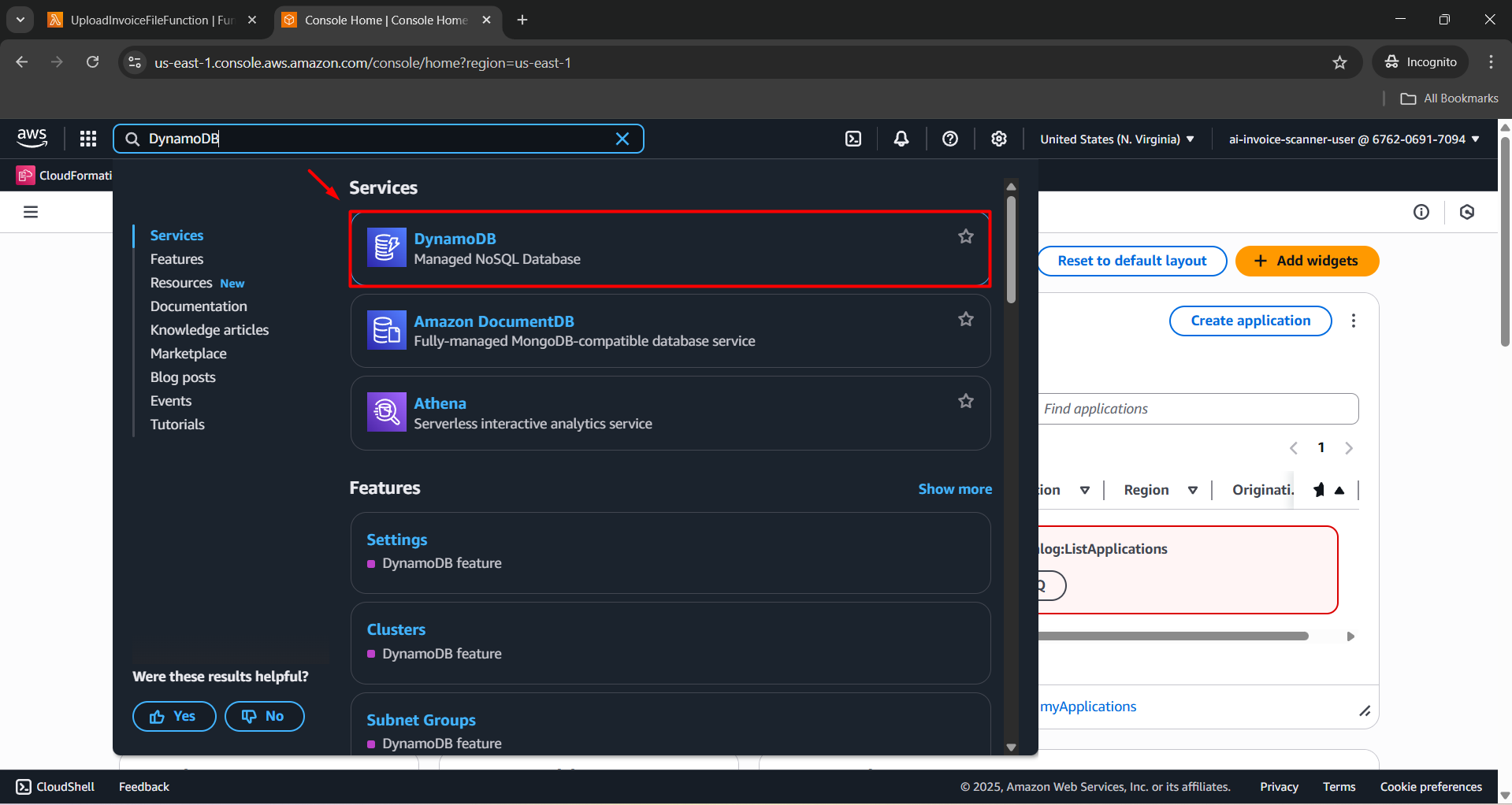
- Go to the AWS DynamoDB Console.
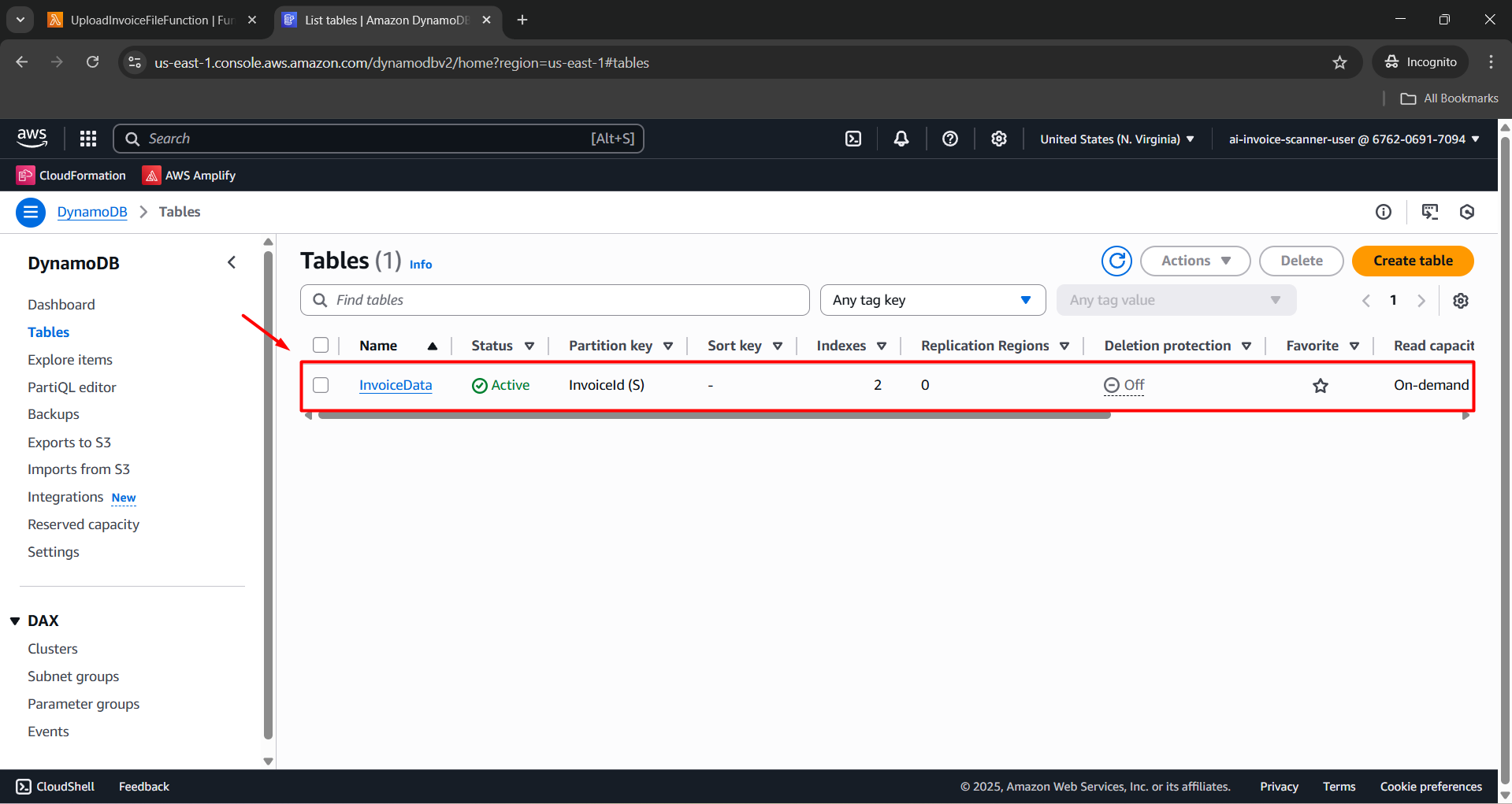
- Open the InvoiceData table.
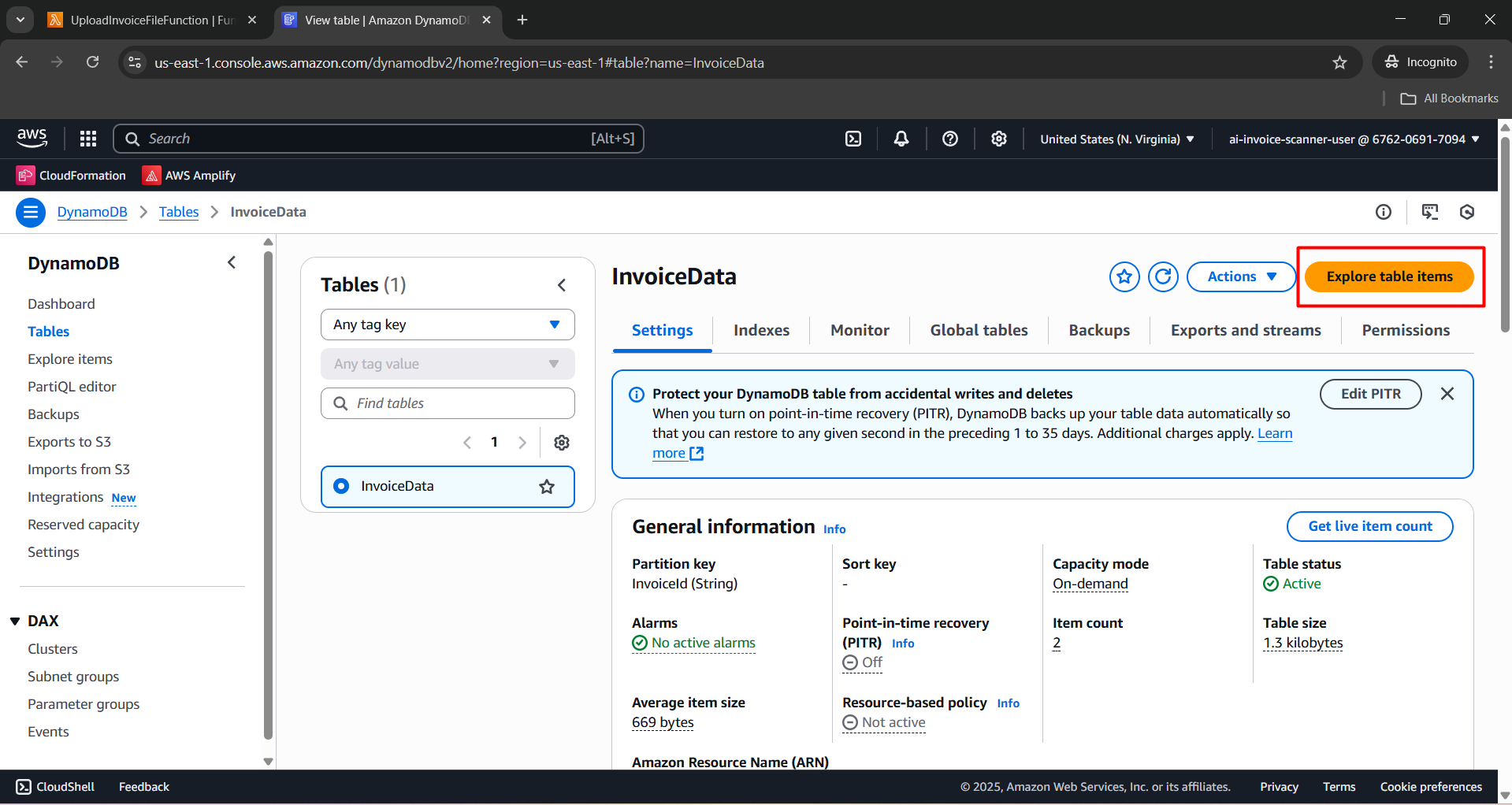
- Click Explore table items.
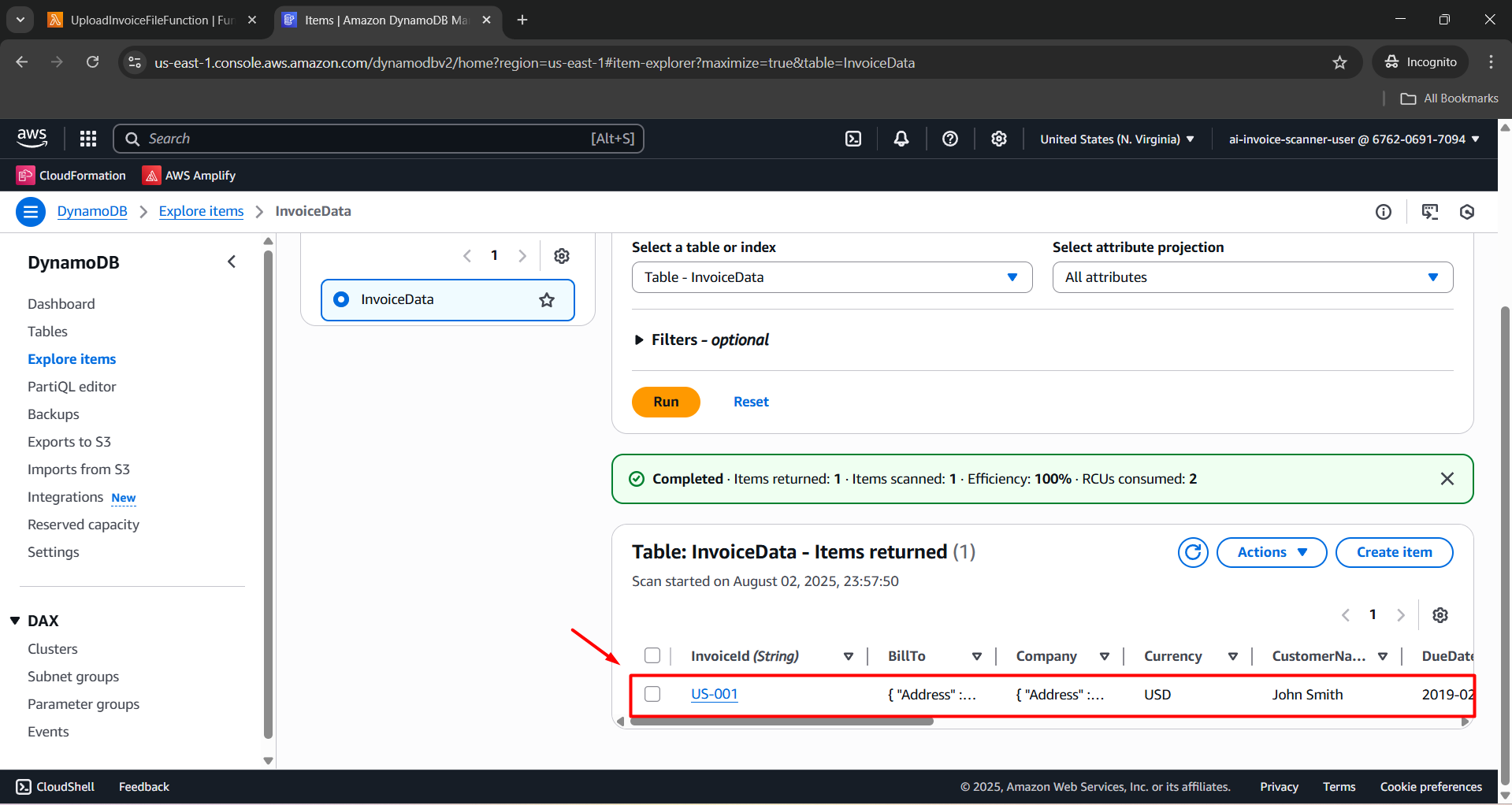
- Search for the record with InvoiceId corresponding to demo_invoice.png to confirm it was saved.
⚠️ Warning: Ensure all resources (Lambda, S3, DynamoDB, Textract, and Bedrock) are in the same region: N. Virginia (us-east-1) to ensure proper system synchronization.