Enable Nova Pro
Overview
In this step, you will enable the Nova Pro model on Amazon Bedrock for use in the Serverless Invoices Scanner project. This is one of Amazon’s powerful language models, suitable for tasks such as extracting, analyzing, and classifying information from invoices.
You only need to activate the model once per region. For this project, make sure you are operating in us-east-1 (N. Virginia) to stay in sync with Lambda, S3, and other services.
Step 1: Access Amazon Bedrock Console
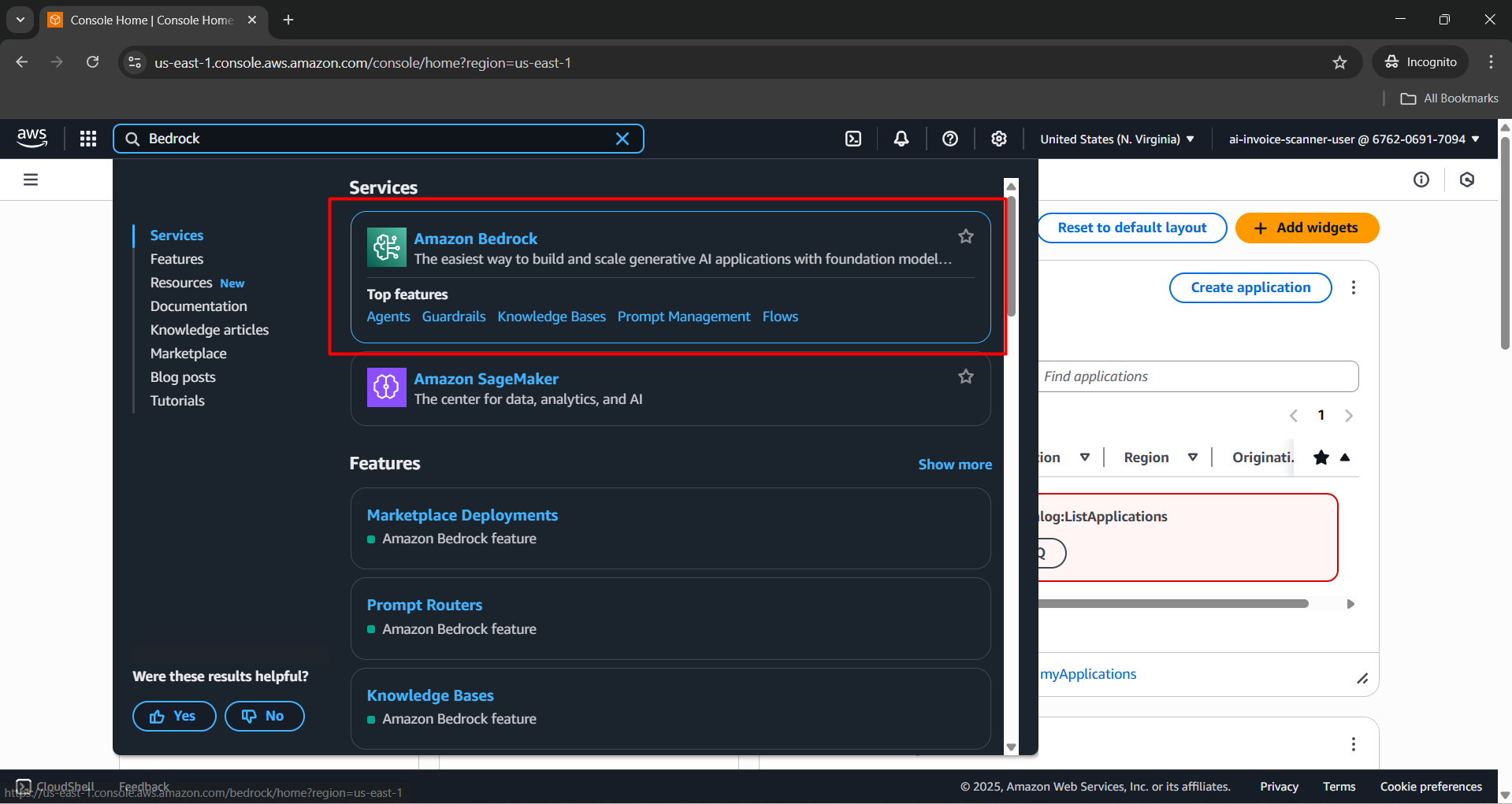
- Sign in to the AWS Console, search for Bedrock, then select Amazon Bedrock.
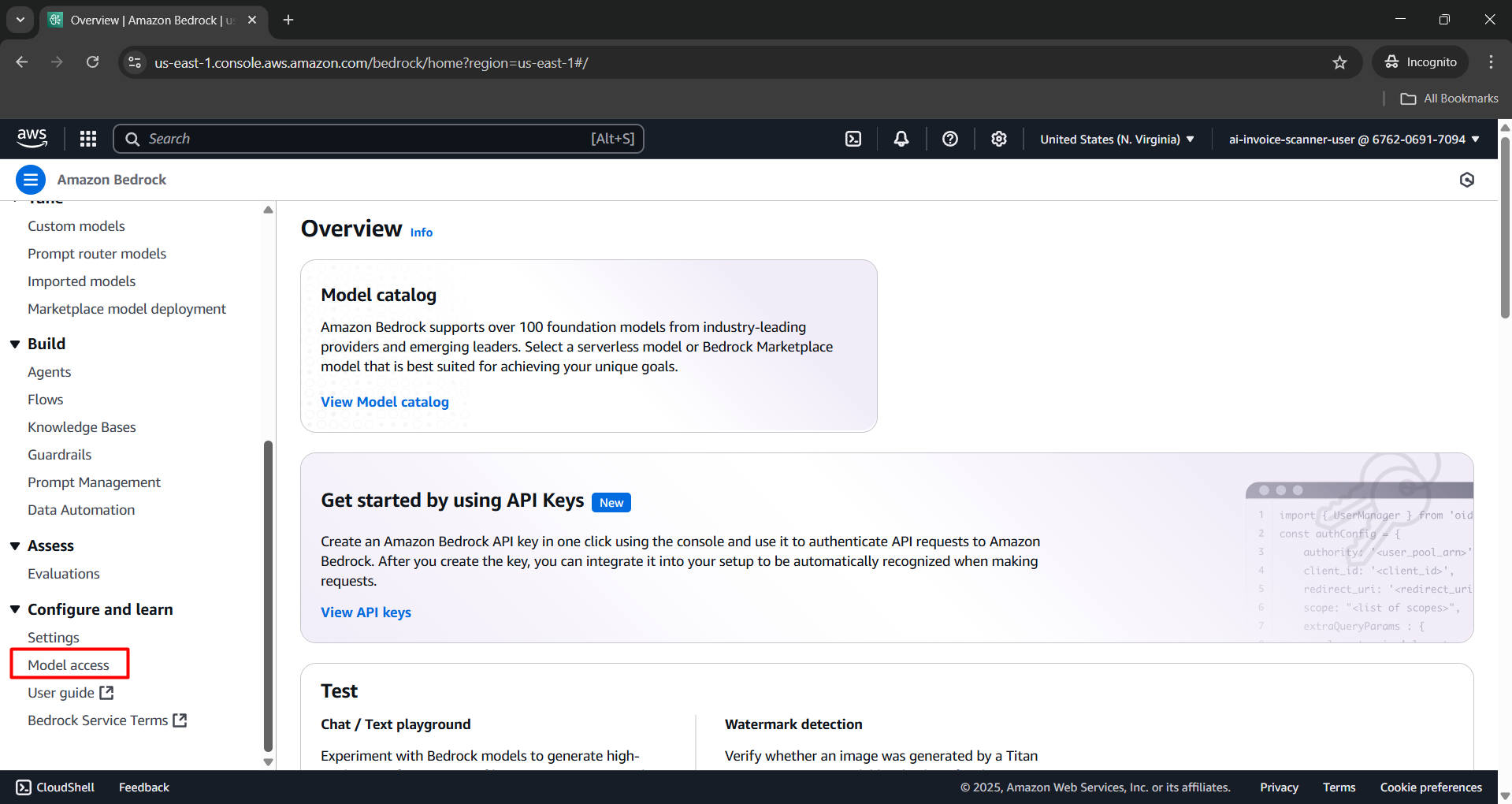
- In the Amazon Bedrock interface, on the left navigation panel, choose Model access.
Step 2: Enable the Nova Pro model
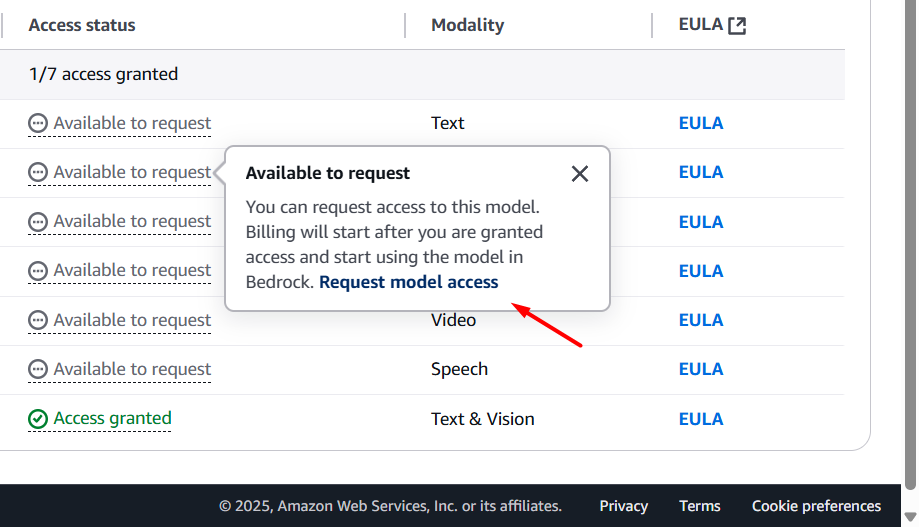
In the Base models section, scroll to find the row named Nova Pro.
Click Available to request, then select Request model access.
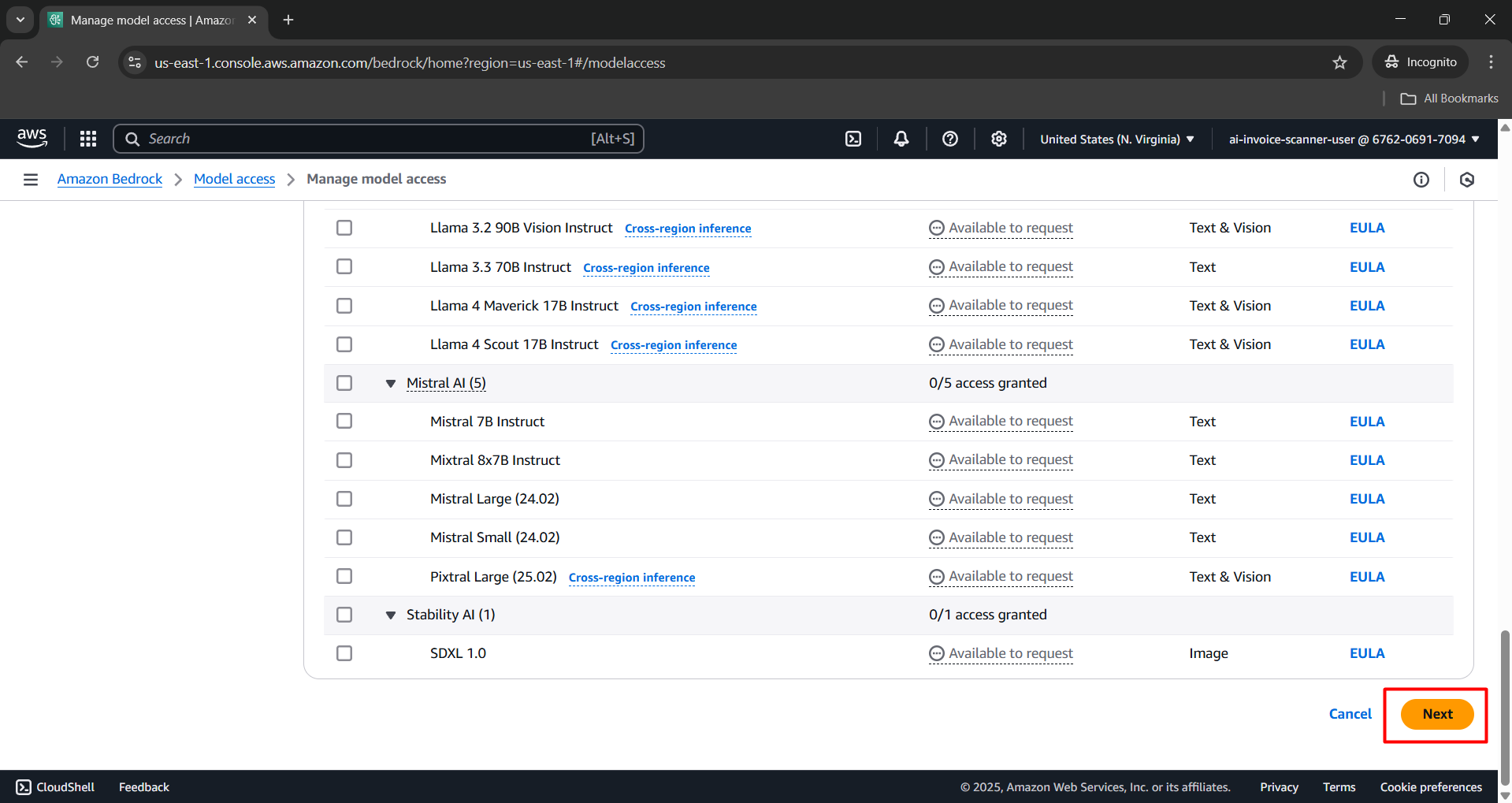
- Click Next to continue.
- Click Submit to send your request for model access.
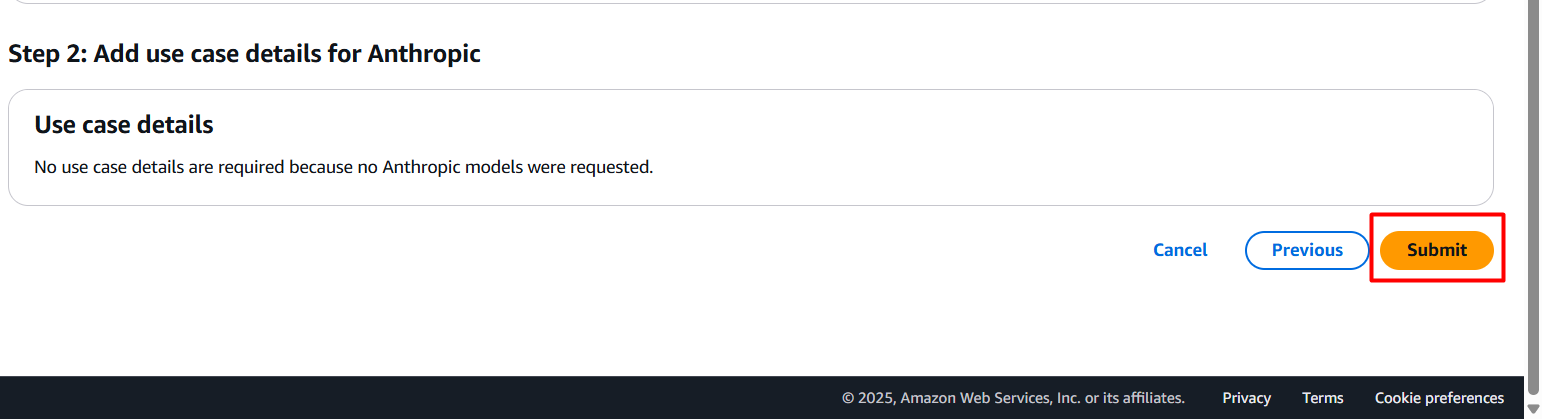
- Once successfully submitted, wait a few seconds to a few minutes. The model status will change to Access granted.
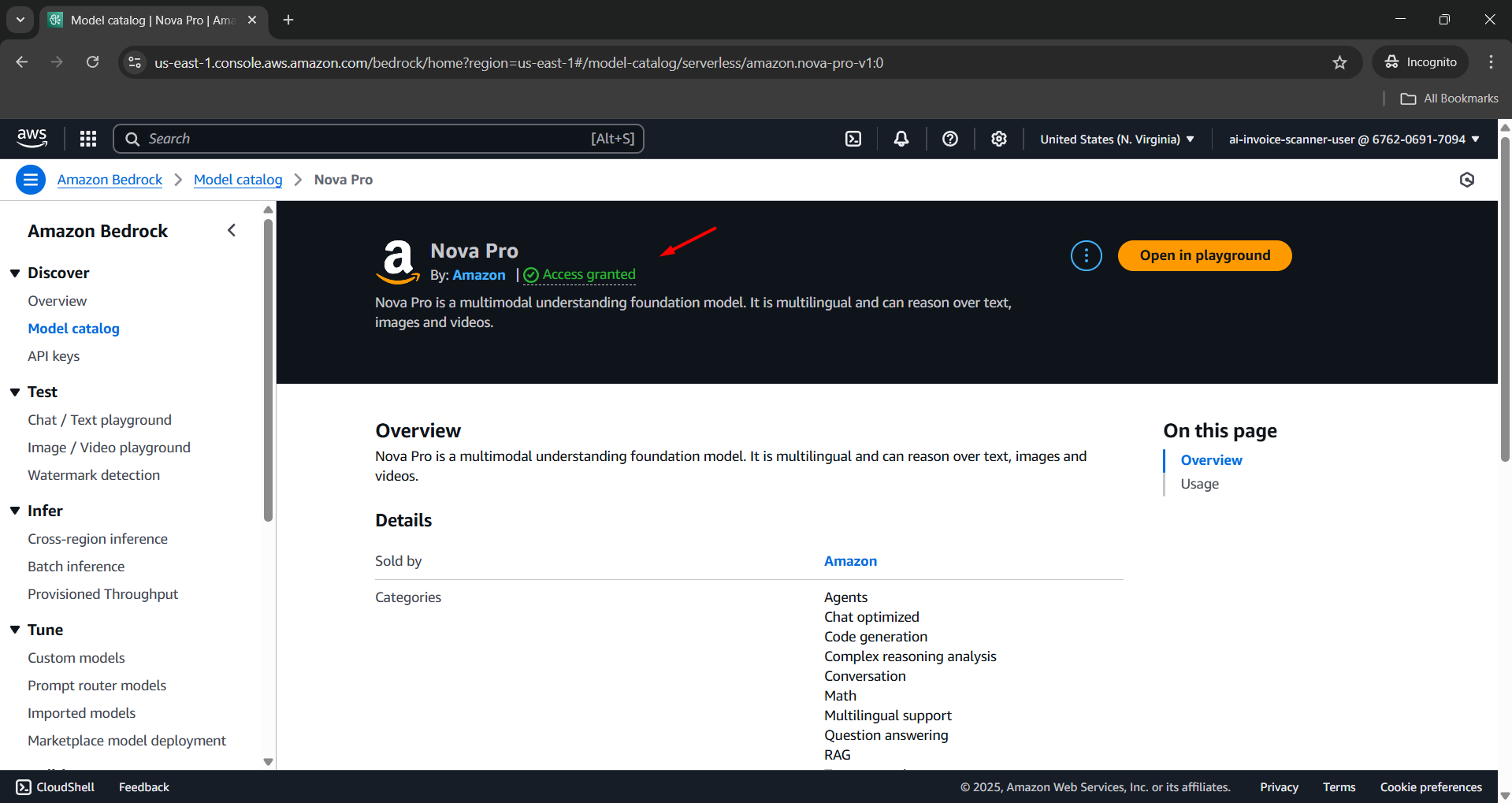
Completion
You have successfully enabled the Nova Pro model on Amazon Bedrock. This model is now ready to be used in the Lambda Function for processing invoice data in the Serverless Invoices Scanner system.